
 Arabic
  English
  Turkish
  Chinese
  Japanese
  Russian
  Spanish
  German
  French
  Hindi
Hindi Download Quick CPU Free 6.4.0 for Windows
Download Quick CPU Free 6.4.0 for Windows.
Quick CPU Free Overview
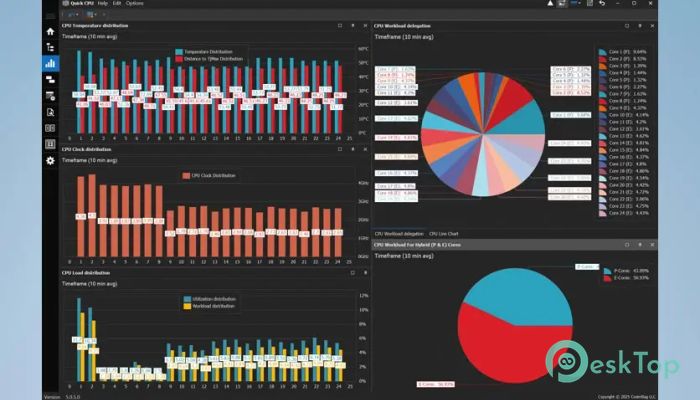
This software is built to help users take better control over their CPU settings. With options to tweak performance levels, monitor temperatures, and manage how cores are used, it gives full transparency and control. It’s ideal for users who want to strike a balance between power usage and speed, particularly for gaming, editing, or other high-performance tasks.Features of Quick CPU Free
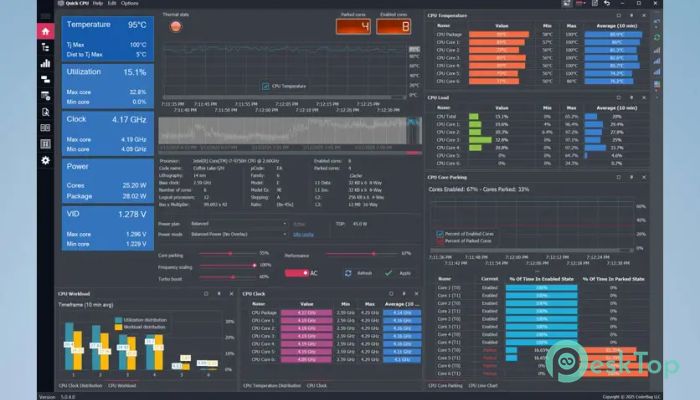
Shows individual performance graphs for each core
Indicates which cores are active and which are parked
Let you adjust the size of each CPU graph
Live counter for parked vs. active cores
Settings for core parking control
Options to manage CPU frequency scaling
Adjustments for turbo boost functionality
C-State residency monitoring in real time
Real-time tracking of CPU speed, usage, and temperature
Displays memory profiles
Monitors system power output
Compatible with AC/DC power states
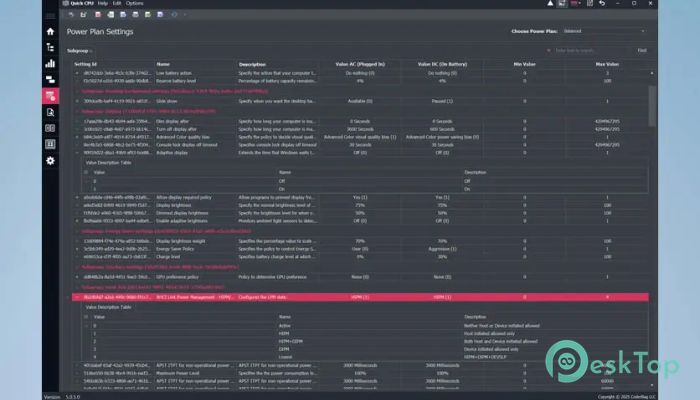
Works with system power plans
Instant application of settings without needing a reboot
Built-in support for application updates
How It Helps You
The software helps you find the sweet spot between speed and power saving. Whether you’re playing games or want your laptop to last longer on battery, you can fine-tune the settings easily. It’s beneficial if your PC feels slow or if you're troubleshooting performance drops.
Performance Monitoring
One of the biggest benefits is the ability to access real-time data. You can watch how each core performs and how much heat is being generated. Seeing the temperature and speed in one place helps you make informed decisions about cooling and fan setups.
Core Parking and Scaling
Core parking is a feature that enables the system to disable some CPU cores to conserve energy. With this tool, you can control when and how that happens. Similarly, frequency scaling means the CPU can speed up or slow down depending on the workload. These settings can be adjusted to achieve better responsiveness or improved battery life, depending on your specific needs.
User Interface
The interface is pretty straightforward. Even if you're not super technical, the graphs and stats are easy to follow. You don’t have to guess what’s going on in the background—it’s all laid out in front of you, live and clear.
Power Settings and Compatibility
The tool also works well with your current power plans. You can switch between profiles without restarting. Whether your system is plugged in or on battery, the tool instantly adjusts settings. That makes it ideal for both laptops and desktops.
System Requirements and Technical Details
Operating System: Windows 11/10
Processor: Minimum 1 GHz Processor (2.4 GHz recommended)
RAM: 2GB (4GB or more recommended)
Free Hard Disk Space: 200MB or more is recommended

-
Program size33.96 MB
-
Version6.4.0
-
Program languagemultilanguage
-
Last updatedBefore 6 Month
-
Downloads35Ralated programs
![Operant Peak Spectroscopy]() Operant Peak Spectroscopy
Operant Peak Spectroscopy ![NeverWrite]() NeverWrite
NeverWrite![FluentCleaner]() FluentCleaner
FluentCleaner![Snippai]() Snippai
Snippai![ChillShot AI]() ChillShot AI
ChillShot AI![Splunk Enterprise]() Splunk Enterprise
Splunk Enterprise
 Operant Peak Spectroscopy
  NeverWrite
 FluentCleaner
 Snippai
 ChillShot AI
 Splunk Enterprise