
 Arabic
  English
  Turkish
  Chinese
  Japanese
  Russian
  Spanish
  German
  French
  Hindi
Hindi Download Recordly 1.0 for Windows
Download Recordly 1.0 for Windows.
Recordly Overview
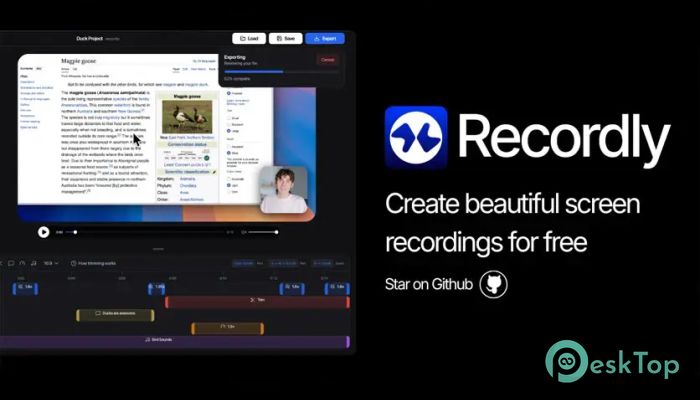
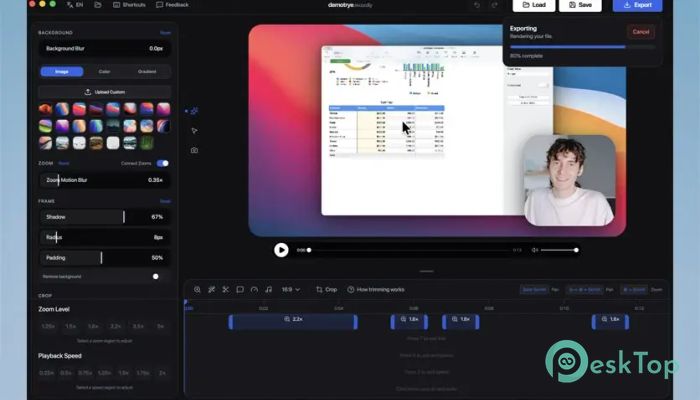
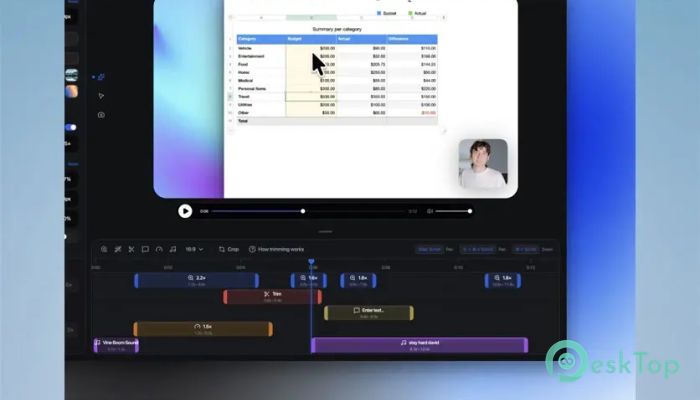
Creating professional screen recordings usually takes time. You record, then edit, then add zoom effects, cursor highlights, and webcam overlays. This process can feel slow and repetitive, especially when you just want to share something quickly. That is where this tool changes everything. It is designed to automatically make recordings look professional. Instead of spending hours editing, the software applies smart zoom, cursor animations, and webcam overlays while recording. This means you can record once and publish immediately. The software is free, open-source, and lightweight. It focuses on simplicity while still offering powerful features. Whether you create tutorials, presentations, or quick demonstrations, it helps you produce clean, engaging videos with minimal effort. Because it is still evolving, users may experience occasional bugs. However, the fast development and open-source nature make it a promising solution for modern screen recording needs.Features of Recordly
Smart Auto-Zoom Technology
One of the most impressive features is automatic zooming. The software intelligently zooms into areas of interest during recording. For example, when you click something important, it zooms in smoothly.
This automatic focus helps viewers understand what matters. Instead of manually editing zoom effects later, everything happens in real time. The result feels natural, as if a camera were following your movements.
Smooth Cursor Animations
Cursor movements often look plain and difficult to follow in recordings. This tool solves that problem by adding beautiful cursor animations.
The software highlights clicks, adds smooth motion, and improves visibility. This makes it easier for viewers to follow actions on screen. It also gives recordings a more professional appearance.
Smart Webcam Bubble
Another standout feature is the smart webcam bubble. This allows your webcam to appear on screen while recording. The interesting part is how intelligently it behaves.
The webcam bubble expands when you speak or when attention is needed. Then it shrinks when focus should return to the screen. This dynamic behavior helps maintain balance between content and the presenter.
Background Enhancements
Recording a screen sometimes looks plain and dull. This tool adds visual enhancements to recordings to make them more appealing.
It creates subtle backgrounds that frame your content. This improves the overall presentation and gives recordings a modern appearance.
Lightweight and Fast Performance
The software is designed to be lightweight. It does not consume excessive system resources. This means you can record smoothly even on mid-range systems.
Fast startup and minimal setup make it convenient for quick recordings. You can open it, record, and export without complicated configuration.
Open-Source Flexibility
Being open-source offers several advantages. Users can contribute, customize, and improve the software. This creates a community-driven development environment.
Open-source also means transparency. Users know what the software does and how it works. This builds trust and reliability.
System Requirements and Technical Details
Operating System: Windows 11 / 10 / 8.1 / 7
Processor: Minimum 1 GHz Processor (2.4 GHz recommended)
RAM: 2GB (4GB or more recommended)
Free Hard Disk Space: 200MB or more is recommended

-
Program size168.91 MB
-
Version1.0
-
Program languagemultilanguage
-
Last updatedBefore 6 Month
-
Downloads20Ralated programs
![Operant Peak Spectroscopy]() Operant Peak Spectroscopy
Operant Peak Spectroscopy ![NeverWrite]() NeverWrite
NeverWrite![FluentCleaner]() FluentCleaner
FluentCleaner![Snippai]() Snippai
Snippai![ChillShot AI]() ChillShot AI
ChillShot AI![Splunk Enterprise]() Splunk Enterprise
Splunk Enterprise
 Operant Peak Spectroscopy
  NeverWrite
 FluentCleaner
 Snippai
 ChillShot AI
 Splunk Enterprise