
 Arabic
  English
  Turkish
  Chinese
  Japanese
  Russian
  Spanish
  German
  French
  Hindi
Hindi Download Restic 0.19.1 for Windows
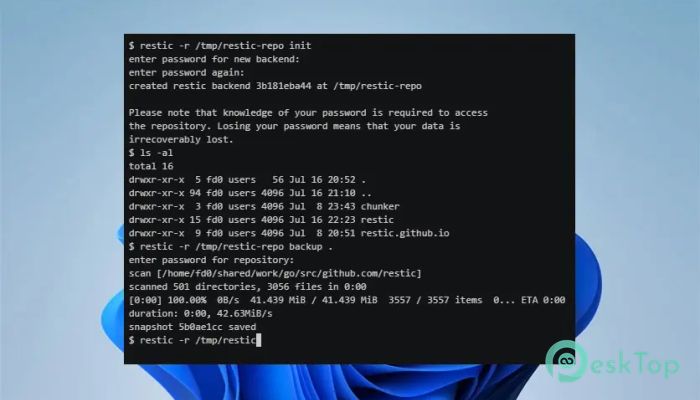
Download Restic 0.19.1 for Windows.
Restic Overview
It is a modern backup program designed to keep your data safe without complicating things. It focuses on backing up the right way by staying simple, fast, and reliable. Instead of forcing you into complex setups, it works as a single executable that runs smoothly on Windows and other platforms. This makes it feel like a portable toolbox you can carry anywhere, rather than a heavy machine that requires constant attention.Features of Restic
Simple and hassle-free design
It follows a clean and practical design philosophy. You do not need a server, background service, or long installation steps. Just download the file, run it, and you are ready to protect your data. This simplicity feels like plugging in a flashlight instead of wiring an entire lighting system. Everything is focused on helping you get backups done quickly.
Fast backups that save time
The software is built for speed. It transfers only the parts of files that have changed since the last backup. This intelligent behavior reduces waiting time and saves bandwidth. Large folders no longer feel heavy, and repeated backups become quick check-ins rather than long jobs.
Strong security from start to finish
Security is treated as a core feature, not an extra option. Every part of the process uses careful cryptography to protect your data. Files are encrypted before they leave your system, so even if someone gains access to the storage, the information stays unreadable. It is like locking your files in a safe before storing them.
Reliable and verifiable restores
Backing up files only matters if you can restore them when needed. It allows you to verify backups and check their integrity at any time. This gives peace of mind, knowing your data is not only stored but also readily recoverable without surprises.
Works with many storage options
The tool supports many different storage types. You can use local drives, self-hosted servers, or online storage services. This flexibility means you are not tied to one provider. You choose where your data lives, just like choosing the safest place to keep your valuables.
Efficient use of space
Storage efficiency is another strong point. It avoids saving duplicate data by reusing unchanged parts across backups. Over time, this can save significant disk space, especially when backing up similar files regularly.
Free and open source freedom
It is free to use and fully open-source. Anyone can inspect how it works, contribute improvements, or customize it for personal needs. This openness builds trust and keeps the project transparent and community-driven.
Ideal for beginners and advanced users
While it uses a command-line interface, the learning curve is reasonable. Beginners can follow simple commands, and advanced users can automate tasks with scripts. It grows with you, starting simple and becoming powerful as your needs expand.
System Requirements and Technical Details
Operating System: Windows 11 / 10 / 8.1 / 7
Processor: Minimum 1 GHz Processor (2.4 GHz recommended)
RAM: 2GB (4GB or more recommended)
Free Hard Disk Space: 200MB or more is recommended

-
Program size7.75 MB
-
Version0.19.1
-
Program languagemultilanguage
-
Last updatedBefore 2 Month
-
Downloads13
 Windows Backup & Restore Tool
 gSyncing
 ASBYTE Syncing.NET
 Reuschtools CopyWin
  Lazesoft Disk Image and Clone
  Hekasoft Backup.Restore