
 Arabic
  English
  Turkish
  Chinese
  Japanese
  Russian
  Spanish
  German
  French
  Hindi
Hindi Download RustDesk-ID-Changer AIO 1.0 for Windows
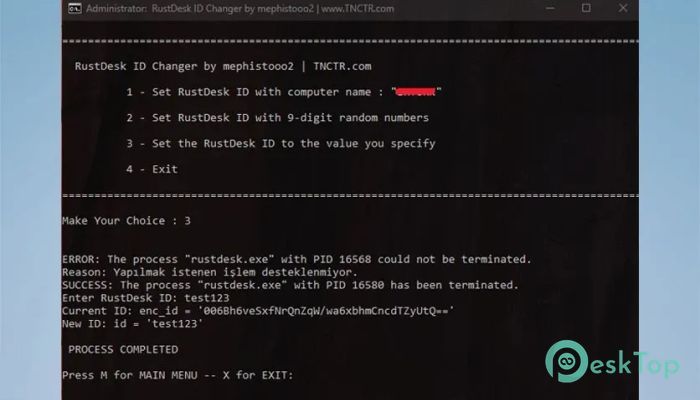
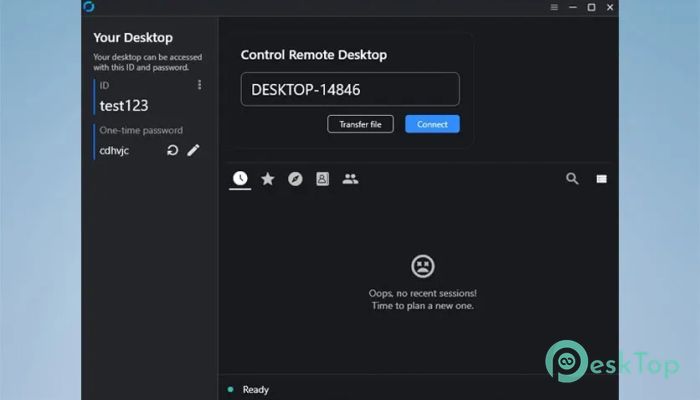
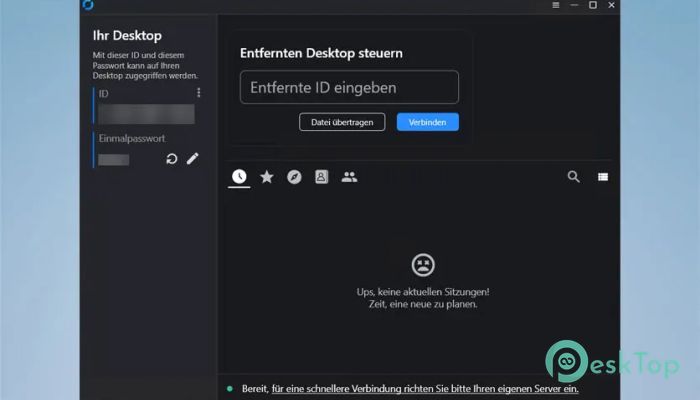
Download RustDesk-ID-Changer AIO 1.0 for Windows.
RustDesk-ID-Changer AIO Overview
Managing remote desktop environments can sometimes feel like juggling too many balls at once, especially in large setups like computer labs or office networks. This is where the tool steps in as a practical solution. It helps you quickly modify the tool ID without complicated steps or system restarts. In many cases, after deploying system images across multiple machines, the ID of the remote connection software does not update correctly. This creates confusion when trying to connect to specific devices. The tool fixes this issue smoothly, making each system uniquely identifiable again.Features of RustDesk-ID-Changer AIO
Automatic ID Conversion Feature
One of the most helpful aspects of the software is its ability to automatically convert the ID into the name of the host computer. This means each system reflects its identity clearly without manual input.
This feature works especially well in organized environments where machines are already named properly. It ensures that remote access becomes more intuitive and user-friendly.
Random ID Generation Option
Sometimes, you may not want to use system names. In that case, the tool offers a random ID generation feature. It generates a unique 9-digit number for each system, ensuring no duplicates.
This is useful in scenarios where anonymity or uniform formatting is preferred. The process is quick, automatic, and requires no extra effort from the user.
Custom ID Assignment
Flexibility is key when working with different systems. That is why the software allows users to define their own ID values. You can assign any preferred number or format that suits your needs.
This feature gives you full control, making it ideal for businesses or users who follow specific naming conventions or tracking systems.
No Reboot Required
One standout benefit is that there is no need to restart the system after making changes. The updates apply instantly, saving time and avoiding interruptions.
This is especially valuable in active environments where downtime is not acceptable. You can make changes on the fly without affecting ongoing tasks.
Perfect for Computer Labs and Offices
The tool shines in environments where multiple systems are cloned using the same image. In such setups, ID duplication is a common issue. This software resolves it quickly and effectively.
It ensures each system gets a unique identity, making remote management smoother and more reliable. Think of it as restoring order in a chaotic network.
Easy PowerShell Integration
The software is based on a PowerShell script, making it lightweight and efficient. It does not require heavy installation or complex setup.
You can run it easily and get results within seconds. Even users with basic technical knowledge can handle it without difficulty.
Time-Saving Automation
Manual changes can be slow and repetitive, especially when dealing with many machines. This tool automates the entire process, saving valuable time.
It is like switching from manual driving to cruise control. Once set, everything works smoothly without constant attention.
Reliable and Consistent Performance
Consistency matters when managing remote connections. The tool delivers stable and predictable results every time.
You can trust it to perform the task accurately without unexpected errors. This reliability makes it a dependable choice for both personal and professional use.
System Requirements and Technical Details
Operating System: Windows 11 / 10 / 8.1 / 7
Processor: Minimum 1 GHz Processor (2.4 GHz recommended)
RAM: 2GB (4GB or more recommended)
Free Hard Disk Space: 200MB or more is recommended

-
Program size63.71 KB
-
Version1.0
-
Program languagemultilanguage
-
Last updatedBefore 3 Month
-
Downloads8Ralated programs
![Operant Peak Spectroscopy]() Operant Peak Spectroscopy
Operant Peak Spectroscopy ![NeverWrite]() NeverWrite
NeverWrite![FluentCleaner]() FluentCleaner
FluentCleaner![Snippai]() Snippai
Snippai![ChillShot AI]() ChillShot AI
ChillShot AI![Splunk Enterprise]() Splunk Enterprise
Splunk Enterprise
 Operant Peak Spectroscopy
  NeverWrite
 FluentCleaner
 Snippai
 ChillShot AI
 Splunk Enterprise