
 Arabic
  English
  Turkish
  Chinese
  Japanese
  Russian
  Spanish
  German
  French
  Hindi
Hindi Download RustDesk Silent Installer 1.0 for Windows
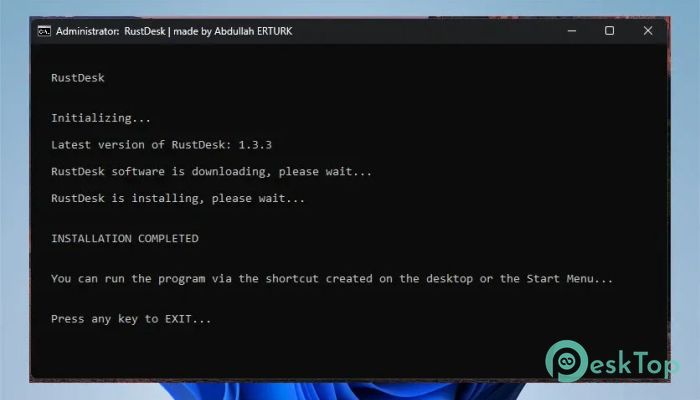
Download RustDesk Silent Installer 1.0 for Windows.
RustDesk Silent Installer Overview
This tool is designed for users who want a smooth, automated way to install remote access software without clicking through setup screens. It works silently in the background, making it perfect for system administrators, IT professionals, and even regular users who prefer a hassle-free setup. Instead of going through the usual installation steps, everything happens in one go, saving both time and effort. The software itself is based on RustDesk, a free and open-source remote desktop solution. This means you get secure and reliable remote access without paying for expensive subscriptions. The installer simply enhances the experience by removing the need for manual input.Features of RustDesk Silent Installer
Silent Installation Process
The biggest advantage of this tool is its silent installation feature. Imagine installing software like flipping a switch instead of walking through a long corridor. There are no pop-ups, no buttons to click, and no interruptions.
It runs in the background and completes the installation automatically. This makes it ideal for deploying software on multiple computers at once. Whether you are setting up an office or managing systems remotely, this feature saves significant time.
Custom Configuration Options
Another powerful feature is the ability to customize the installation. If you are using your own remote desktop server, you can easily include your server address and security key in the script.
This means every installation will automatically connect to your custom setup without manual configuration. It is like pre-setting everything before handing over the tool, so the end user does not need to adjust anything later.
Easy Deployment for Multiple Systems
Managing multiple computers can feel like juggling too many tasks at once. This tool simplifies that process. You can deploy the installer across several machines without needing to sit in front of each one.
It works well in business environments where consistency and speed matter. Once the script is prepared, you can run it on different systems and achieve identical results every time.
User-Friendly Approach
Even though it sounds technical, the tool is surprisingly easy to use. You do not need advanced programming skills to get started. With a basic understanding, you can set it up and run it smoothly.
The idea is to remove complexity, not add to it. It behaves like a quiet assistant, doing its job without demanding attention.
Secure Remote Access Setup
Security is always a concern when dealing with remote connections. Since the installer is based on a trusted open-source platform, it ensures safe communication between devices.
You can also add your own security configurations, making it even more reliable. This flexibility gives you full control over how connections are handled.
Time-Saving Automation
Time is one of the most valuable resources, especially in IT tasks. This tool significantly reduces installation time. Instead of repeating the same steps again and again, you can automate everything.
Think of it as setting up a shortcut for a long journey. Once created, you can reuse it whenever needed without having to start from scratch.
Lightweight and Efficient
The installer does not consume heavy system resources. It runs quickly and completes its task without slowing down the computer. This makes it suitable even for older systems.
Its efficiency ensures a smooth installation process that does not interfere with other operations.
Ideal for IT Professionals
This tool is especially useful for IT teams who manage multiple devices. It allows them to deploy software quickly and maintain consistency across systems.
Instead of handling installations manually, they can rely on automation to get the job done. This improves productivity and reduces the chances of errors.
System Requirements and Technical Details
Operating System: Windows 11 / 10 / 8.1 / 7
Processor: Minimum 1 GHz Processor (2.4 GHz recommended)
RAM: 2GB (4GB or more recommended)
Free Hard Disk Space: 200MB or more is recommended

-
Program size107.04 KB
-
Version1.0
-
Program languagemultilanguage
-
Last updatedBefore 3 Month
-
Downloads17Ralated programs
![Operant Peak Spectroscopy]() Operant Peak Spectroscopy
Operant Peak Spectroscopy ![NeverWrite]() NeverWrite
NeverWrite![FluentCleaner]() FluentCleaner
FluentCleaner![Snippai]() Snippai
Snippai![ChillShot AI]() ChillShot AI
ChillShot AI![Splunk Enterprise]() Splunk Enterprise
Splunk Enterprise
 Operant Peak Spectroscopy
  NeverWrite
 FluentCleaner
 Snippai
 ChillShot AI
 Splunk Enterprise