
 Arabic
  English
  Turkish
  Chinese
  Japanese
  Russian
  Spanish
  German
  French
  Hindi
Hindi Download Screenpipe 0.2.74 for Windows
Download Screenpipe 0.2.74 for Windows.
Screenpipe Overview
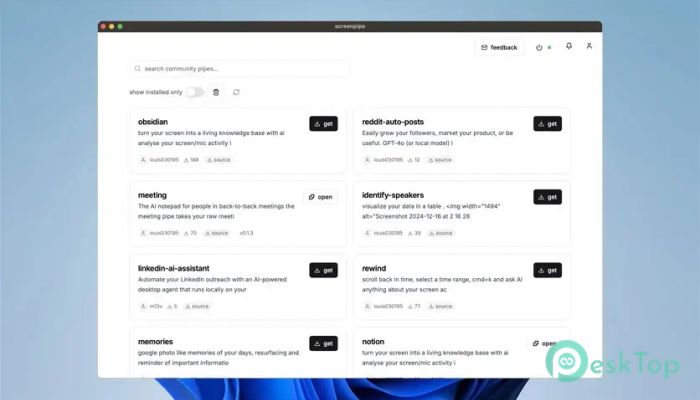
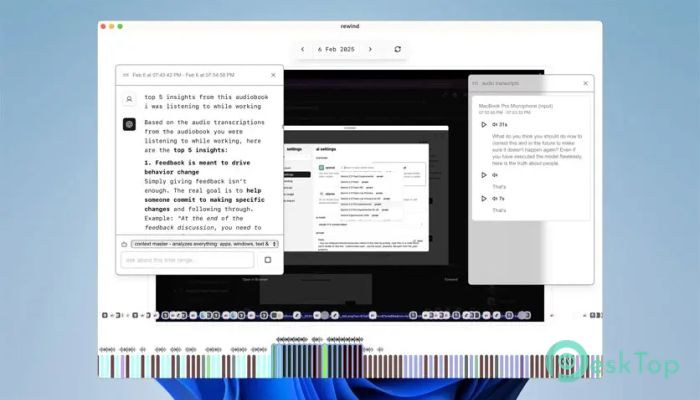
It is built for people who want intelligent automation without giving up control. It quietly captures screen activity and microphone input in the background and keeps everything stored locally. Think of it as a digital notebook that remembers what you did, saw, and heard, ready to be used by AI whenever you need it. The idea is simple. Instead of sending sensitive data to the cloud, it keeps recordings on your own machine. This makes it ideal for offline workflows, private research, and long-term knowledge building without constant internet access.Features of Screenpipe
Offline AI and Local Processing
One of the strongest points is offline operation. The tool works smoothly with local AI models, including setups powered by Ollama. This means no dependency on external servers and no fear of sudden data leaks.
Local processing also improves speed and reliability. Tasks like summarizing activity, extracting notes, or triggering automations happen right on your PC, even when the internet is unavailable.
Privacy and Data Ownership
Privacy is treated as a core feature, not an afterthought. All recordings stay on your system, and you decide how they are used. There is no forced upload, no hidden sync, and no third-party access.
This approach gives full ownership of information. For professionals handling sensitive material, it feels like keeping documents in a locked drawer instead of leaving them on a public desk.
AI Agents and Automation
The platform enables the installation of hundreds of AI agents that can read and act on recorded data. These agents can monitor workflows, generate summaries, or automate repetitive tasks.
Imagine an assistant that reviews your daily activity and highlights key moments, or one that builds a searchable knowledge base from everything you worked on. That is the kind of automation made possible here.
JavaScript Plugin Integration
Customization is handled through JavaScript plugins. Developers can create their own agents and extensions in a sandboxed environment. This keeps the system secure while allowing deep flexibility.
Plugins can be designed for specific use cases, such as tracking productivity, analyzing workflows, or triggering actions when specific patterns appear on the screen.
Use Cases for Different Users
For developers, it becomes a living log of coding sessions and debugging steps. For researchers, it serves as a memory vault for experiments and findings. For everyday users, it can simply help remember what was done yesterday.
The tool adapts to a wide range of roles by focusing on raw activity data. How that data is used is entirely up to the installed agents and personal workflows.
Performance and System Impact
Despite continuous recording, the software is designed to be lightweight. It runs quietly without slowing down regular tasks. Storage usage is manageable, and users can control retention rules.
This balance between performance and functionality makes it practical for long-term use without feeling intrusive.
System Requirements and Technical Details
Operating System: Windows 11 / 10 / 8.1 / 7
Processor: Minimum 1 GHz Processor (2.4 GHz recommended)
RAM: 2GB (4GB or more recommended)
Free Hard Disk Space: 200MB or more is recommended

-
Program size10.05 MB
-
Version0.2.74
-
Program languagemultilanguage
-
Last updatedBefore 9 Month
-
Downloads31Ralated programs
![Operant Peak Spectroscopy]() Operant Peak Spectroscopy
Operant Peak Spectroscopy ![NeverWrite]() NeverWrite
NeverWrite![FluentCleaner]() FluentCleaner
FluentCleaner![Snippai]() Snippai
Snippai![ChillShot AI]() ChillShot AI
ChillShot AI![Splunk Enterprise]() Splunk Enterprise
Splunk Enterprise
 Operant Peak Spectroscopy
  NeverWrite
 FluentCleaner
 Snippai
 ChillShot AI
 Splunk Enterprise