
 Arabic
  English
  Turkish
  Chinese
  Japanese
  Russian
  Spanish
  German
  French
  Hindi
Hindi Download SecureBoot Grub2FM Suite 1.0 for Windows

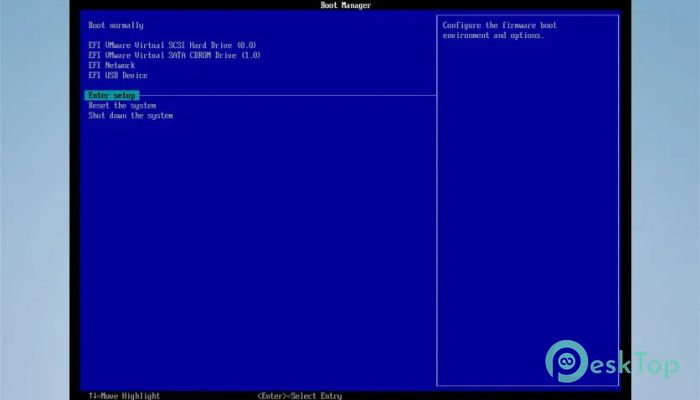
Download SecureBoot Grub2FM Suite 1.0 for Windows.
SecureBoot Grub2FM Suite Overview
This handy solution is designed for users who want full control over their bootable USB drives. It makes installing a Grub2-based file manager quick and stress-free. Whether you are working with physical USB drives or virtual disks, it simplifies the entire process into a few easy steps. Instead of dealing with complex manual setups, this tool automates everything. It even downloads the required files directly from GitHub in your preferred language. That means less hassle and more focus on what really matters—preparing your bootable environment. The biggest advantage here is flexibility. You can install it on a full USB drive or just a partition, depending on your needs. It’s like having a multi-purpose toolbox that adapts to your workflow without unnecessary complications.Features of SecureBoot Grub2FM Suite
Easy Installation Process
One of the standout aspects of this software is its simplicity. Even if you are not a technical expert, you can still use it without confusion. The installation steps are guided and clear, making the experience smooth from start to finish.
Think of it like setting up a new app on your phone. You follow a few simple steps, and everything works right away. There is no need to dig into complicated settings or advanced configurations.
Supports Secure Boot
Security is a major concern today, and this tool handles it well. It fully supports secure boot, ensuring your system remains protected when using bootable media.
To enable this feature, you just need to add a certificate file to your BIOS. Once done, your USB drive will work smoothly even with secure boot enabled. This ensures both flexibility and safety without compromise.
Wide Language Support
Language should never be a barrier, and this tool understands that. It supports all languages available in Grub2FM, making it accessible to users worldwide.
The installation interface itself also includes Turkish and English options. This makes the setup process easier and more comfortable, especially for users who prefer working in their native language.
Flexible Disk Installation Options
Not everyone wants to use an entire USB drive for a single purpose. That’s why this tool allows installation on either the full disk or just a portion of it.
This flexibility is perfect for users who want to keep other files on their drive. It’s like dividing a room into sections so you can use it for multiple purposes without losing space.
Supports Multiple Boot Modes
Compatibility is where this tool really shines. It supports MBR, EFI x86, and EFI x64 systems, ensuring it works across different setups.
This means you don’t have to worry about whether your system will support it. The USB drive created with this tool can boot in both MBR and UEFI modes, giving you complete freedom.
Works with Virtual Disks
Another great feature is support for virtual disks like VHD and VHDX. This is especially useful for advanced users who work with virtual environments.
It allows you to install the file manager directly on these virtual disks, making testing and development easier. It’s like having a virtual lab where you can experiment without affecting your main system.
System Requirements and Technical Details
Operating System: Windows 11 / 10
Processor: Minimum 1 GHz Processor (2.4 GHz recommended)
RAM: 2GB (4GB or more recommended)
Free Hard Disk Space: 200MB or more is recommended

-
Program size6.10 MB
-
Version1.0
-
Program languagemultilanguage
-
Last updatedBefore 3 Month
-
Downloads29Ralated programs
![Operant Peak Spectroscopy]() Operant Peak Spectroscopy
Operant Peak Spectroscopy ![NeverWrite]() NeverWrite
NeverWrite![FluentCleaner]() FluentCleaner
FluentCleaner![Snippai]() Snippai
Snippai![ChillShot AI]() ChillShot AI
ChillShot AI![Splunk Enterprise]() Splunk Enterprise
Splunk Enterprise
 Operant Peak Spectroscopy
  NeverWrite
 FluentCleaner
 Snippai
 ChillShot AI
 Splunk Enterprise