
 Arabic
  English
  Turkish
  Chinese
  Japanese
  Russian
  Spanish
  German
  French
  Hindi
Hindi Download Simple Website Blocker 7.0 for Windows
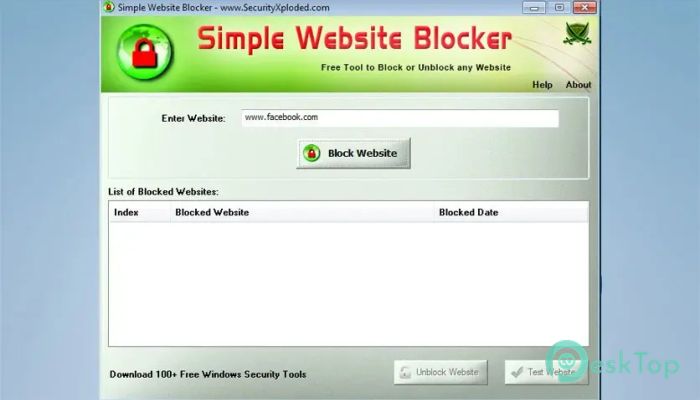
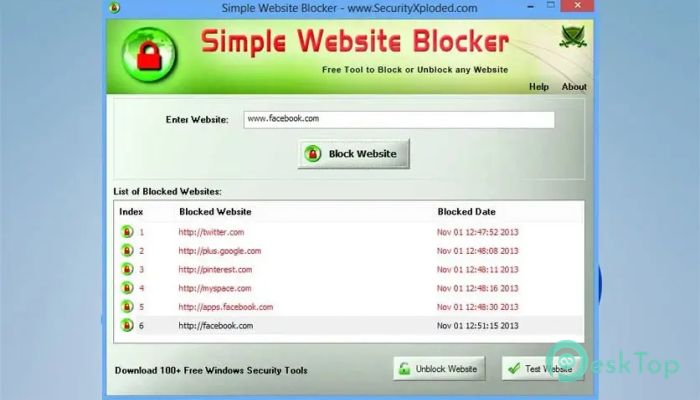
Download Simple Website Blocker 7.0 for Windows.
Simple Website Blocker Overview
This utility provides full control over which websites can be opened on your system. It operates at the system level, so the restrictions apply across all browsers. Think of it like a digital gatekeeper that quietly does its job in the background.Features of Simple Website Blocker
Universal Website Control
One of the software's strongest features is its universal blocking approach. Instead of relying on browser add-ons, it applies restrictions across all major web browsers. Whether someone prefers Chrome, Firefox, Edge, or another option, blocked sites stay blocked everywhere.
No Extensions, No Privacy Worries
Since the tool does not depend on browser extensions, there is no risk of data tracking or privacy leaks. Everything happens directly at the system level, making it a cleaner and safer solution compared to many browser-based blockers.
Perfect for Parents and Administrators
This solution is especially useful in shared environments. Parents can block access to social or gaming websites, while office administrators can restrict access to distracting platforms during work hours. It serves as a simple rulebook that every browser must follow.
Instant Block and Unblock Actions
Changes take effect immediately. Once a website is blocked or unblocked, the change is visible immediately. There is no need to restart the computer or log out of the user account, saving time and avoiding interruptions.
Clear List of Blocked Websites
When you open the software, it shows a clear list of all restricted websites. This makes management easier: you can quickly review blocked items and remove any entry with a single click.
Test Websites with One Click
To make things even easier, the utility lets you test blocked websites instantly. This quick check confirms that the restriction is working properly, providing peace of mind without additional steps.
Portable and Lightweight Design
The tool is fully portable, meaning it can run without installation if you prefer. It does not rely on Java, .NET, or other frameworks, so it is lightweight on system resources and runs smoothly on both older and newer machines.
Works on 32-bit and 64-bit Systems
Compatibility is another strong advantage. The software runs on both 32-bit and 64-bit versions of Windows, making it suitable for a wide range of systems without special configuration.
Simple Interface for All Users
The interface is clean and easy to understand. Even users with little technical knowledge can block or allow websites without confusion. It feels more like flipping a switch than managing complex settings.
No Need to Keep It Running
Once a website is blocked, the software no longer needs to remain open. You can apply the rules and close it, knowing the restrictions will continue to work silently in the background.
Installer Included for Convenience
For users who prefer a traditional setup, an installer is included. This makes local installation and uninstallation straightforward, offering flexibility based on personal preference.
System Requirements and Technical Details
Operating System: Windows 11 / 10 / 8.1 / 7
Processor: Minimum 1 GHz Processor (2.4 GHz recommended)
RAM: 2GB (4GB or more recommended)
Free Hard Disk Space: 200MB or more is recommended

-
Program size1.02 MB
-
Version7.0
-
Program languagemultilanguage
-
Last updatedBefore 8 Month
-
Downloads22
 Cyotek WebCopy
 Linphone
 Cinny
Cinny AllMapSoft Bing Maps Downloader
  AllMapSoft Yandex Maps Downloader
  AllMapSoft google earth images downloader