
 Arabic
  English
  Turkish
  Chinese
  Japanese
  Russian
  Spanish
  German
  French
  Hindi
Hindi Download SlimView 1.0.6.0 for Windows
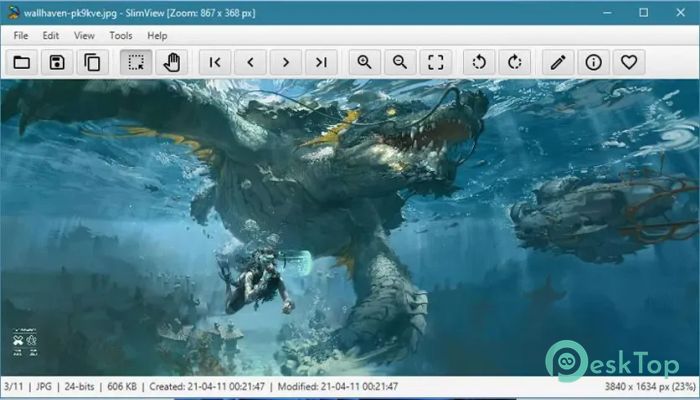
Download SlimView 1.0.6.0 for Windows.
SlimView Overview
It is built for users who want a lightweight and responsive image viewer without unnecessary extras. It opens folders containing hundreds or even hundreds of thousands of images in seconds, making it an excellent choice for photographers, designers, developers, and anyone who works with large image collections. Instead of slowing you down, the software focuses on speed and simplicity. It provides a clean interface, quick navigation, and useful editing tools, allowing you to view and organize your pictures without waiting for files to load.Features of SlimView
Lightning-Fast Image Browsing
The software's biggest strength is its incredible loading speed. Even directories packed with massive image libraries open almost instantly. It feels like flipping through the pages of a photo album instead of waiting for files to appear one by one.
This makes it perfect for professionals who regularly deal with large collections of photos, screenshots, graphics, or artwork. Time spent waiting is reduced, helping you stay focused on your work.
Designed for Large Image Libraries
Many image viewers become slow when a folder contains thousands of files. The software is designed differently. It performs smoothly even when browsing directories filled with hundreds of thousands of images.
Whether you organize wallpapers, digital artwork, camera photos, or archived graphics, the tool keeps navigation quick and responsive. You can navigate folders with confidence, without worrying about performance issues.
Quick and Easy Image Editing
Viewing images is only part of the experience. The software also includes practical editing tools that save time when making simple adjustments. Instead of opening a large editing application, you can make quick changes directly inside the viewer.
Supported editing features include rotating images, flipping them horizontally or vertically, cropping unwanted areas, and resizing pictures for different purposes. These tools are perfect for everyday editing tasks.
Simple Interface for Better Productivity
The software keeps everything clean and easy to understand. The layout avoids unnecessary menus and complex options, allowing you to focus on your images rather than searching for commands.
Both beginners and experienced users can start using it immediately. Its lightweight design also helps reduce system resource usage, keeping your computer responsive while browsing large folders.
Seamless Windows Explorer Integration
The tool integrates directly with Windows Explorer, making it easy to open images from your existing folders. You can quickly launch the viewer without changing the way you normally organize your files.
This smooth integration creates a natural workflow. Instead of switching between multiple applications, you can access your pictures directly from familiar Windows folders and continue working without interruption.
Perfect for Everyday Users and Professionals
The software is suitable for almost everyone. Casual users can enjoy fast photo browsing, while photographers, graphic designers, web developers, and digital artists benefit from its ability to efficiently handle large image collections.
Its combination of speed, simplicity, and practical editing tools makes it useful for both personal and professional environments.
Lightweight Performance
Unlike many modern image viewers filled with unnecessary features, the software remains lightweight and efficient. It launches quickly, responds instantly, and keeps memory usage low.
This means older computers can also enjoy smooth performance without requiring expensive hardware upgrades. It delivers exactly what users need without adding unnecessary complexity.
System Requirements and Technical Details
Operating System: Windows 11 / 10 / 8.1 / 7
Processor: Minimum 1 GHz Processor (2.4 GHz recommended)
RAM: 2GB (4GB or more recommended)
Free Hard Disk Space: 200MB or more is recommended

-
Program size39.61 MB
-
Version1.0.6.0
-
Program languagemultilanguage
-
Last updatedBefore 3 Month
-
Downloads22Ralated programs
![Operant Peak Spectroscopy]() Operant Peak Spectroscopy
Operant Peak Spectroscopy ![NeverWrite]() NeverWrite
NeverWrite![FluentCleaner]() FluentCleaner
FluentCleaner![Snippai]() Snippai
Snippai![ChillShot AI]() ChillShot AI
ChillShot AI![Splunk Enterprise]() Splunk Enterprise
Splunk Enterprise
 Operant Peak Spectroscopy
  NeverWrite
 FluentCleaner
 Snippai
 ChillShot AI
 Splunk Enterprise