
 Arabic
  English
  Turkish
  Chinese
  Japanese
  Russian
  Spanish
  German
  French
  Hindi
Hindi Download Story Narrator AI 1.0.0 for Windows

Download Story Narrator AI 1.0.0 for Windows.
Story Narrator AI Overview
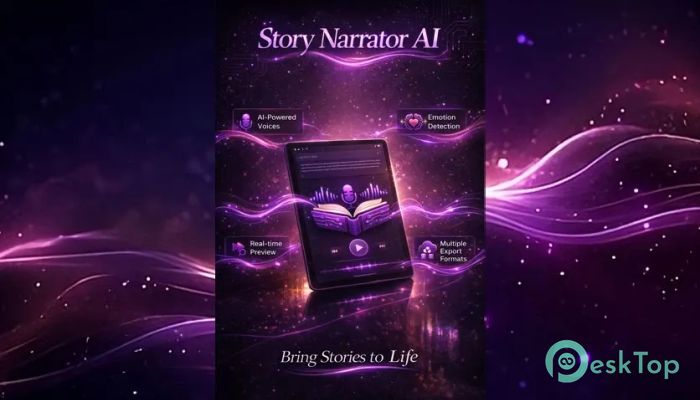
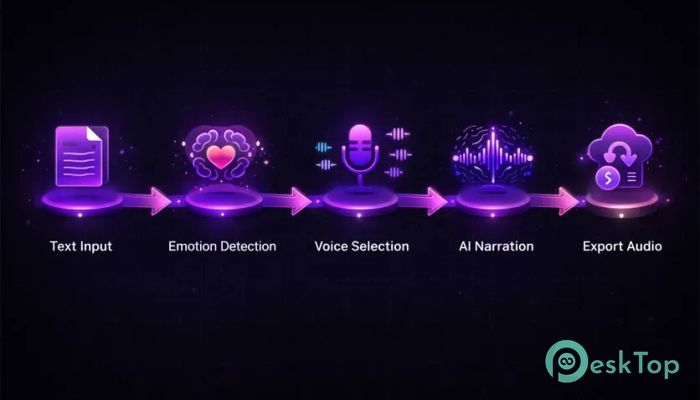
This software is designed to transform plain text into engaging audio narration right on your computer. It works like a personal voice artist sitting beside you, reading your content aloud with clarity and expression. Whether you are drafting a story, reviewing notes, or preparing content for media, it gives your words a voice. The tool focuses on simplicity and control. You paste or type your content, choose a voice, adjust style and pacing, and instantly hear it spoken. It also offers optional background ambiance, which acts like soft music behind a storyteller, adding depth to the listening experience.Features of Story Narrator AI
Text-to-Speech with Smart Voice Control
At its core, the software uses advanced text-to-speech technology powered by AI and system voices. You are not limited to one tone or style. Instead, you can switch between different voices, each with a unique personality and delivery. It feels like directing a voice actor for your content.
You can adjust pacing, pitch, and speaking style. This helps match the narration with your intent, whether it is calm storytelling, energetic presentation, or professional reading. The flexibility makes it useful for a wide range of users.
Optional Background Ambiance
One standout feature is the ability to add a soft sound layer under the narration. Think of it like adding background music to a movie scene. It enhances the mood without overpowering the voice.
You can control the intensity of this ambiance. Keep it subtle for professional work or slightly richer for creative storytelling. It gives your narration a polished and immersive feel.
Follow-Along Playback with Highlighting
Reading and listening together become easier with real-time text highlighting. As the audio plays, the words light up on screen, helping you follow along naturally.
This is especially helpful for editing and proofreading. You can quickly spot awkward phrases, missing words, or unnatural flow. It works like a second pair of eyes and ears combined.
Export High-Quality Audio Files
Once your narration sounds just right, you can export it as an audio file. This makes it easy to use your content in videos, podcasts, presentations, or share it with others.
The export process is simple and quick. You do not need extra tools or complicated steps. It turns your written content into ready-to-use audio in just a few clicks.
Emotion-Aware Voice Handling
Unlike basic text-to-speech tools, this one tries to match the tone of the narration with the mood of your text. If your writing is serious, the voice reflects that. If it is lively, the delivery becomes more expressive.
This feature makes narration feel more human and less robotic. It helps your content connect better with listeners, making it more engaging and natural.
Perfect for Writers and Editors
If you are a writer, this tool can become your daily companion. Hearing your text spoken aloud gives you a fresh perspective. It reveals pacing issues, repetitive words, or unnatural dialogue that you might miss while reading silently.
Editors can also benefit from this feature. It speeds up the review process and improves overall quality. It is like having a built-in assistant that reads everything back to you.
Useful for Students and Readers
Students can turn notes, articles, or study material into audio and listen while relaxing or multitasking. It helps improve understanding and memory.
For readers, it offers a new way to enjoy written content. You can listen to stories or documents instead of reading them, which is convenient and time-saving.
Great for Content Creators
Creators can generate consistent narration tracks for videos or podcasts without hiring voice actors. The tool ensures a steady tone and quality across projects.
It is especially helpful for quick production. You can test different voices and styles until you find the perfect match for your content.
Local Processing for Better Privacy
One of the biggest advantages is that everything runs locally on your PC. Your text does not need to be uploaded to external servers.
This means you have full control over your content. You decide when and how to export or share your audio. It is a safe choice for sensitive or private work.
Accessibility and Ease of Use
The tool also supports accessibility needs. Users who prefer listening over reading can easily convert any text into speech. It opens up content for a wider audience.
The interface is simple and user-friendly. Even beginners can start using it without any learning curve. Everything is clearly organized and easy to access.
System Requirements and Technical Details
Operating System: Windows 11 / 10
Processor: Minimum 1 GHz Processor (2.4 GHz recommended)
RAM: 2GB (4GB or more recommended)
Free Hard Disk Space: 2GB or more is recommended

-
Program size521.51 MB
-
Version1.0.0
-
Program languagemultilanguage
-
Last updatedBefore 3 Month
-
Downloads37Ralated programs
![Operant Peak Spectroscopy]() Operant Peak Spectroscopy
Operant Peak Spectroscopy ![NeverWrite]() NeverWrite
NeverWrite![FluentCleaner]() FluentCleaner
FluentCleaner![Snippai]() Snippai
Snippai![ChillShot AI]() ChillShot AI
ChillShot AI![Splunk Enterprise]() Splunk Enterprise
Splunk Enterprise
 Operant Peak Spectroscopy
  NeverWrite
 FluentCleaner
 Snippai
 ChillShot AI
 Splunk Enterprise