
 Arabic
  English
  Turkish
  Chinese
  Japanese
  Russian
  Spanish
  German
  French
  Hindi
Hindi Download Stretchly 1.22.0 for Windows
Download Stretchly 1.22.0 for Windows.
Stretchly Overview
This cross-platform utility is designed to keep you refreshed and focused during long computer sessions. Instead of interrupting your work with aggressive alerts, it remains quietly in your system tray and only pops up when it is time to take a break. The idea is simple but effective: timely rest improves productivity and reduces strain.Features of Stretchly
User-Friendly First-Time Setup
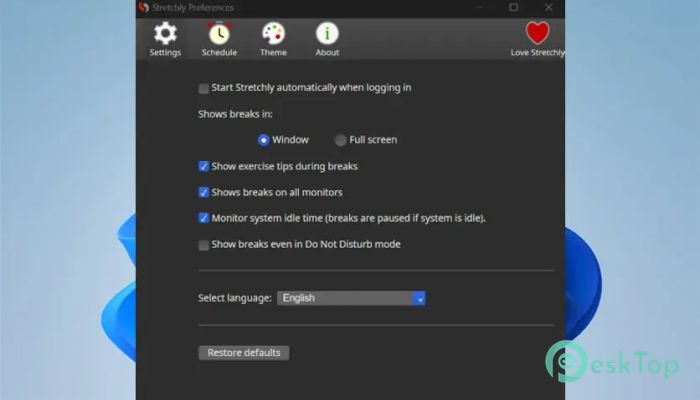
During the first launch, you will see a Welcome screen that makes it easy to adjust basic preferences. Whether you want to change the interface language, review the settings, explore the online guide, or keep the defaults, everything is clearly presented. This simple start helps you use the tool immediately without confusion.
Break Controls and Flexibility
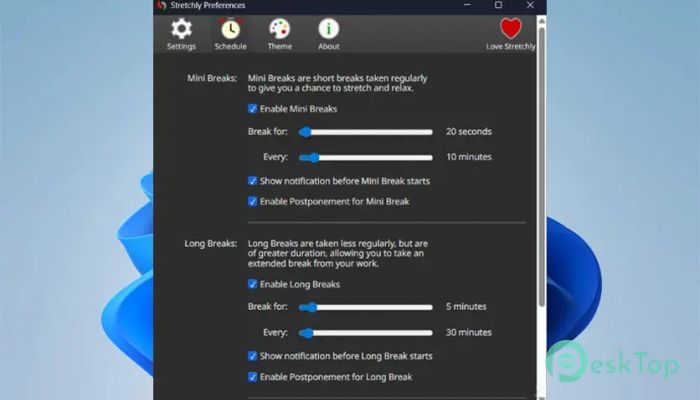
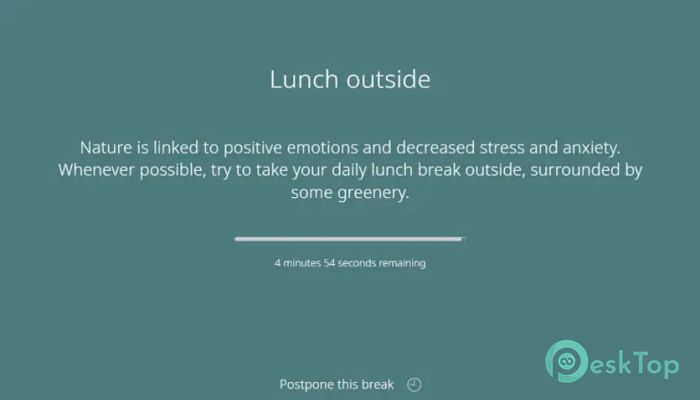
The utility understands that you may be deep in your tasks. As a result, you can postpone a break once, if needed. For short breaks, you can delay by 2 minutes; for extended breaks, by up to 5 minutes. After the delay period, the break becomes skippable. You can manage these actions easily either through the window itself or with a quick keyboard shortcut.
Idle Time and Smart Behaviour
One of the most helpful features is idle detection. If you step away from your computer for about 5 minutes, the software automatically pauses break reminders. This ensures you are not greeted with unnecessary alerts when you return. It makes the system feel intelligent and more aligned with your natural workflow.
Do Not Disturb and Theme Support
The tool respects your system settings. If your device enters Do Not Disturb mode, reminders are automatically paused. This prevents interruptions during meetings, presentations, or focused work time. It also integrates seamlessly with your operating system, following your theme preferences, including light and dark modes for comfortable viewing.
System Requirements and Technical Details
Operating System: Windows 11 / 10 / 8.1 / 7
Processor: Minimum 1 GHz Processor (2.4 GHz recommended)
RAM: 2GB (4GB or more recommended)
Free Hard Disk Space: 200MB or more is recommended

-
Program size147.58 MB
-
Version1.22.0
-
Program languagemultilanguage
-
Last updatedBefore 2 Month
-
Downloads12Ralated programs
![Operant Peak Spectroscopy]() Operant Peak Spectroscopy
Operant Peak Spectroscopy ![NeverWrite]() NeverWrite
NeverWrite![FluentCleaner]() FluentCleaner
FluentCleaner![Snippai]() Snippai
Snippai![ChillShot AI]() ChillShot AI
ChillShot AI![Splunk Enterprise]() Splunk Enterprise
Splunk Enterprise
 Operant Peak Spectroscopy
  NeverWrite
 FluentCleaner
 Snippai
 ChillShot AI
 Splunk Enterprise