
 Arabic
  English
  Turkish
  Chinese
  Japanese
  Russian
  Spanish
  German
  French
  Hindi
Hindi Download Sync for Windows 5.0.35 for Windows
Download Sync for Windows 5.0.35 for Windows.
Sync for Windows Overview
It is designed for people who want simple, safe, and reliable file storage without technical hassle. It runs quietly in the background, keeping your data up to date across computers, laptops, tablets, and mobile devices. Think of it like a personal vault in the cloud that mirrors your files wherever you go.Features of Sync for Windows
Simple Cloud Storage That Just Works
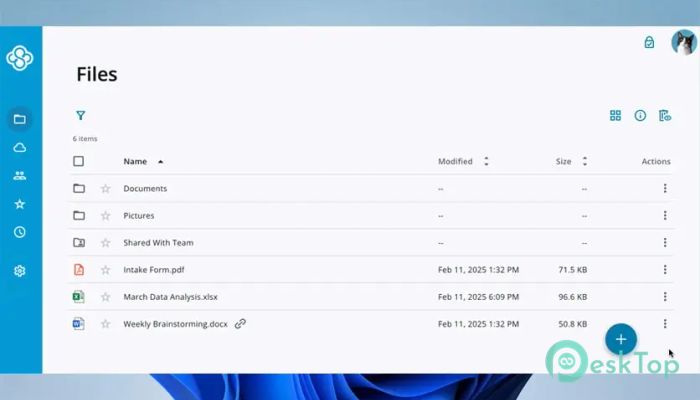
The software focuses on ease of use. Once installed, it creates a dedicated folder on your system. Any file placed inside is automatically uploaded and kept in the tool. There is no need to manually transfer data or worry about outdated versions. It feels like using a normal folder, but with superpowers.
Strong End-to-End Encryption
Security is where the tool really shines. Files are protected with end-to-end encryption, meaning data is encrypted before it ever leaves your computer. Only you hold the keys. Even the service itself cannot read your files, making it ideal for sensitive documents and personal data.
Zero-Knowledge Privacy Protection
Privacy works on a zero-knowledge model. In simple words, no one else can see what you store. This approach is like sealing a letter before sending it. The delivery service moves it safely, but never opens it. This level of protection builds trust for both individuals and teams.
Automatic Backup Without Extra Effort
Automatic backup ensures peace of mind. Once enabled, your important files are continuously copied to the cloud. If a device fails or data is deleted by mistake, recovery is quick. It acts like a safety net, catching your data before it hits the ground.
Multi-Device Sync Made Easy
The software keeps everything up to date across devices. A file edited on a laptop appears on your desktop moments later. This smooth flow is perfect for users who switch between home and office systems. It removes friction and saves time.
Work From Anywhere Flexibility
Remote work becomes simpler with this solution. Team members can access shared files from anywhere on the planet. Whether working from home, an office, or while traveling, the same data stays available. It feels like carrying your workspace in your pocket.
Password-Protected Sharing Options
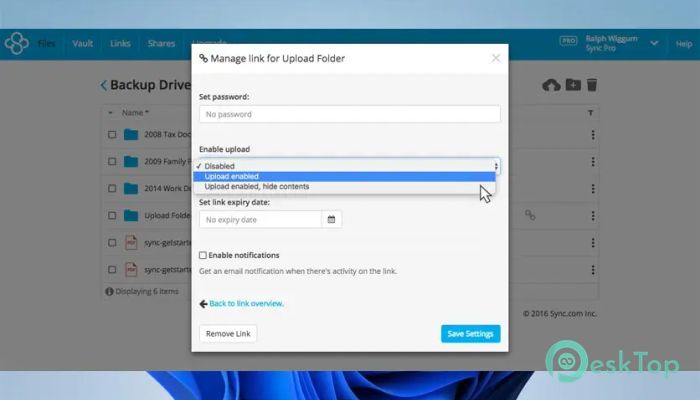
Sharing files is flexible and safe. You can protect links with passwords and set permissions for viewing or editing. This control ensures that files reach the right people without unwanted access. It is like handing someone a key that only opens one door.
Collaboration Without Confusion
Collaboration features help teams stay aligned. Shared folders keep everyone on the same page, while permission settings prevent accidental changes. Updates happen in real time, reducing confusion and duplicated work.
Large File Support
Handling large files is not a problem. The platform supports heavy documents, media files, and project folders without slowing down. This is useful for designers, developers, and content creators who deal with big data every day.
Offline Access When You Need It
Offline access ensures productivity even without an internet connection. Files marked for offline use remain available locally. Once the connection returns, everything syncs automatically. It works like taking notes on paper and later copying them neatly into a notebook.
Recover Lost or Deleted Files
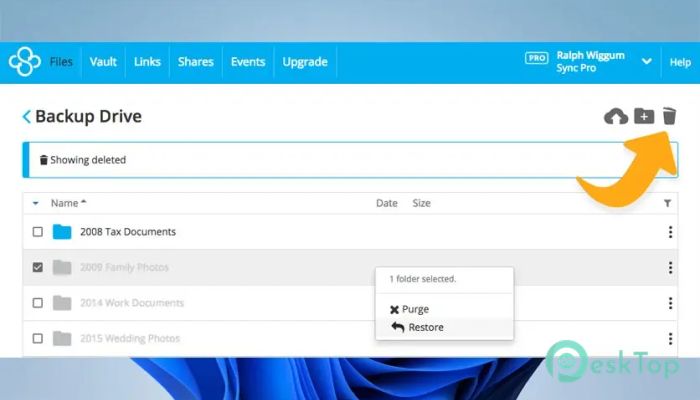
File recovery tools help restore deleted or overwritten data. This feature is a lifesaver when mistakes or system crashes occur. Instead of panic, recovery becomes a calm and simple process.
Smart Storage Management
The tool frees up space on your computer by storing files in the cloud while keeping them accessible. This smart approach prevents storage overload. It feels like cleaning your room without throwing anything away.
Canadian Privacy Compliance
Data is stored in accordance with Canadian privacy laws, which are known for strong protections. This compliance adds another layer of trust, especially for users concerned about data handling and legal safety.
Designed for Teams and Individuals
Whether used alone or with a team, the software adapts easily. Individuals enjoy simple backups, while teams benefit from shared folders and access control. It grows with your needs without becoming complicated.
Reliable Performance on Windows
The application runs smoothly on Windows systems. It integrates well with the operating system and works quietly without slowing performance. This balance keeps your workflow uninterrupted.
Easy Setup and Clean Interface
Installation is straightforward, and the interface stays clean. Buttons are clear, options are simple, and settings are easy to understand. Even first-time users feel comfortable within minutes.
System Requirements and Technical Details
Operating System: Windows 11 / 10 / 8.1 / 7
Processor: Minimum 1 GHz Processor (2.4 GHz recommended)
RAM: 2GB (4GB or more recommended)
Free Hard Disk Space: 200MB or more is recommended

-
Program size62.60 MB
-
Version5.0.35
-
Program languagemultilanguage
-
Last updatedBefore 2 Month
-
Downloads54
 Windows Backup & Restore Tool
 gSyncing
 ASBYTE Syncing.NET
 Reuschtools CopyWin
  Lazesoft Disk Image and Clone
  Hekasoft Backup.Restore