
 Arabic
  English
  Turkish
  Chinese
  Japanese
  Russian
  Spanish
  German
  French
  Hindi
Hindi Download SyntroSend 1.0.2 for Windows
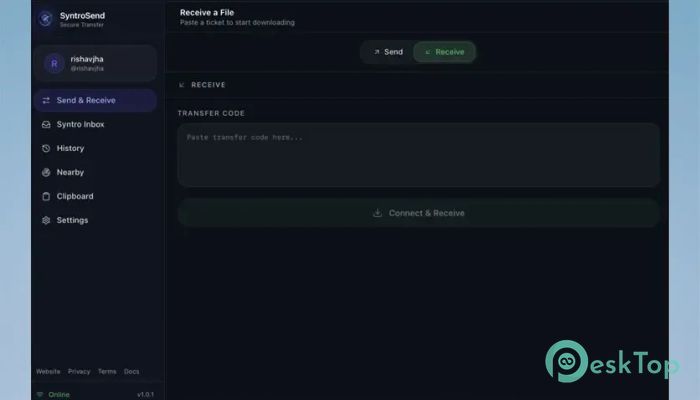
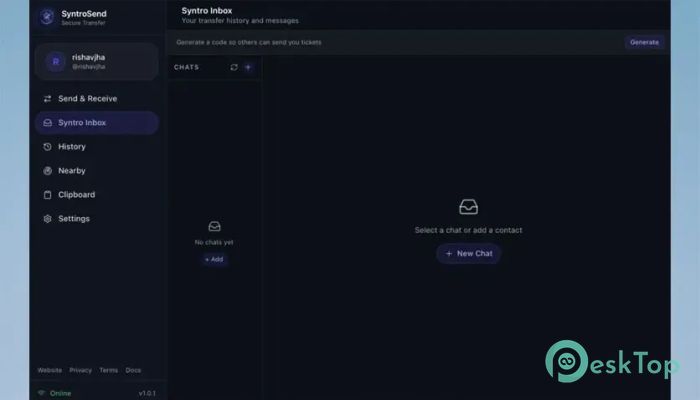
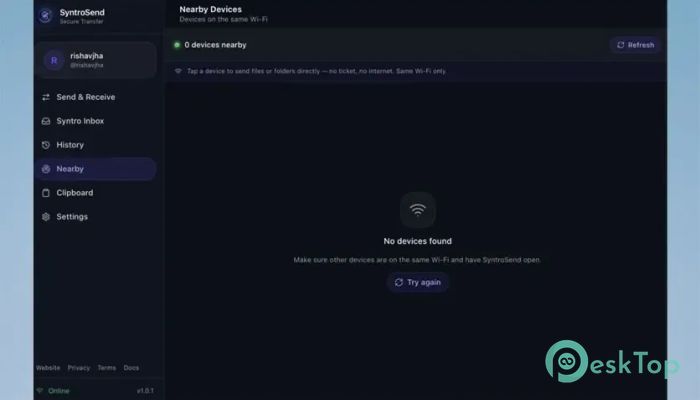
Download SyntroSend 1.0.2 for Windows.
SyntroSend Overview
Sharing files should be as simple as dragging and dropping a document onto your desktop. This software makes that possible by combining offline local transfers with globally encrypted sharing in a single lightweight application. Whether your devices are connected to the same WiFi or located on opposite sides of the world, it automatically chooses the fastest and safest route for every transfer. The software is built for people who want speed without sacrificing security. It works with files, folders, text, links, and even clipboard content. Thanks to its intelligent hybrid technology, you get local network performance whenever possible while still enjoying seamless worldwide sharing whenever needed.Features of SyntroSend
Hybrid Online and Offline Transfers
One of the biggest strengths of the software is its ability to work both online and offline. If two devices are connected to the same WiFi network, it uses direct peer-to-peer communication for maximum speed. This means your files travel directly between devices without unnecessary delays.
When the devices are on different networks, the tool automatically switches to an encrypted global tunnel. You do not have to change any settings because everything happens in the background, making the experience smooth and effortless.
Floating DropZone Widget
The transparent Floating DropZone stays on top of your desktop, making file sharing feel almost magical. Instead of opening the main application each time, simply drag a file onto the widget to start the transfer instantly.
This small feature saves valuable time during daily work. Whether you share screenshots, videos, documents, or large folders, everything starts with a simple drag-and-drop action.
Password-Protected File Sharing
Sometimes a file contains personal or confidential information. The software lets you add an optional password before sending your files so only the intended recipient can access them.
This extra security layer protects important documents, business files, and private data from unauthorized access. Even if someone receives the transfer ticket, they still need the correct password to complete the download.
Smart Auto-Resume Technology
Internet interruptions can be frustrating, especially during large transfers. Fortunately, the software includes an intelligent resume feature that remembers exactly where the transfer stopped.
Once the connection is restored, it resumes from the last transferred byte rather than starting over. This saves both time and bandwidth while preventing unnecessary delays.
Syntro Inbox for Easy Device Pairing
Managing multiple devices becomes much easier with the built-in Inbox system. Pair your devices once using a simple four-digit code, and future transfers become automatic.
Whenever your paired devices are online, transfer tickets appear directly inside the Inbox without requiring another pairing process. It feels like having your own private delivery service between devices.
QR Code Connection and Nearby Discovery
Typing connection codes repeatedly can become annoying. The software solves this problem by generating secure QR codes that your mobile device can scan instantly.
It also detects nearby users running the application on the same WiFi network. You can discover available devices automatically and begin sharing with just one tap, making local collaboration incredibly convenient.
Windows Explorer Integration
The tool blends naturally into Windows by adding a dedicated option to the right-click context menu. Simply right-click any file or folder and choose the transfer option to start sending immediately.
This seamless integration removes unnecessary steps and keeps your workflow fast. Instead of opening another window, sharing becomes part of your everyday Windows experience.
Universal Clipboard with ClipShare
Modern work often involves switching between computers and smartphones. ClipShare makes this transition effortless by instantly sharing copied text, passwords, URLs, and notes between Windows and Android devices.
Instead of emailing yourself information or using messaging apps, simply copy on one device and paste on another. It feels as though both devices are using the same clipboard.
Reliable Security and Data Integrity
Keeping files safe during transfer is just as important as transferring them quickly. The software verifies every transferred bit using advanced BLAKE3 hashing technology, ensuring files arrive exactly as they were sent.
When combined with encrypted communication, this verification protects your information from corruption, accidental damage, or unauthorized modifications during transmission.
Lightweight Performance and Personalization
The software is designed to remain fast without consuming unnecessary system resources. It uses minimal memory while delivering transfer speeds that fully utilize your available hardware and network performance.
Users can also personalize the experience by creating optional accounts, setting custom avatars, and choosing premium notification sounds such as Chime, Bubble, Digital, or Echo. These small touches make everyday transfers more enjoyable.
System Requirements and Technical Details
Operating System: Windows 11 / 10 / 8.1 / 7
Processor: Minimum 1 GHz Processor (2.4 GHz recommended)
RAM: 2GB (4GB or more recommended)
Free Hard Disk Space: 200MB or more is recommended

-
Program size7.31 MB
-
Version1.0.2
-
Program languagemultilanguage
-
Last updatedBefore 2 Month
-
Downloads19
 Cyotek WebCopy
 Linphone
 Cinny
Cinny AllMapSoft Bing Maps Downloader
  AllMapSoft Yandex Maps Downloader
  AllMapSoft google earth images downloader