
 Arabic
  English
  Turkish
  Chinese
  Japanese
  Russian
  Spanish
  German
  French
  Hindi
Hindi Download TimeSense 1.0.0 for Windows
Download TimeSense 1.0.0 for Windows.
TimeSense Overview
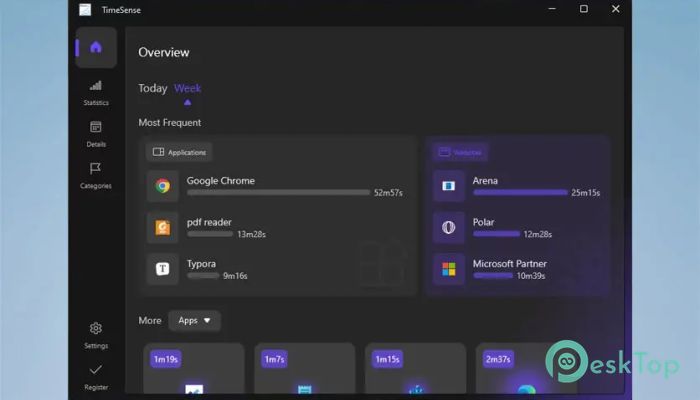
It is designed to help you understand how you spend your time on your computer. In today’s fast-moving digital world, it’s easy to lose hours without even noticing. This tool acts like a mirror, showing you exactly where your time goes so you can take back control. Modern technology is powerful, but it can also pull you into endless scrolling and distractions. The software helps you break that cycle by giving you clear insights into your daily habits. It does not judge you. Instead, it gently guides you toward better choices.Features of TimeSense
Track Your Daily Digital Habits
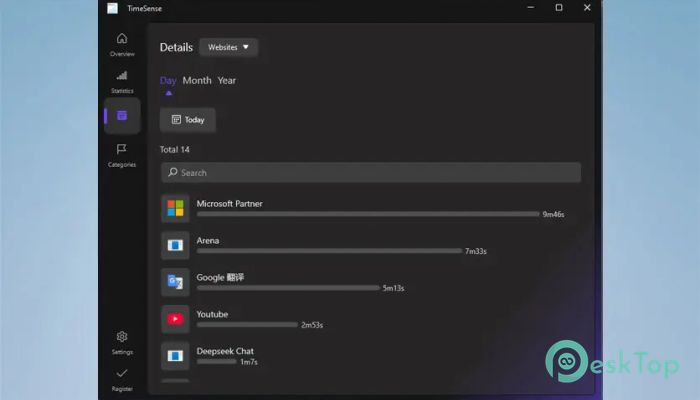
One of the most useful features is its ability to monitor your daily activity. It keeps track of how much time you spend on different programs and websites. Think of it like a personal assistant quietly noting your habits in the background.
This tracking helps you notice patterns. Maybe you spend too much time on social media, or perhaps you jump between tasks too often. Once you see these patterns, it becomes easier to make changes.
Visual Insights That Make Sense
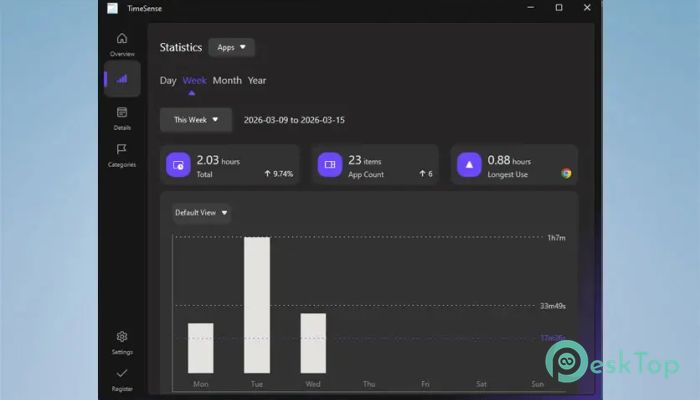
The tool presents your data in a clean and easy-to-understand way. Charts and graphs show how you spend your time across apps and websites. Instead of guessing, you get a clear picture of your behavior.
It’s like turning a messy desk into a neat workspace. Everything becomes visible, organized, and easier to manage. This clarity helps you set realistic goals and stick to them.
Stay Mindful and Avoid Distractions
We often use devices without thinking. Hours pass, and we wonder where the time went. This software brings awareness back into your routine. It reminds you that your time is valuable.
By understanding your usage, you can reduce distractions. You might decide to limit certain apps or take more meaningful breaks. It’s not about stopping usage completely, but about using your time wisely.
Set Achievable Goals for Better Balance
With the insights provided, you can set simple goals. For example, you might aim to reduce time spent on entertainment apps or increase focus on productive tools. Small changes can lead to big results.
The software makes goal-setting feel natural. It’s like having a roadmap for your day. You know where you are and where you want to go.
Monitor Progress Over Time
Another strong feature is its progress tracking. You can view your activity daily, monthly, or even yearly. This helps you see if your efforts are paying off.
Watching your progress feels motivating. It’s similar to tracking your fitness journey. When you see improvement, you feel encouraged to keep going.
Customize Your Experience
The tool allows you to customize how programs are displayed. You can assign colors to different apps based on your preferences. This makes it easier to understand your data at a glance.
Customization adds a personal touch. It feels like the software adapts to you, not the other way around.
Simple and User-Friendly Interface
The design is clean and easy to navigate. You don’t need technical skills to use it. Everything is laid out clearly, so you can focus on improving your habits instead of learning complicated features.
It’s like using a well-designed app that just works. No confusion, no clutter, just a smooth experience.
Improve Productivity Without Pressure
This tool does not force you to change. Instead, it gives you the information you need to make better decisions. You stay in control at all times.
It’s like having a friendly coach who shows you your performance and lets you decide how to improve. There’s no pressure, only guidance.
System Requirements and Technical Details
Operating System: Windows 11 / 10 / 8.1 / 7
Processor: Minimum 1 GHz Processor (2.4 GHz recommended)
RAM: 2GB (4GB or more recommended)
Free Hard Disk Space: 200MB or more is recommended

-
Program size8.63 MB
-
Version1.0.0
-
Program languagemultilanguage
-
Last updatedBefore 6 Month
-
Downloads5Ralated programs
![Operant Peak Spectroscopy]() Operant Peak Spectroscopy
Operant Peak Spectroscopy ![NeverWrite]() NeverWrite
NeverWrite![FluentCleaner]() FluentCleaner
FluentCleaner![Snippai]() Snippai
Snippai![ChillShot AI]() ChillShot AI
ChillShot AI![Splunk Enterprise]() Splunk Enterprise
Splunk Enterprise
 Operant Peak Spectroscopy
  NeverWrite
 FluentCleaner
 Snippai
 ChillShot AI
 Splunk Enterprise