
 Arabic
  English
  Turkish
  Chinese
  Japanese
  Russian
  Spanish
  German
  French
  Hindi
Hindi Download TweakNow Software WinOptimizer Std 6.7.1 for Windows
Download TweakNow Software WinOptimizer Std 6.7.1 for Windows.
TweakNow Software WinOptimizer Std Overview
It is designed to keep your Windows system running clean and responsive without requiring technical expertise. It focuses on everyday problems like slow startups, wasted disk space, cluttered memory, and confusing system details. Think of it as a digital toolbox that quietly fixes small issues before they turn into big headaches.Features of TweakNow Software WinOptimizer Std
Simple Interface for Everyday Users
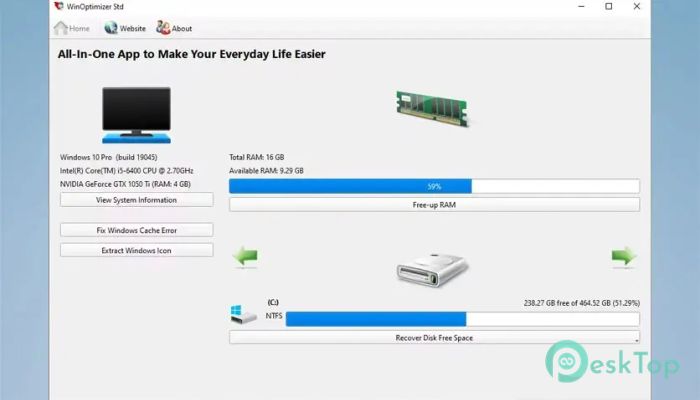
The software opens with a clean, organized layout, with tools clearly labeled. You do not need to dig through complex menus or guess what a button does. Each section explains its purpose in plain language, making the experience accessible to first-time users.
Detailed System Information at a Glance
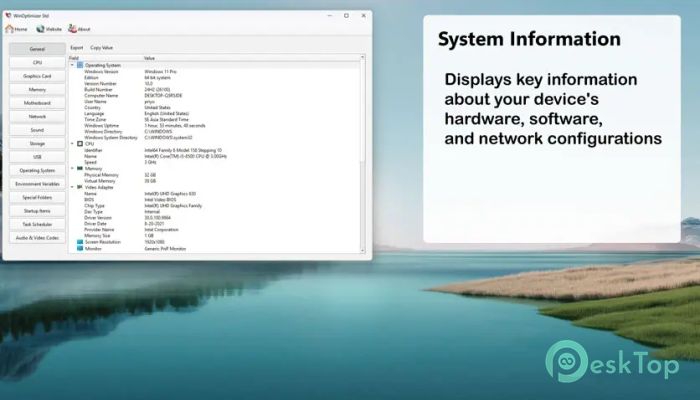
One of the most helpful parts is the system information section. It shows hardware details, installed software, and network data in one place. Instead of opening multiple Windows panels, everything is presented clearly like a dashboard, helping you understand what is inside your computer.
Free up RAM for Smoother Performance
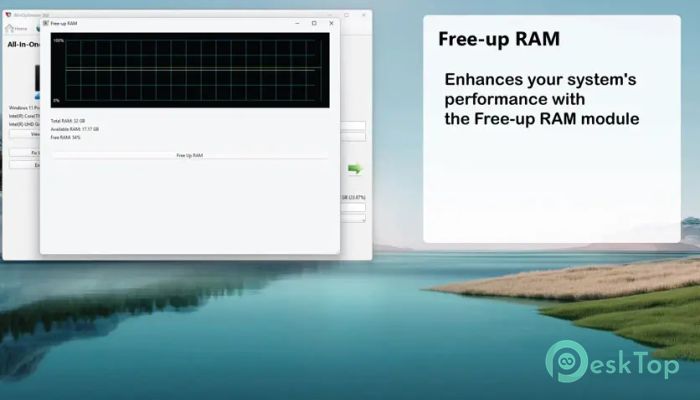
When your system starts feeling heavy, the Free-up RAM feature steps in. It releases unused memory and helps active apps run more smoothly. Imagine clearing a crowded desk so you can work faster and think clearly. That is exactly what this tool does for your system memory.
Smart Disk Space Management
Running out of storage can slow everything down. The folder size analyzer identifies which folders are consuming the most space, so you can clean with confidence. It feels like turning on a flashlight in a messy room and instantly seeing where the clutter is hiding.
Find and Remove Duplicate Images
Photos pile up fast, especially when backups and downloads overlap. The duplicate image finder scans your storage and detects identical pictures. By removing extras, you free up space without touching the originals that matter most.
Find and Remove Duplicate Files
Duplicate documents, installers, and media files quietly waste disk space. This feature tracks them down and helps you remove copies safely. It is like decluttering a wardrobe by keeping one good outfit instead of five identical ones.
Windows Icon Extractor Utility
The Windows icon extractor lets you extract icons from system files and save them as images. Designers, developers, and customization fans will appreciate how easy it is to reuse and edit these icons without extra tools.
Browser and System Cleanup Benefits
Over time, temporary files and residual data accumulate. Cleaning tools within the software remove unnecessary items that slow performance. This leads to faster startup times, faster browsing, and a more responsive overall experience.
Safe Optimization Without Guesswork
Every tool is designed to work safely. Clear descriptions help you understand what will happen before you click anything. This reduces fear and makes optimization feel less like a risky experiment and more like routine maintenance.
Helpful for Both New and Old PCs
Older systems benefit from reduced clutter and freed resources, while newer machines stay efficient for longer. It works like regular car servicing, keeping everything running smoothly rather than waiting for problems to arise.
Lightweight and Efficient Design
The software itself does not consume heavy resources. It runs quietly in the background as needed and does not slow your system. That balance makes it practical for everyday use.
System Requirements and Technical Details
Operating System: Windows 11 / 10
Processor: Minimum 1 GHz Processor (2.4 GHz recommended)
RAM: 2GB (4GB or more recommended)
Free Hard Disk Space: 200MB or more is recommended

-
Program size44.51 MB
-
Version6.7.1
-
Program languagemultilanguage
-
Last updatedBefore 8 Month
-
Downloads26Ralated programs
![Operant Peak Spectroscopy]() Operant Peak Spectroscopy
Operant Peak Spectroscopy ![NeverWrite]() NeverWrite
NeverWrite![FluentCleaner]() FluentCleaner
FluentCleaner![Snippai]() Snippai
Snippai![ChillShot AI]() ChillShot AI
ChillShot AI![Splunk Enterprise]() Splunk Enterprise
Splunk Enterprise
 Operant Peak Spectroscopy
  NeverWrite
 FluentCleaner
 Snippai
 ChillShot AI
 Splunk Enterprise