
 Arabic
  English
  Turkish
  Chinese
  Japanese
  Russian
  Spanish
  German
  French
  Hindi
Hindi Download UniClipboard 0.19.1 for Windows
Download UniClipboard 0.19.1 for Windows.
UniClipboard Overview
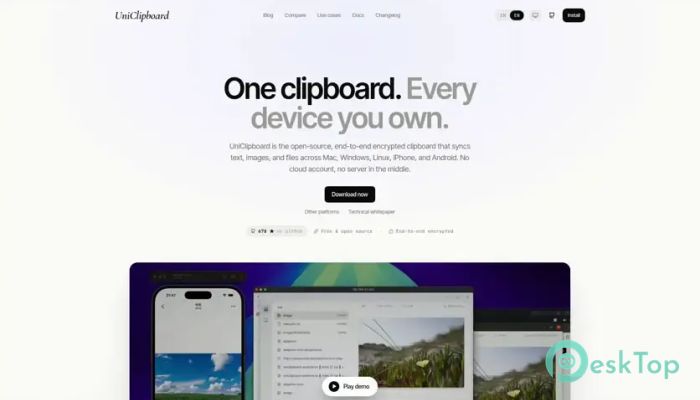
It is an open-source clipboard syncing solution designed for people who work on multiple devices every day. Instead of emailing files to yourself or sending messages through chat apps, it lets you copy something on one device and instantly access it on another. Whether you are working on Windows desktops or mobile devices, everything stays connected in a fast and secure way. The software focuses on privacy just as much as convenience. Every piece of data is encrypted before it leaves your device and can only be decrypted by your own devices. There are no cloud accounts, passwords, or personal information required, making it a simple and trustworthy solution for secure clipboard sharing.Features of UniClipboard
Fast Clipboard Synchronization
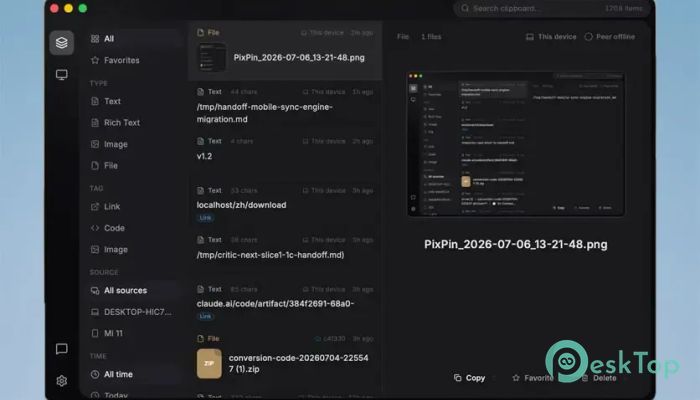
The software makes moving content between devices feel effortless. Copy text on one computer, and it appears on another in moments. The same smooth experience works with images and files, helping you switch between devices without breaking your workflow.
Instead of relying on traditional file-sharing methods, the tool creates a direct connection whenever possible. This means less waiting and a much faster experience during everyday tasks.
Built for Speed and Efficiency
The desktop version is built with Rust and Tauri, making it lightweight, responsive, and resource-friendly. It launches quickly and runs quietly in the system tray without slowing down your computer.
This efficient design keeps memory usage low while delivering reliable performance. You get a powerful syncing experience without installing bulky software.
Works Across Multiple Platforms
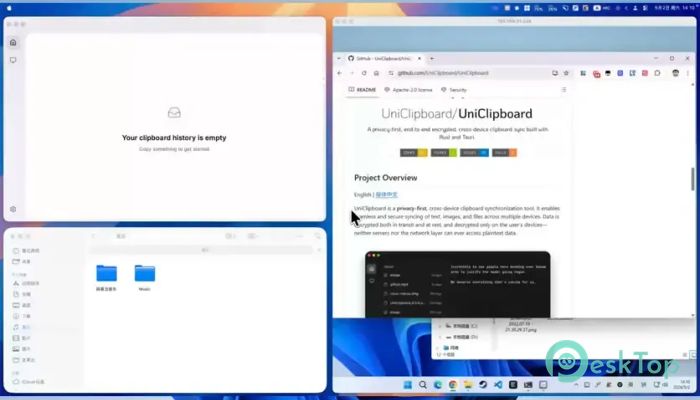
The tool supports Windows desktops, as well as native Android and iOS applications. The Android version is available as a signed APK, while the iOS version is offered through the TestFlight Public Beta.
This flexibility allows you to move between your computer and smartphone without changing the way you work. Even if you prefer not to install a mobile app, compatible applications using the open SyncClipboard protocol can still communicate with it.
Flexible Connection Options
The software automatically chooses the best connection method depending on your network. Devices on the same Wi-Fi can communicate directly using peer-to-peer technology for maximum speed.
When devices are on different networks, NAT hole-punching helps establish a direct connection whenever possible. If needed, an encrypted relay serves as a secure backup, ensuring your clipboard continues to sync without interruption.
LAN-Only Privacy Mode
Some users prefer to keep all communication within their local network. For those situations, the software includes a dedicated LAN-only mode.
When enabled, all data remains within your local network without using any relay service. It is an excellent choice for offices, businesses, or anyone who values complete network privacy.
Strong End-to-End Encryption
Security is one of the strongest features of the tool. Every piece of copied content is encrypted before it leaves your device and stays encrypted while traveling across the network and even while temporarily stored.
It uses the modern XChaCha20-Poly1305 AEAD encryption algorithm to provide strong protection against unauthorized access. Only your trusted devices can unlock the shared data.
No Cloud Account Required
Unlike many syncing services, the software does not require creating an online account. There is no email registration, phone number verification, or cloud profile to manage.
Instead, devices simply exchange public keys to establish a trusted connection. This approach reduces privacy concerns while making setup surprisingly simple.
Secure Key Management
The software stores encryption keys safely inside your operating system's secure keyring. These keys never leave your device, giving you complete ownership of your encrypted information.
This design helps prevent sensitive information from being exposed while keeping the setup process straightforward for everyday users.
Open-Source and Fully Auditable
Transparency is another major advantage. Since the project is released under the AGPL-3.0 open-source license, anyone can inspect the source code and verify how everything works.
This openness gives developers and security professionals confidence that the encryption and privacy features perform exactly as described. Community contributions also help improve the software over time.
Ideal for Everyday Productivity
The tool is useful for programmers, office workers, students, designers, and anyone using more than one device throughout the day. Instead of repeatedly copying files with USB drives or messaging apps, everything stays available through one secure clipboard.
Whether you are transferring screenshots, code snippets, documents, or notes, the software keeps your workflow smooth while protecting your information every step of the way.
System Requirements and Technical Details
Operating System: Windows 11 / 10 / 8.1 / 7
Processor: Minimum 1 GHz Processor (2.4 GHz recommended)
RAM: 2GB (4GB or more recommended)
Free Hard Disk Space: 200MB or more is recommended

-
Program size17.16 MB
-
Version0.19.1
-
Program languagemultilanguage
-
Last updatedBefore 3 Month
-
Downloads7Ralated programs
![Operant Peak Spectroscopy]() Operant Peak Spectroscopy
Operant Peak Spectroscopy ![NeverWrite]() NeverWrite
NeverWrite![FluentCleaner]() FluentCleaner
FluentCleaner![Snippai]() Snippai
Snippai![ChillShot AI]() ChillShot AI
ChillShot AI![Splunk Enterprise]() Splunk Enterprise
Splunk Enterprise
 Operant Peak Spectroscopy
  NeverWrite
 FluentCleaner
 Snippai
 ChillShot AI
 Splunk Enterprise