
 Arabic
  English
  Turkish
  Chinese
  Japanese
  Russian
  Spanish
  German
  French
  Hindi
Hindi Download VokoscreenNG 4.9.0 for Windows
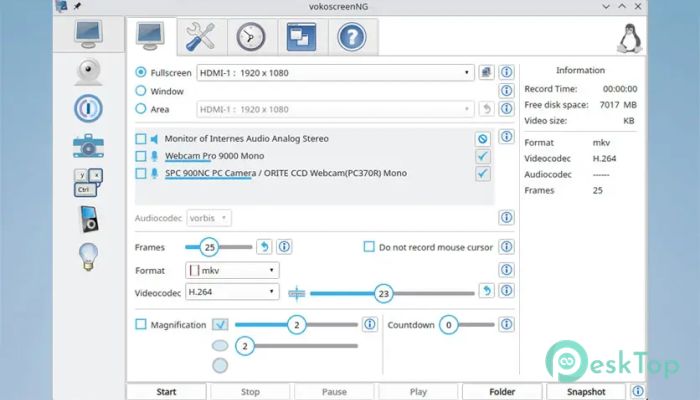
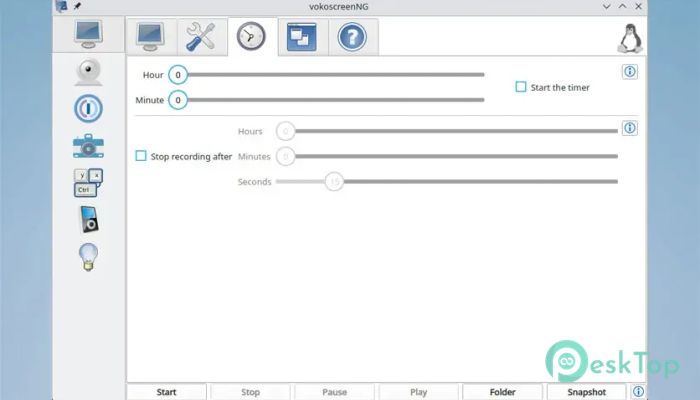
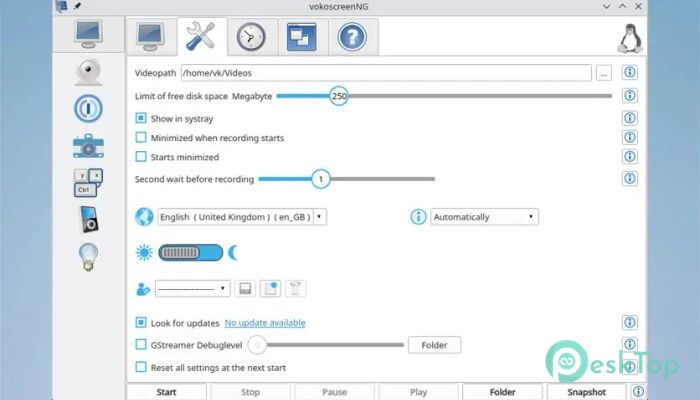
Download VokoscreenNG 4.9.0 for Windows.
VokoscreenNG Overview
It is a modern screen-recording application built for users who want reliable results without technical headaches. It is a continuation of the original project, completely rebuilt from the ground up using Qt and GStreamer. This fresh foundation makes the software faster, cleaner, and more stable across different systems. The interface feels friendly from the first launch, so even beginners can start recording within minutes.Features of VokoscreenNG
User-Friendly Interface
The layout is clean and easy to understand. All primary controls are right in front of you: record, pause, and stop. Settings are logically grouped, so you do not feel lost navigating the menus. Think of it like a tidy desk where every tool has its own place, making work smooth and stress-free.
Flexible Screen Recording Options
It allows you to record the entire screen, a specific window, or a custom area. This flexibility is perfect for tutorials, presentations, or quick demonstrations. You can focus on what matters, just as you would use a spotlight on a stage rather than lighting the whole room.
Advanced Audio Recording
The software supports recording audio from multiple sources simultaneously. You can capture system sounds alongside your microphone without a complex setup. This makes it ideal for walkthroughs, online classes, or commentary videos where clear sound is essential.
Built-In Camera Support
With integrated webcam support, you can add a personal touch to your recordings. A small camera overlay lets viewers see you while you explain something on screen. It feels more natural, like talking face-to-face rather than through a wall of text.
Helpful Recording Tools
Several built-in tools help improve recording quality. A countdown timer prepares you before recording starts, while the magnifying glass highlights essential details. Showclick and halo effects make mouse actions easy to follow, which is especially useful for tutorials and training videos.
Multilingual Support
The application supports multiple languages, making it accessible to users worldwide. You can switch languages easily, ensuring a comfortable experience wherever you are. This broad support helps it feel welcoming and inclusive.
Performance and Stability
Thanks to its modern framework, it runs smoothly even on modest systems. Recordings remain stable, with no sudden crashes or dropped frames. It works quietly in the background, like a dependable assistant that does its job without demanding attention.
System Requirements and Technical Details
Operating System: Windows 11 / 10 / 8.1 / 7
Processor: Minimum 1 GHz Processor (2.4 GHz recommended)
RAM: 2GB (4GB or more recommended)
Free Hard Disk Space: 200MB or more is recommended

-
Program size104.86 MB
-
Version4.9.0
-
Program languagemultilanguage
-
Last updatedBefore 3 Month
-
Downloads25Ralated programs
![Operant Peak Spectroscopy]() Operant Peak Spectroscopy
Operant Peak Spectroscopy ![NeverWrite]() NeverWrite
NeverWrite![FluentCleaner]() FluentCleaner
FluentCleaner![Snippai]() Snippai
Snippai![ChillShot AI]() ChillShot AI
ChillShot AI![Splunk Enterprise]() Splunk Enterprise
Splunk Enterprise
 Operant Peak Spectroscopy
  NeverWrite
 FluentCleaner
 Snippai
 ChillShot AI
 Splunk Enterprise