
 Arabic
  English
  Turkish
  Chinese
  Japanese
  Russian
  Spanish
  German
  French
  Hindi
Hindi Download Vovsoft EML Converter 1.3 for Windows
Download Vovsoft EML Converter 1.3 for Windows.
Vovsoft EML Converter Overview
It provides a seamless way to work with EML files, allowing you to view their content, convert them into readable formats, quickly find information, and recover email data when needed. The tool is ideal for users who manage multiple EML files and need to handle them efficiently and accurately.Features of Vovsoft EML Converter
One of the primary reasons many users prefer this software is its practical and user-friendly features. It provides several useful tools that make email management much easier.
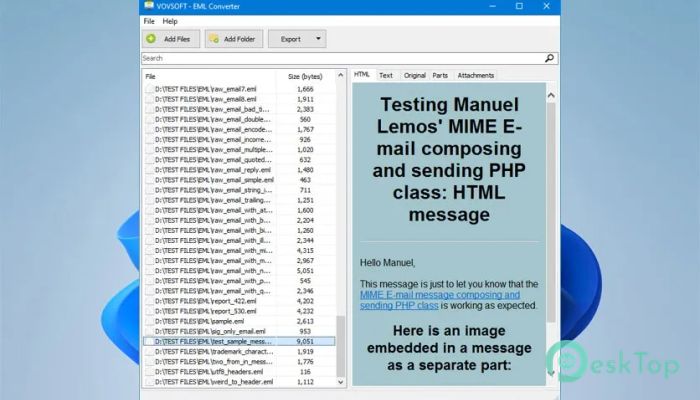
EML File Display for checking HTML and text parts
Conversion to HTML and TXT formats
Quick search using keywords
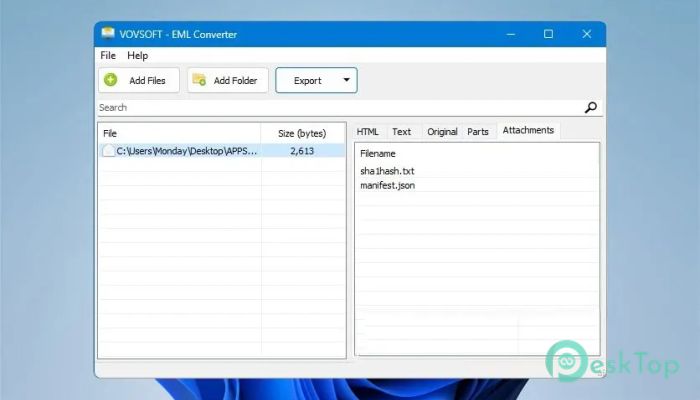
Attachment viewing and saving
Batch export of multiple EML files
Support for disaster recovery situations
Clean and simple interface, friendly to beginners
EML File Viewing
Viewing email content is effortless with this tool. It loads EML messages instantly and displays both HTML and plain text details clearly. This helps you understand the structure of each email and review critical data with ease.
File Conversion Options
The software offers convenient options to convert EML files into various formats, including HTML and TXT. These formats ensure compatibility with many programs, making it easier to archive, share, or process email data.
Search and Filtering
Thanks to its built-in search engine, you can find specific information inside your EML files quickly. Whether it's a word, phrase, or a person's name, the tool highlights matching results and helps you navigate through large sets of emails efficiently.
Handling Attachments
Attachments are displayed clearly, and you can save them to your PC with one click. This is useful when emails contain documents, images, or other important files that you need to extract separately.
Batch Export
When you have dozens or hundreds of EML files, exporting them one by one is a time-consuming process. This software solves the issue by offering batch export options. You can export them into HTML, text, original EML, or attachments in a single action.
Reliable Email Recovery Tool
The tool also works as an emergency recovery solution. If your email server or client encounters issues, the software can help you restore important emails and attachments, ensuring nothing gets lost.
System Requirements and Technical Details
Operating System: Windows 11 / 10 / 8.1 / 7
Processor: Minimum 1 GHz Processor (2.4 GHz recommended)
RAM: 2GB (4GB or more recommended)
Free Hard Disk Space: 200MB or more is recommended

-
Program size4.04 MB
-
Version1.3
-
Program languagemultilanguage
-
Last updatedBefore 3 Month
-
Downloads4Ralated programs
![Operant Peak Spectroscopy]() Operant Peak Spectroscopy
Operant Peak Spectroscopy ![NeverWrite]() NeverWrite
NeverWrite![FluentCleaner]() FluentCleaner
FluentCleaner![Snippai]() Snippai
Snippai![ChillShot AI]() ChillShot AI
ChillShot AI![Splunk Enterprise]() Splunk Enterprise
Splunk Enterprise
 Operant Peak Spectroscopy
  NeverWrite
 FluentCleaner
 Snippai
 ChillShot AI
 Splunk Enterprise