
 Arabic
  English
  Turkish
  Chinese
  Japanese
  Russian
  Spanish
  German
  French
  Hindi
Hindi Download WAU – Winget-AutoUpdate 2.12.0 for Windows
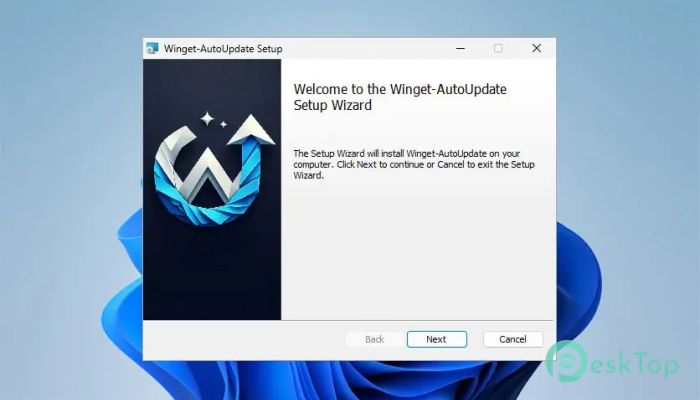
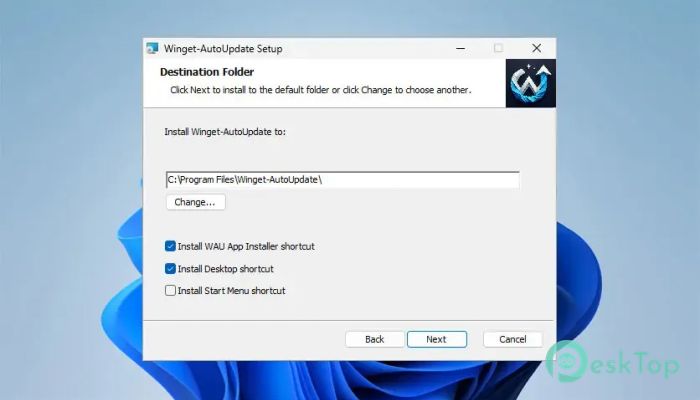
Download WAU – Winget-AutoUpdate 2.12.0 for Windows.
WAU – Winget-AutoUpdate Overview
Keeping software updated can feel like watering every plant in a large garden one by one. This handy tool takes care of that job automatically, saving time and ensuring your applications always stay up to date. It works with Microsoft's Winget package manager and performs update checks based on a schedule you choose. The software is designed for both personal computers and business environments. Whether you manage one PC or hundreds of devices, it quietly runs in the background, installs available updates, and keeps users informed with helpful notifications.Features of WAU – Winget-AutoUpdate
Automatic Application Updates
The biggest advantage of the software is automation. Instead of opening Winget and checking every application yourself, it performs the entire update process automatically. You can schedule it to run daily, weekly, or at another interval that fits your needs.
This means you spend less time maintaining your computer and more time using it. Once configured, the tool works like an invisible assistant that never forgets to check for updates.
Easy Scheduling Options
Flexibility is one of its strongest points. You can decide exactly when update tasks should run, allowing the software to work during idle hours or outside business hours. This helps reduce interruptions while ensuring applications remain current.
Scheduled tasks run reliably in the background, making the update process simple and consistent without requiring user interaction.
Windows Toast Notifications
No one likes wondering whether updates were successful. The tool solves this by displaying Windows toast notifications whenever updates are available or after installations are completed.
These notifications clearly show whether an update finished successfully or if an error occurred. Users stay informed without needing to open log files or command windows.
Allowlist and Blocklist Support
Not every application should always be updated immediately. Some business software may require testing before installing a new version. The software lets you create allowlists and blocklists to control exactly which applications receive updates.
This feature gives administrators and advanced users complete control over the update process while preventing unwanted software changes.
Runs in User or System Context
The software is flexible enough to work in both user and system modes. Home users can run it with their personal account, while IT administrators can configure it to run under the system account for enterprise deployments.
This makes it suitable for a range of environments, from a single desktop computer to large organizations managing hundreds of Windows devices.
Detailed Logging
Every update session is recorded in detailed log files. These logs contain useful information about checked packages, installed updates, skipped applications, and any errors that occurred.
Having complete records makes troubleshooting much easier. If something doesn't go as planned, you can quickly identify the reason and resolve the issue.
Reliable Background Operation
The software is built to stay out of your way. Once configured, it quietly runs in the background without constantly asking for attention. It only appears when important notifications need to be shown.
This lightweight approach keeps the computer responsive while ensuring applications remain secure and up to date.
Ideal for Home and Business Users
Whether you're maintaining your own PC or managing multiple office computers, the software adapts to your workflow. Individual users enjoy automatic updates without manual work, while administrators gain centralized control over package management.
Its combination of scheduling, notifications, logging, and update control makes it a practical solution for almost any Windows environment.
Simple and Time-Saving Workflow
Instead of manually launching Winget, checking for available updates, confirming installations, and reviewing results, the software combines all of these steps into a single automated process. It's like having a personal maintenance assistant that works every day without taking breaks.
This automation reduces routine maintenance tasks while helping to keep applications secure, stable, and up to date with the latest improvements.
System Requirements and Technical Details
Operating System: Windows 11 / 10 / 8.1 / 7
Processor: Minimum 1 GHz Processor (2.4 GHz recommended)
RAM: 2GB (4GB or more recommended)
Free Hard Disk Space: 200MB or more is recommended

-
Program size508.57 KB
-
Version2.12.0
-
Program languagemultilanguage
-
Last updatedBefore 3 Month
-
Downloads17Ralated programs
![Operant Peak Spectroscopy]() Operant Peak Spectroscopy
Operant Peak Spectroscopy ![NeverWrite]() NeverWrite
NeverWrite![FluentCleaner]() FluentCleaner
FluentCleaner![Snippai]() Snippai
Snippai![ChillShot AI]() ChillShot AI
ChillShot AI![Splunk Enterprise]() Splunk Enterprise
Splunk Enterprise
 Operant Peak Spectroscopy
  NeverWrite
 FluentCleaner
 Snippai
 ChillShot AI
 Splunk Enterprise