
 Arabic
  English
  Turkish
  Chinese
  Japanese
  Russian
  Spanish
  German
  French
  Hindi
Hindi Download Windows Password Decryptor 1.0 for Windows
Download Windows Password Decryptor 1.0 for Windows.
Windows Password Decryptor Overview
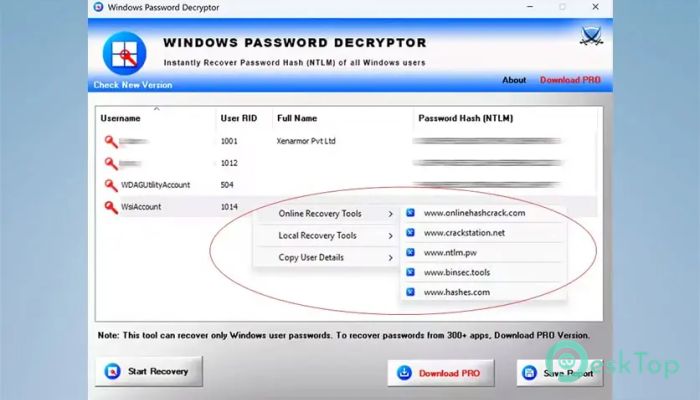
This tool focuses on extracting encrypted login password hashes from local user accounts on a Windows system. Instead of guessing passwords directly, it pulls the NTLM hash values and prepares them for further processing. Think of it like finding a locked safe and carefully removing it so experts can open it using the right equipment later. What This Tool Actually Does It scans the system, detects all stored encrypted login hashes, and decrypts them in seconds. Once the hash values are available, they can be used with trusted online or offline recovery utilities. The process feels smooth and direct, even for users who are not security experts.Features of Windows Password Decryptor
Designed for Real World Use
The software is commonly used by forensic investigators, security professionals, and everyday users who have lost access to their accounts. Instead of complex command-line steps, everything is handled through a clean graphical interface that keeps things simple and approachable.
Smart Right Click Actions
One of its standout features is the right-click menu. With a single click, selected user details can be copied, or password hashes can be sent directly to popular recovery platforms. This saves time and removes the hassle of manual copying and formatting.
Online and Offline Recovery Support
After hash extraction, the tool helps launch well-known online recovery websites and offline utilities. It bridges hash recovery and password cracking, making the overall workflow faster and more organized.
Clipboard and Export Options
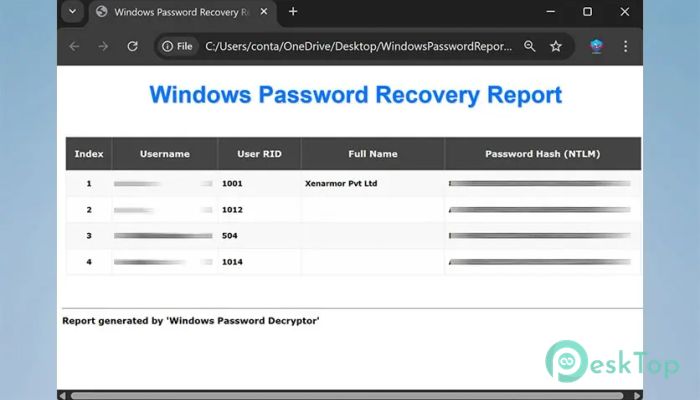
Whenever a user account is selected, the password hash is automatically copied to the clipboard. In addition, all recovered data can be saved as an HTML report or exported as a text file in pwdump format, which is widely supported by security tools.
Portable and Installation Free
The software runs instantly without installation. Just download, open, and start working. This makes it ideal for USB drives, emergency situations, or systems where installing new programs is not allowed.
Fast Performance with Friendly Interface
Speed is one of its strongest points. The scanning and recovery process completes in seconds, while the interface remains clean and easy to understand. Everything is laid out logically, so users always know what is happening.
Wide Windows Compatibility
It supports all modern Windows versions from Vista through the latest releases. Whether the system is old or new, the recovery process remains consistent and reliable.
System Requirements and Technical Details
Operating System: Windows 11 / 10 / 8.1 / 7
Processor: Minimum 1 GHz Processor (2.4 GHz recommended)
RAM: 2GB (4GB or more recommended)
Free Hard Disk Space: 200MB or more is recommended

-
Program size1.45 MB
-
Version1.0
-
Program languagemultilanguage
-
Last updatedBefore 8 Month
-
Downloads47
 Trellix Endpoint Security
 Abelssoft KeyDepot 2026
 Bitdefender Antivirus Free
 PDFZilla SecureDrive
 Passbolt
 RoboForm Password Manager