
 Arabic
  English
  Turkish
  Chinese
  Japanese
  Russian
  Spanish
  German
  French
  Hindi
Hindi Download Windows Update Pause / Resume 1.0 for Windows
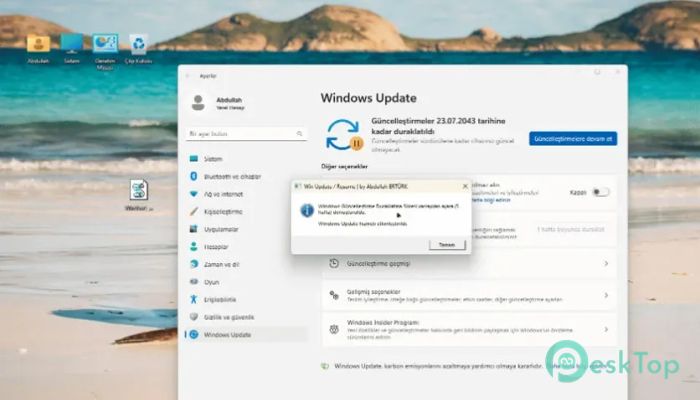
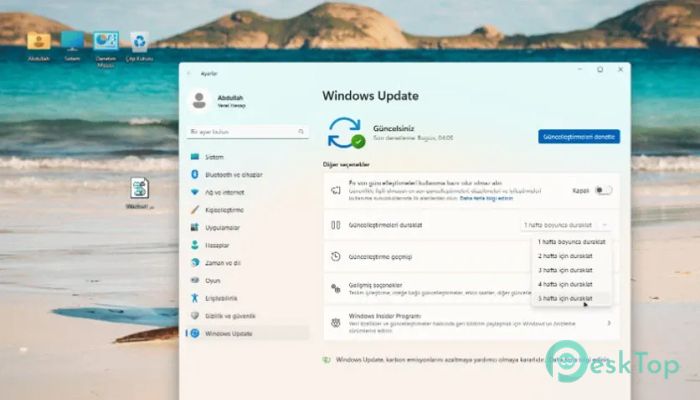
Download Windows Update Pause / Resume 1.0 for Windows.
Windows Update Pause / Resume Overview
Keeping your system updated is important, but sometimes updates show up at the worst possible time. That is where this tool becomes useful. It gives you control over when updates should run and when they should stop. Instead of letting updates interrupt your work, you can take charge with just a few clicks. This tool works like a pause button on a video. When you need focus, you pause updates. When you are ready again, you simply resume them. It uses built-in Windows commands, so there is no complicated setup or risky processes involved. Everything stays clean, safe, and under your control.Features of Windows Update Pause / Resume
Easy to Use Interface
No one likes complicated software, especially when dealing with system settings. The software keeps things simple. You do not need technical knowledge or a deep understanding of the system. Just run the script, and the job is done.
Think of it like flipping a switch. One click to stop updates, another click to bring them back. That is all it takes. Even beginners can use it without confusion or stress.
Instant Pause Function
Speed matters when you are in the middle of something important. This tool reacts instantly. The moment you run it, the update service is paused without delay. There is no waiting time or background processing that slows you down.
This makes it ideal for gaming, presentations, or urgent tasks. It acts quickly, so your system stays focused on what you are doing rather than downloading updates in the background.
Resume Anytime with Ease
Pausing updates is helpful, but what about getting things back on track later? That is where the resume feature shines. You can continue updates exactly where they stopped. Nothing gets lost or reset.
It feels like pressing play again after a pause. Everything continues smoothly without issues. This ensures your system stays up to date when you are ready, not when the system decides.
Secure and Reliable Operation
Security is always a concern when using third-party tools. The good thing here is that it relies on Windows' own commands. There are no hidden processes or unknown scripts running in the background.
This means it works safely within the system limits. You are not risking your data or system stability. It simply controls what Windows already allows, but in a more convenient way.
Perfect for Work and Gaming
Imagine you are in the middle of an important task or an intense game. Suddenly, updates start downloading or installing. That can be frustrating. This tool prevents such interruptions.
It is ideal for professionals who need uninterrupted focus and for gamers who want smooth performance. By temporarily halting updates, your system can dedicate all its resources to what matters most.
Lightweight and Efficient
No one wants software that eats up system resources. The software is lightweight and does not slow down your computer. It runs quickly and finishes its job without staying active in the background.
It is like a small helper that comes in, does its work, and leaves without causing any trouble. This makes it suitable even for older systems.
System Requirements and Technical Details
Operating System: Windows 11 / 10
Processor: Minimum 1 GHz Processor (2.4 GHz recommended)
RAM: 2GB (4GB or more recommended)
Free Hard Disk Space: 200MB or more is recommended

-
Program size6.61 MB
-
Version1.0
-
Program languagemultilanguage
-
Last updatedBefore 3 Month
-
Downloads44Ralated programs
![Operant Peak Spectroscopy]() Operant Peak Spectroscopy
Operant Peak Spectroscopy ![NeverWrite]() NeverWrite
NeverWrite![FluentCleaner]() FluentCleaner
FluentCleaner![Snippai]() Snippai
Snippai![ChillShot AI]() ChillShot AI
ChillShot AI![Splunk Enterprise]() Splunk Enterprise
Splunk Enterprise
 Operant Peak Spectroscopy
  NeverWrite
 FluentCleaner
 Snippai
 ChillShot AI
 Splunk Enterprise