
 Arabic
  English
  Turkish
  Chinese
  Japanese
  Russian
  Spanish
  German
  French
  Hindi
Hindi Download WPS Sentence Rewriter 1.0 for Windows
Download WPS Sentence Rewriter 1.0 for Windows.
WPS Sentence Rewriter Overview
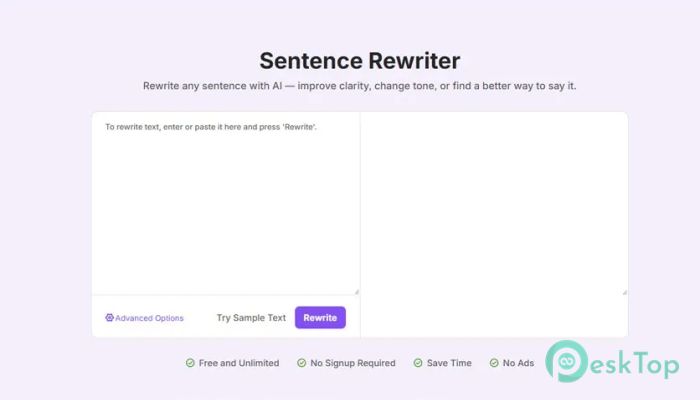
This powerful rewriting solution is designed to help users transform sentences with ease. Whether you are working on a simple line or a complex paragraph, it can reshape your text in seconds. It uses advanced AI to understand meaning and deliver improved versions without changing the original idea. The software is perfect for students, writers, bloggers, and professionals who want better wording without spending too much time thinking. Just paste your sentence, choose your style, and let the tool do the rest. It feels like having a personal editor sitting next to you.Features of WPS Sentence Rewriter
Smart AI-Powered Rewriting
The core strength of this tool lies in its intelligent AI engine. It doesn’t just replace words randomly. Instead, it understands the context of your sentence and rewrites it in a natural and meaningful way. This makes the output feel human and polished.
Think of it like polishing a rough diamond. Your original sentence is already valuable, but the tool enhances it, making it shine even brighter and look more professional.
Multiple Rewrite Modes
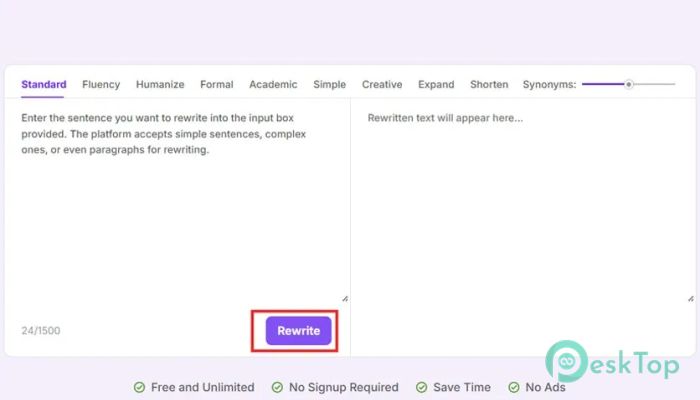
One of the best features is its flexibility. You can choose a rewriting length that suits your needs. The short mode keeps things crisp and direct. The medium mode balances clarity and detail. The long mode expands your sentence into a more expressive version.
This flexibility makes it useful in many situations. For example, if you are writing a social media post, the short mode works best. But if you are writing an article or report, the long mode gives more depth and detail.
Easy to Use Interface
The tool is designed with simplicity in mind. You don’t need any technical knowledge to use it. Just paste your sentence into the box, select your preferred mode, and click rewrite. Within seconds, you get a new version ready to use.
It feels as easy as copying and pasting text. There are no complicated steps, making it ideal for beginners and experienced users alike.
Improves Clarity and Tone
Sometimes, we know what we want to say, but we struggle to express it clearly. This is where the tool shines. It refines your sentences to make them easier to understand and more engaging.
It can also adjust the tone of your writing. Whether you want something formal, casual, or balanced, it helps you achieve the right style without having to rewrite everything from scratch.
Fast and Efficient Results
Speed is another major advantage. Instead of spending minutes or even hours rewriting sentences manually, the tool delivers results in seconds. This saves time and boosts productivity.
Imagine having a deadline and needing quick edits. Instead of stressing out, you can rely on this tool to get the job done quickly and effectively.
Flexible Editing and Regeneration
The first result is not always the final one, and that’s okay. You can tweak the settings and regenerate the sentence as many times as you want. This gives you full control over the output.
It’s like having multiple versions of the same idea, allowing you to pick the one that fits best. This flexibility makes it a powerful writing companion.
Perfect for Different Users
This tool is not limited to one type of user. Students can use it to improve their assignments. Bloggers can enhance their content. Professionals can refine emails and reports. Even casual users can make their messages clearer.
No matter your writing level, it helps you sound more confident and professional. It bridges the gap between ideas and expression.
Boosts Productivity
Writing can sometimes feel slow and tiring, especially when you are stuck on a sentence. With this tool, you can move forward quickly. It removes writer’s block and keeps your workflow smooth.
Instead of overthinking every word, you can focus on your ideas while the tool handles the wording. This makes writing more enjoyable and less stressful.
Enhances Creativity
Another hidden benefit is creativity. By generating different versions of a sentence, you get new ways to express your thoughts. Sometimes, seeing alternative phrasing can spark new ideas.
It’s like brainstorming with a partner who never runs out of suggestions. This makes your writing more dynamic and interesting.
System Requirements and Technical Details
Operating System: Windows 11 / 10 / 8.1 / 7
Processor: Minimum 1 GHz Processor (2.4 GHz recommended)
RAM: 2GB (4GB or more recommended)
Free Hard Disk Space: 200MB or more is recommended

-
Program size2.30 MB
-
Version1.0
-
Program languagemultilanguage
-
Last updatedBefore 3 Month
-
Downloads16Ralated programs
![Operant Peak Spectroscopy]() Operant Peak Spectroscopy
Operant Peak Spectroscopy ![NeverWrite]() NeverWrite
NeverWrite![FluentCleaner]() FluentCleaner
FluentCleaner![Snippai]() Snippai
Snippai![ChillShot AI]() ChillShot AI
ChillShot AI![Splunk Enterprise]() Splunk Enterprise
Splunk Enterprise
 Operant Peak Spectroscopy
  NeverWrite
 FluentCleaner
 Snippai
 ChillShot AI
 Splunk Enterprise