
 Arabic
  English
  Turkish
  Chinese
  Japanese
  Russian
  Spanish
  German
  French
  Hindi
Hindi Download WPS HEIC to JPG Converter 1.0 for Windows
Download WPS HEIC to JPG Converter 1.0 for Windows.
WPS HEIC to JPG Converter Overview
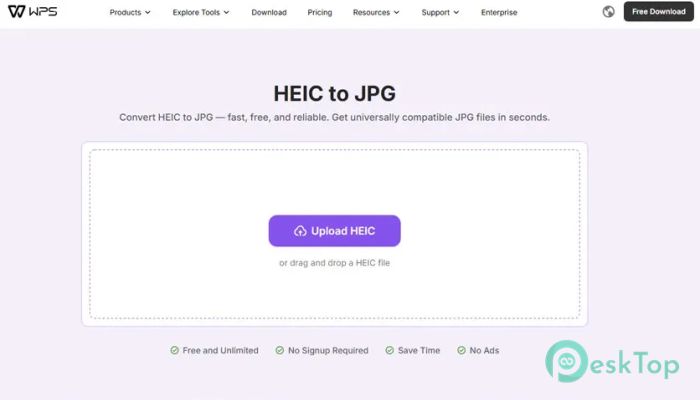
Working with HEIC images can sometimes feel like trying to open a locked door without the right key. Many devices, especially modern smartphones, use the HEIC format to save space while maintaining high image quality. However, not all apps or platforms support this format. That is where this smart solution steps in. It helps you quickly transform HEIC files into JPG, a format that works almost everywhere. The process is smooth and beginner-friendly. You can simply drag and drop your image or select it manually from your device. Within seconds, the file gets converted while maintaining its original clarity and color balance. It is designed for speed, ease, and reliability, making it perfect for everyday use.Features of WPS HEIC to JPG Converter
Simple and Fast Conversion Process
No one likes complicated steps, especially when dealing with files. This tool keeps everything straightforward. You just uploaded your HEIC image, clicked the convert button, and waited a moment. It feels almost like magic as the transformation happens instantly.
The speed is impressive. Even large images are processed quickly without slowing down your system. This makes it ideal for people who regularly handle multiple files, such as designers, students, or office workers.
High-Quality Output Without Compromise
One of the biggest concerns during conversion is losing quality. Nobody wants blurry or dull images after conversion. Thankfully, this software preserves the original sharpness. Colors remain vibrant, and details stay clear.
Think of it like transferring water from one glass to another without a single drop spilling. The final JPG looks just as good as the original HEIC file, making it suitable for sharing, editing, or printing.
Easy Drag and Drop Feature
Sometimes the simplest features make the biggest difference. Drag-and-drop support lets you move files into the tool without browsing folders. It saves time and feels natural.
You can also click to upload files manually if you prefer. Both options are smooth and responsive, giving you flexibility based on your workflow.
Compatible with Modern Devices
Many recent smartphones, especially newer iPhone models, use HEIC format by default. This can create compatibility issues when sharing images with others or uploading them online.
This converter solves that problem by accepting HEIC files from any device. Once converted to JPG, the images become universally compatible. You can open them on any computer, upload them to websites, or send them through email without worrying about format issues.
Perfect for Sharing and Editing
JPG is one of the most widely accepted image formats worldwide. It works seamlessly across social media platforms, editing tools, and printing services. After conversion, your images are ready to go anywhere.
Whether you are posting photos online, editing them in software, or printing them for personal use, the converted files fit perfectly into your workflow. It removes all barriers and keeps things smooth.
User-Friendly Interface
A good tool should not require a manual to understand. This one keeps everything clean and simple. The interface is designed so that even beginners can use it without confusion.
Buttons are clearly labeled, and the process is easy to follow. You do not need technical knowledge to get started. It feels like using a familiar app right from the first click.
Reliable and Secure Processing
When working with personal images, security matters. This tool ensures that your files are handled safely during the conversion process. There is no unnecessary risk involved.
It performs the task efficiently without storing or misusing your data. You can convert your images with peace of mind, knowing that your files remain private.
Lightweight and Efficient Performance
Heavy software can slow down your system, but this one is different. It is lightweight and runs smoothly even on basic computers. You do not need high-end hardware to use it.
This makes it accessible to a wide range of users. Whether you are using an older PC or a modern system, the performance stays consistent and reliable.
Why Choose This Tool
There are many converters available, but not all offer the same balance of speed, quality, and simplicity. This one stands out because it combines all these features into one easy solution.
It saves time, preserves quality, and removes compatibility issues. Instead of struggling with unsupported formats, you can focus on using your images the way you want.
System Requirements and Technical Details
Operating System: Windows 11 / 10 / 8.1 / 7
Processor: Minimum 1 GHz Processor (2.4 GHz recommended)
RAM: 2GB (4GB or more recommended)
Free Hard Disk Space: 200MB or more is recommended

-
Program size12.13 MB
-
Version1.0
-
Program languagemultilanguage
-
Last updatedBefore 3 Month
-
Downloads25Ralated programs
![Operant Peak Spectroscopy]() Operant Peak Spectroscopy
Operant Peak Spectroscopy ![NeverWrite]() NeverWrite
NeverWrite![FluentCleaner]() FluentCleaner
FluentCleaner![Snippai]() Snippai
Snippai![ChillShot AI]() ChillShot AI
ChillShot AI![Splunk Enterprise]() Splunk Enterprise
Splunk Enterprise
 Operant Peak Spectroscopy
  NeverWrite
 FluentCleaner
 Snippai
 ChillShot AI
 Splunk Enterprise