
 Arabic
  English
  Turkish
  Chinese
  Japanese
  Russian
  Spanish
  German
  French
  Hindi
Hindi Download XMuli Quick Utilities Suite 4.6.0 for Windows
Download XMuli Quick Utilities Suite 4.6.0 for Windows.
XMuli Quick Utilities Suite Overview
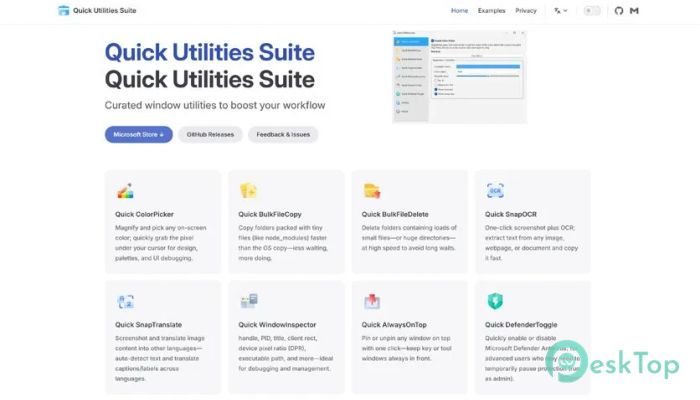
This package brings together several small yet powerful utilities under one roof. Instead of installing many separate programs, you get a single bundle that focuses on speed, simplicity, and real-world productivity. Everything feels direct and practical, like having a digital toolbox always ready on your desktop.Features of XMuli Quick Utilities Suite
Curated Utilities for Everyday Work
The software is built on the premise that incremental improvements save considerable time. Each included utility handles a specific task that users often repeat throughout the day. From file handling to screen tools, everything is designed to work instantly, with no heavy setup or steep learning curves.
Quick ColorPicker
This tool makes grabbing colors from anywhere on the screen fast and accurate. Designers and developers can select colors in a single step instead of opening bulky graphic editors. It feels like using an eyedropper in the real world, quick, precise, and clean.
Quick BulkFileCopy
Copying large numbers of files can be slow and annoying. This utility simplifies the process by allowing batch copying with better control and feedback. It is beneficial when managing backups, media folders, or project files that need to be moved quickly.
Quick BulkFileDelete
Deleting unwanted files one by one wastes time. This feature helps you safely and efficiently remove multiple files. Think of it as cleaning your desk with one sweep rather than picking up each paper individually.
Quick SnapOCR
Extracting text from images or screenshots becomes effortless. The OCR tool captures text directly from the screen, making it ideal for documents, scanned pages, or locked PDFs. It turns visuals into editable words in seconds.
Quick SnapTranslate
This utility allows instant translation of on-screen text. Just capture the content and get readable results without switching apps. It feels like having a pocket translator built right into your desktop workflow.
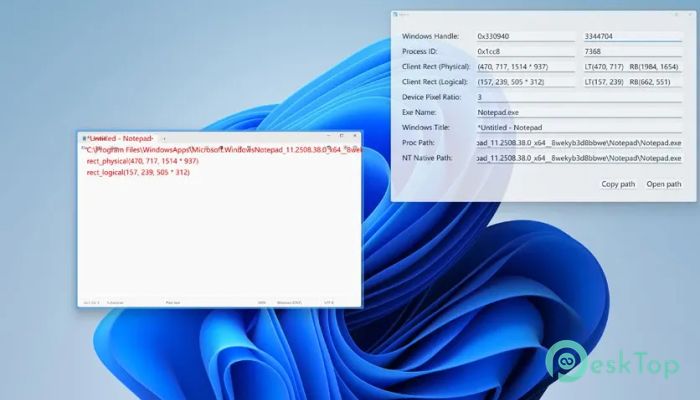
Quick WindowInspector
Understanding what is happening behind open windows can be tricky. This feature provides detailed information about active windows, processes, and properties. It is invaluable for power users who prefer to maintain control of their system.
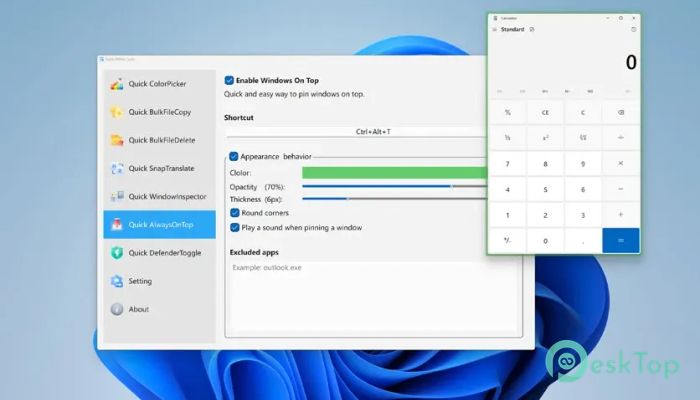
Quick AlwaysOnTop
Keeping important windows visible can improve focus. This utility pins selected windows above others, making multitasking smoother. It works like holding a note in front of your eyes while everything else stays in the background.
Quick DefenderToggle
Managing system protection settings can sometimes interrupt work. This tool provides quick control over Defender status as needed, saving time during testing or setup. Everything is accessible without digging through system menus.
Simple Interface and Lightweight Design
The interface stays minimal and easy to understand. There are no unnecessary buttons or confusing layouts. The entire suite runs smoothly on most systems and does not slow things down, making it suitable for both older and modern PCs.
Who Can Benefit the Most
Students, office workers, developers, and casual users can all find value here. Anyone who spends hours on a computer will appreciate tools that remove friction. It quietly improves efficiency without demanding attention.
System Requirements and Technical Details
Operating System: Windows 11 / 10
Processor: Minimum 1 GHz Processor (2.4 GHz recommended)
RAM: 2GB (4GB or more recommended)
Free Hard Disk Space: 500 MB or more is recommended

-
Program size302.30 MB
-
Version4.6.0
-
Program languagemultilanguage
-
Last updatedBefore 3 Month
-
Downloads9Ralated programs
![Operant Peak Spectroscopy]() Operant Peak Spectroscopy
Operant Peak Spectroscopy ![NeverWrite]() NeverWrite
NeverWrite![FluentCleaner]() FluentCleaner
FluentCleaner![Snippai]() Snippai
Snippai![ChillShot AI]() ChillShot AI
ChillShot AI![Splunk Enterprise]() Splunk Enterprise
Splunk Enterprise
 Operant Peak Spectroscopy
  NeverWrite
 FluentCleaner
 Snippai
 ChillShot AI
 Splunk Enterprise