
 Arabic
  English
  Turkish
  Chinese
  Japanese
  Russian
  Spanish
  German
  French
  Hindi
Hindi Download Zoho Notebook 3.7.5 for Windows
Download Zoho Notebook 3.7.5 for Windows.
Zoho Notebook Overview
It is built for people who like their notes neat, visual, and easy to manage. It feels less like a boring utility and more like a digital workspace where everything has its own place. From quick ideas to long plans, the software keeps content organized while syncing smoothly across devices.Features of Zoho Notebook
A Simple Way to Capture Everyday Ideas
It works like a digital notebook that is always within reach. You can quickly write down thoughts, save reminders, or store important information without breaking your flow. The layout is clean and friendly, so even first-time users feel comfortable right away.
Different Note Cards for Different Needs
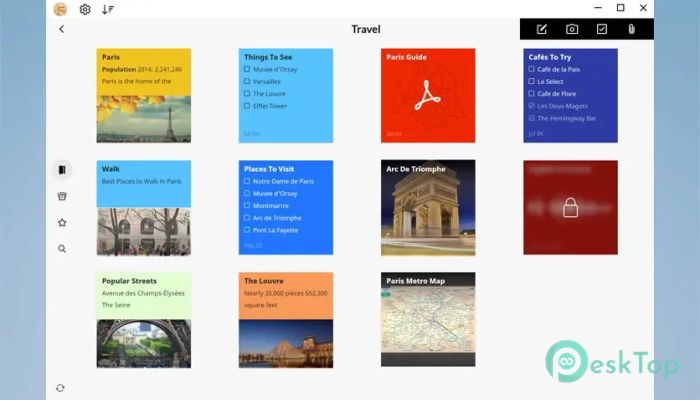
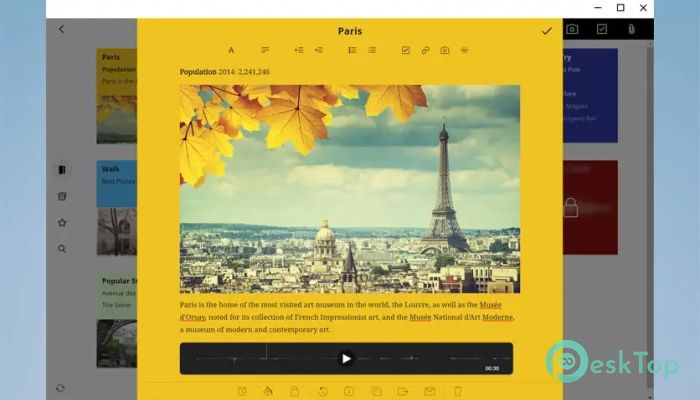
The tool uses smart note cards, each designed for a specific purpose. Text cards are perfect for writing thoughts or plans. Checklist cards help track tasks like a to-do list on your desk. Photo cards store images you drag directly from your computer, while file cards safely keep documents in one place. Audio cards even let you record voice notes when typing feels slow.
Stay Organized Without Overthinking
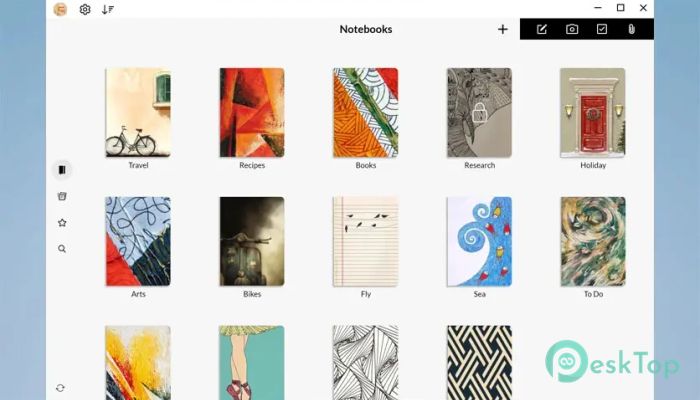
Organization feels natural instead of forced. Notes are grouped visually, making it easy to spot what you need. Colors act like sticky tabs, helping separate work notes from personal ones. Everything stays tidy, like folders arranged on a clean shelf.
Personalization That Feels Human
The software lets you customize notebooks with hand-designed covers or your own images. It is similar to choosing a notebook cover in a stationery shop. Colors can also be changed to match moods or projects, making the experience more personal and enjoyable.
Sync That Works Quietly in the Background
All notes sync automatically across devices and the cloud. You do not need to press buttons or worry about losing data. It works silently, like a safety net, keeping everything up to date and accessible whenever needed.
Designed for Privacy and Peace of Mind
One of its strongest points is privacy. The software is completely ad-free, which means no distractions and no hidden tracking. Your data stays secure, giving peace of mind while working on personal or professional notes.
Helpful for Work, Study, and Daily Life
It fits many lifestyles. Students can organize lectures and assignments. Professionals can plan meetings and store documents. Creatives can collect ideas, images, and sketches. It adapts like a multi-purpose notebook, changing shape to meet your needs.
Collaboration Made Simple
Sharing notes is easy when teamwork is needed. You can collaborate without clutter, keeping everyone on the same page. It feels like passing a notebook across a table, but faster and cleaner.
Lightweight Yet Powerful Performance
The software runs smoothly without slowing down the system. It does not demand heavy resources, making it suitable even for older machines. Everything feels quick, responsive, and stable during everyday use.
Clean Design That Reduces Stress
The interface avoids clutter and unnecessary buttons. This makes focusing easier and reduces mental noise. It feels like working on a clean desk instead of a messy one.
System Requirements and Technical Details
Operating System: Windows 11 / 10
Processor: Minimum 1 GHz Processor (2.4 GHz recommended)
RAM: 2GB (4GB or more recommended)
Free Hard Disk Space: 200MB or more is recommended

-
Program size134.91 MB
-
Version3.7.5
-
Program languagemultilanguage
-
Last updatedBefore 7 Month
-
Downloads38Ralated programs
![Operant Peak Spectroscopy]() Operant Peak Spectroscopy
Operant Peak Spectroscopy ![NeverWrite]() NeverWrite
NeverWrite![FluentCleaner]() FluentCleaner
FluentCleaner![Snippai]() Snippai
Snippai![ChillShot AI]() ChillShot AI
ChillShot AI![Splunk Enterprise]() Splunk Enterprise
Splunk Enterprise
 Operant Peak Spectroscopy
  NeverWrite
 FluentCleaner
 Snippai
 ChillShot AI
 Splunk Enterprise