
 Arabic
  English
  Turkish
  Chinese
  Japanese
  Russian
  Spanish
  German
  French
  Hindi
Hindi Download Zulip 1.0 for Windows
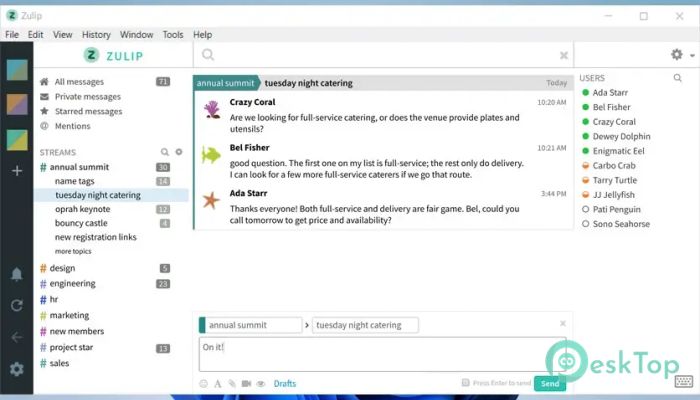
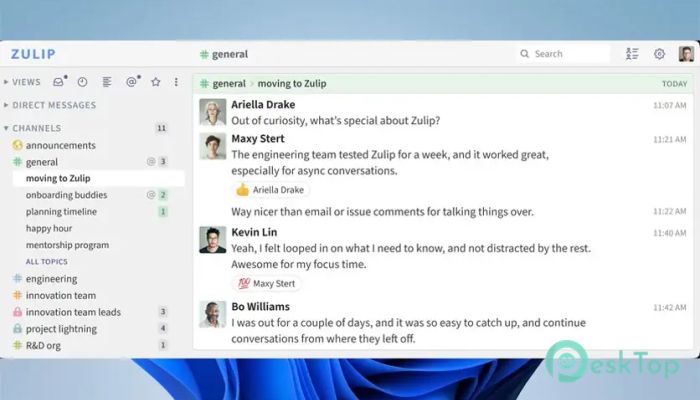
Download Zulip 1.0 for Windows.
Zulip Overview
This open-source communication platform offers a more innovative way for teams to chat, keeping messages neatly separated by topic rather than mixing everything into a single stream. With a focus on clarity, flexibility, and productivity, the software is suitable for both small groups and large organizations with distributed teams.Features of Zulip
One of the biggest strengths of this tool is its topic-based threading system, which keeps discussions easy to follow. You never have to scroll endlessly to find replies because each message stays inside its own topic.
It also supports real-time chat, making communication smooth and efficient for everyone. Whether you prefer cloud hosting or want to deploy it on your own server, the tool gives you complete control.
Its open-source code attracts developers who love customization, while built-in integrations make daily workflows easier. Apps for Windows, mobile devices, and browsers ensure you can stay connected from anywhere.
Smart Threading System
Its threading model is designed to reduce noise and improve focus. Instead of dropping all messages in a single channel, every conversation is placed inside a topic. This structure helps you respond in context and avoid confusion.
You can jump between topics without losing track, making it ideal for teams working asynchronously across time zones. Just skim through the discussions that matter and skip the ones that don’t.
Cross-Platform Support
The tool runs smoothly on multiple platforms, including Windows. It also includes a web version that works on any modern browser. This flexibility lets you check for updates or chat with your team whenever you need to.
Desktop notifications, keyboard shortcuts, and a clean UI help you stay productive without feeling overwhelmed.
Integrations and Customization
Thanks to its open nature, users can integrate popular services like GitHub, Jira, Trello, and more. Developers can extend its capabilities through APIs or connect it with workflow automation tools.
Self-hosted installations allow deeper customization for organizations that want complete control over data and communication setups.
Deployment Options
You can choose between cloud hosting and running the tool on your own server. Cloud hosting is quick and requires no technical setup, while self-hosting offers greater privacy and long-term flexibility.
The installation process is well-documented, making it simple even for teams without advanced technical expertise.
Why Teams Prefer This Tool
Its main advantage is that it keeps conversations organized. Live chat feels fast and responsive, but asynchronous communication remains structured thanks to the threading model. Teams can maintain focus throughout the day without missing important messages.
This approach is especially helpful for large groups, remote workers, and organizations handling multiple projects at once.
System Requirements and Technical Details
Operating System: Windows 11 / 10 / 8.1 / 7
Processor: Minimum 1 GHz Processor (2.4 GHz recommended)
RAM: 2GB (4GB or more recommended)
Free Hard Disk Space: 200MB or more is recommended

-
Program size685.56 KB
-
Version1.0
-
Program languagemultilanguage
-
Last updatedBefore 9 Month
-
Downloads11
 Cyotek WebCopy
 Linphone
 Cinny
Cinny AllMapSoft Bing Maps Downloader
  AllMapSoft Yandex Maps Downloader
  AllMapSoft google earth images downloader