
 Arabic
  English
  Turkish
  Chinese
  Japanese
  Russian
  Spanish
  German
  French
  Hindi
Hindi Download Aescripts C4D To Houdini 1.04 for Windows
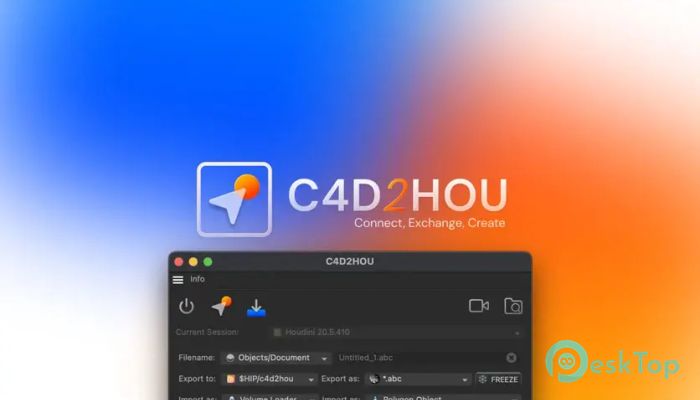
Download Aescripts C4D To Houdini 1.04 for Windows.
Aescripts C4D To Houdini Overview
This plugin bridges the gap between two powerful 3D software platforms, Cinema 4D and Houdini. Developed to improve production pipelines, it helps artists work smoothly between modeling, simulation, and rendering environments. By offering a bidirectional connection, the software allows real-time data sharing and scene synchronization. It supports various formats, including Alembic, FBX, and VDB, ensuring compatibility with most production workflows. The main goal of this tool is to make asset transfer—such as geometry, splines, and cameras—between the two applications faster and more stable. It eliminates manual export/import tasks and reduces the risk of data loss, improving overall production efficiency. This makes it ideal for motion designers, 3D artists, and VFX professionals who frequently switch between these programs during project development.Features of Aescripts C4D To Houdini
Bidirectional Pipeline Integration
One of the key highlights of this plugin is its ability to establish an accurate bidirectional pipeline between Cinema 4D and Houdini. This means you can send data from one software and instantly receive updates back, maintaining a continuous workflow. The synchronization is smooth and automatic, ensuring both applications stay in sync without repeated manual adjustments.
Whether you’re sending geometry from Cinema 4D to Houdini for complex simulation or bringing it back for animation and rendering, the tool handles it effortlessly. It saves countless hours that would otherwise be spent manually exporting and reimporting files.
Smart Connection Management
The tool includes an intelligent connection system that detects active Houdini instances and manages multiple sessions at once. This allows you to connect to several Houdini projects simultaneously without performance drops. You can easily control which instance receives the data, making multi-scene workflows smoother and more organized.
Its design focuses on flexibility—letting users switch between different Houdini setups while keeping Cinema 4D fully responsive. This feature proves especially useful in larger studios where multiple team members work on different parts of the same project.
Seamless Asset Exchange
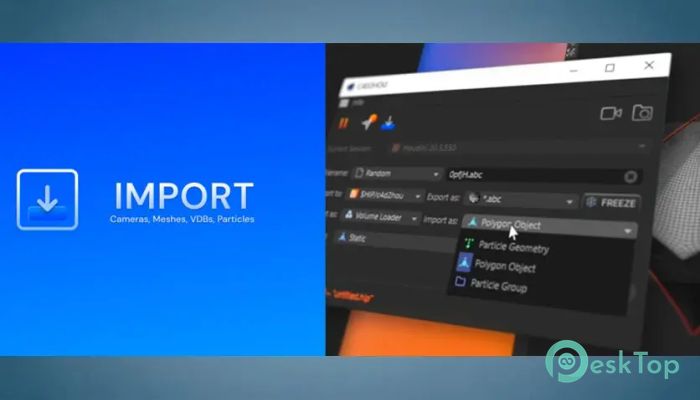
This software supports exporting and importing various asset types, including geometry, splines, volumes, and camera data. Each transfer maintains its original attributes, ensuring no information is lost in translation. It also supports complex data types, such as volumes and procedural assets, giving artists complete control over their designs.
File format compatibility is another advantage. With built-in support for Alembic, FBX, and VDB formats, the plugin enables users to easily move assets between environments. This ensures that both Cinema 4D and Houdini can interpret and manipulate the shared files with complete accuracy.
Async Operations and Performance
The plugin is built with asynchronous operations in mind. This means users can continue working in Cinema 4D or Houdini while the connection handles data exchange in the background. There are no UI freezes or waiting screens, ensuring a fluid, uninterrupted experience. This level of optimization keeps artists focused on creativity rather than technical issues.
By minimizing processing delays, it enhances real-time interaction between both programs, leading to faster previews and quicker adjustments. This performance boost becomes especially beneficial when working with heavy simulations or detailed 3D environments.
Ease of Use and Workflow Integration
Despite being a powerful professional tool, it maintains an intuitive user interface that simplifies setup. Installation and configuration require minimal effort, and the settings can be customized to your workflow needs. With clearly labeled functions and real-time status indicators, users can easily manage connections and verify data transfers.
Additionally, it integrates seamlessly into existing pipelines without requiring major changes to project structures. Whether you’re an individual creator or part of a larger studio team, the tool effortlessly adapts to your environment, increasing productivity and collaboration.
System Requirements and Technical Details
Operating System: Windows 11 / 10 / 8.1 / 7
Processor: Minimum 1 GHz Processor (2.4 GHz recommended)
RAM: 2GB (4GB or more recommended)
Free Hard Disk Space: 200MB or more is recommended
Cinema 4D: 2026, 2025, 2024, 2023
Houdini: 21, 20.5, 20, 19

-
Program size652.83 KB
-
Version1.04
-
Program languagemultilanguage
-
Last updatedBefore 11 Month
-
Downloads17
 Paragon Hard Disk Manager 18 Business
 Aescripts MaskMotion
 Aescripts AE Glass
 Aescripts PreFlight
 Aescripts Risograph
 Aescripts Folder Fanatic