
 Arabic
  English
  Turkish
  Chinese
  Japanese
  Russian
  Spanish
  German
  French
  Hindi
Hindi Download Aescripts Chromabba 1.3.6 for Windows
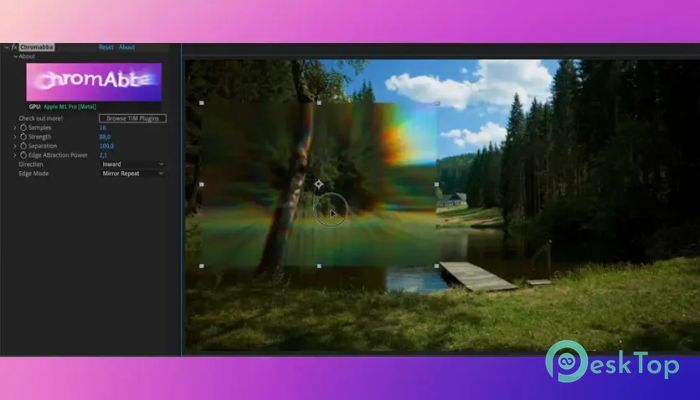
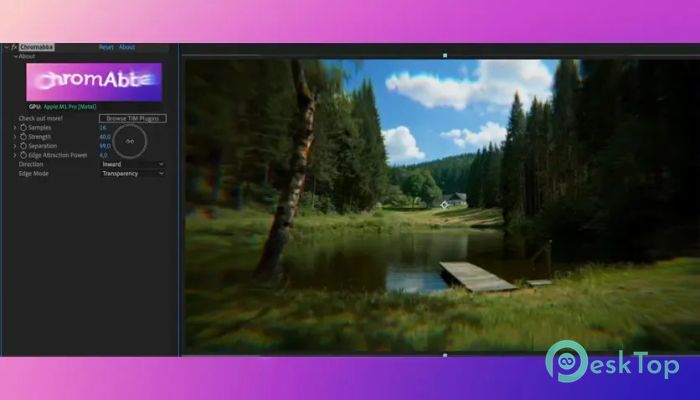
Download Aescripts Chromabba 1.3.6 for Windows.
Aescripts Chromabba Overview
Creating realistic lens effects is often harder than it looks. Many traditional tools simply separate the red, green, and blue channels, producing an artificial result. This plugin takes a smarter approach by simulating how light actually bends through a camera lens. The result is a much more natural chromatic aberration effect that adds depth and realism to your projects. The software is designed for video editors, motion designers, VFX artists, and content creators who want professional-quality distortion effects without spending hours adjusting settings. Thanks to GPU acceleration via WebGPU, it delivers smooth performance even on demanding projects.Features of Aescripts Chromabba
Realistic Chromatic Aberration
Instead of applying a simple RGB shift, the software recreates the physical behavior of light passing through a lens. This makes the effect feel more authentic and visually pleasing. It produces subtle color separation that enhances images without looking fake.
Whether you are creating cinematic videos, motion graphics, or creative visual effects, the tool helps every frame look more polished. The final result feels like it came directly from a professional camera lens.
Powerful Customization Controls
Every project has different creative needs, so the software offers a wide range of controls. You can adjust the strength of the effect, change its direction, control edge attraction, and fine-tune other settings with ease.
These flexible controls allow beginners to achieve great results quickly while giving experienced professionals enough precision to match their creative vision. Small adjustments can completely transform the mood of a scene.
Create Stunning Liquid Glass Effects
Beyond chromatic aberration, the plugin can generate beautiful liquid-glass distortion effects. This feature smoothly bends and warps images, producing eye-catching visuals that work perfectly for title sequences, transitions, music videos, advertisements, and experimental artwork.
The distortion remains clean and natural, making it useful for both subtle enhancements and dramatic visual styles. It gives editors another creative tool without needing extra plugins.
Fast GPU-Accelerated Performance
Rendering heavy visual effects can slow down your workflow, but the software uses modern WebGPU acceleration to keep everything responsive. By taking advantage of your graphics hardware, previews become smoother and rendering times are reduced.
This improved performance allows you to experiment with different settings in real time. Instead of waiting for every preview, you can focus on creativity and finish projects more efficiently.
Works with Popular Editing Software
One of the biggest strengths of the plugin is its wide compatibility. It works with several professional editing and compositing applications, making it easy to fit into existing production workflows.
Supported software includes After Effects, Premiere Pro, DaVinci Resolve, Nuke, and many other OFX-compatible hosts. This flexibility allows creators to use the same realistic effect across multiple editing platforms without changing their workflow.
Simple Interface for Faster Editing
The software keeps its interface clean and easy to understand. Important controls are clearly organized, allowing users to apply and customize effects without having to search through complicated menus.
This simple layout makes the learning process quick for beginners while still offering advanced options for experienced editors. It helps save time and keeps creative projects moving forward.
Perfect for Professional Creative Projects
The plugin is suitable for many different types of content. It can improve short films, YouTube videos, commercials, music videos, documentaries, animations, and social media content. Even a small amount of realistic lens distortion can make digital footage appear more cinematic.
Because the effect closely mimics real optical behavior, it blends naturally with existing footage instead of drawing unwanted attention. This makes it useful for both subtle finishing touches and bold artistic designs.
Modern Workflow and Better Productivity
Creative professionals often work under tight deadlines. The software helps speed up editing by combining realistic rendering, fast GPU acceleration, and easy controls into a single lightweight package.
Its efficient workflow reduces repetitive adjustments while giving consistent results across different projects. This allows creators to spend less time tweaking effects and more time telling their stories.
System Requirements and Technical Details
Operating System: Windows 11 / 10 / 8.1 / 7
Processor: Minimum 1 GHz Processor (2.4 GHz recommended)
RAM: 2GB (4GB or more recommended)
Free Hard Disk Space: 200MB or more is recommended
After Effects: 2026, 2025, 2024, 2023, 2022

-
Program size5.03 MB
-
Version1.3.6
-
Program languagemultilanguage
-
Last updatedBefore 3 Month
-
Downloads13
 Paragon Hard Disk Manager 18 Business
 Aescripts MaskMotion
 Aescripts AE Glass
 Aescripts PreFlight
 Aescripts Risograph
 Aescripts Folder Fanatic