
 Arabic
  English
  Turkish
  Chinese
  Japanese
  Russian
  Spanish
  German
  French
  Hindi
Hindi Download Aescripts ClipToAE 1.0.1 for Windows
Download Aescripts ClipToAE 1.0.1 for Windows.
Aescripts ClipToAE Overview
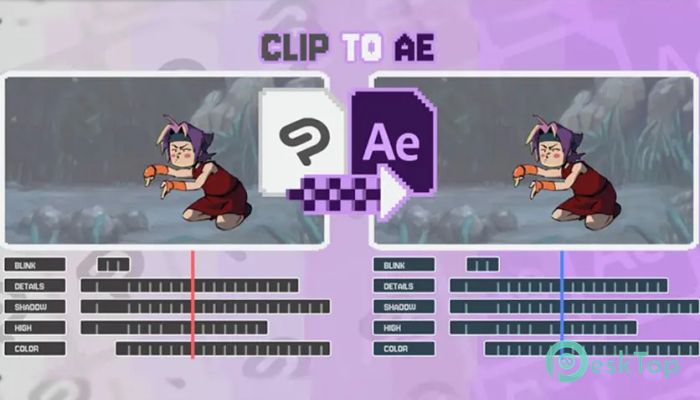
Working with animation across multiple programs can often feel like carrying water in a leaking bucket. You export files, organize hundreds of images, and still struggle with misplaced layers and broken timing. This is where this software completely changes the workflow. It allows artists and editors to move Clip Studio Paint animations directly into After Effects without converting them into image sequences. Instead of exporting hundreds of PNG files and manually rebuilding animations, the tool transfers everything in a structured format. Layers remain intact, animation timing stays accurate, and opacity settings are preserved. This creates a smooth and professional workflow, especially for 2D animation and post-production tasks. Whether you're working on motion graphics, character animation, or animated illustrations, the software removes unnecessary steps and keeps your creative flow uninterrupted. It acts as a bridge between Clip Studio Paint and After Effects, speeding up animation production and making it more organized.Features of Aescripts ClipToAE
Import Animations Without Image Sequences
One of the biggest advantages of this tool is the ability to import animations directly without exporting image sequences. Traditionally, animators export frames individually, which creates hundreds of files. Managing these files can quickly become messy and time-consuming.
This software eliminates that problem entirely. It imports animation timelines directly into After Effects. This means no extra folders, no clutter, and no unnecessary file management. Everything stays clean and organized from start to finish.
This feature also helps reduce storage usage. Instead of saving hundreds of images, the tool preserves the animation's structure. This makes project files lighter and easier to manage.
Preserves Layers and Animation Structure
Animation projects often include multiple layers for characters, backgrounds, shadows, and effects. Rebuilding these layers manually can take hours. This is where the tool shines.
It preserves layer hierarchy when importing animations. Each layer appears exactly as it was created. This allows users to continue editing and refining animations without having to rebuild the structure.
Timing is also maintained accurately. Frames, keyframes, and animation pacing remain unchanged. This ensures the animation looks identical after import.
Perfect for 2D Animation Workflow
2D animation projects often require switching between drawing software and compositing tools. This workflow can become slow if files need to be exported repeatedly.
The software makes this process faster and smoother. Artists can animate in Clip Studio Paint and instantly move their work into After Effects. This creates a more efficient workflow for 2D animation production.
It is especially helpful for animators working on short films, social media content, and motion graphics. The tool reduces technical barriers, allowing creators to focus more on creativity.
Improves Post-Production Efficiency
Post-production is where animations come to life. Adding effects, color grading, and motion enhancements requires a clean and organized timeline.
This software imports animations to make post-production easier. Layers are accessible, timing is preserved, and editing becomes flexible. This allows users to apply effects quickly and efficiently.
It also helps motion designers enhance 2D animations with camera movement, lighting, or transitions. The software keeps everything ready for professional finishing.
Simple and User-Friendly Workflow
Despite its powerful features, the tool remains simple to use. The process is straightforward and does not require advanced technical knowledge.
Users simply import their animation project, and the software handles the rest. The workflow feels smooth and natural. This makes it suitable for both beginners and professionals.
The clean workflow saves time and reduces frustration. Instead of focusing on technical issues, users can focus on creativity.
Supports Professional Animation Projects
Professional animators often work with complex timelines and layered compositions. Managing these elements manually can slow down production.
This tool supports professional-level projects by maintaining animation accuracy. It handles complex layer structures, multiple frames, and detailed timing.
This makes it ideal for studios, freelancers, and content creators working on high-quality animation projects.
Lightweight and Efficient Performance
The software is designed to run smoothly without consuming too many system resources. It works efficiently even on moderate systems.
This makes it accessible for a wide range of users. Whether working on small animations or large projects, performance remains stable and reliable.
It also speeds up production time by reducing the number of export and import steps. This creates a smoother creative workflow.
Why Animators Prefer This Tool
Animators prefer tools that simplify workflow and reduce repetitive tasks. This software does exactly that. It eliminates manual exporting, preserves the animation structure, and improves efficiency.
The workflow feels natural and seamless. Animators can focus on storytelling and creativity rather than technical steps.
This makes it a valuable addition to any 2D animation workflow.
System Requirements and Technical Details
Operating System: Windows 11 / 10 / 8.1 / 7
Processor: Minimum 1 GHz Processor (2.4 GHz recommended)
RAM: 2GB (4GB or more recommended)
Free Hard Disk Space: 200MB or more is recommended
After Effects: 2026, 2025, 2024, 2023, 2022, 2021, 2020, CC 2019, CC 2018, CC 2017

-
Program size1.96 MB
-
Version1.0.1
-
Program languagemultilanguage
-
Last updatedBefore 4 Month
-
Downloads15
 Paragon Hard Disk Manager 18 Business
 Aescripts MaskMotion
 Aescripts AE Glass
 Aescripts PreFlight
 Aescripts Risograph
 Aescripts Folder Fanatic