
 Arabic
  English
  Turkish
  Chinese
  Japanese
  Russian
  Spanish
  German
  French
  Hindi
Hindi Download AEscripts Dropletee 1.0.12 for Windows
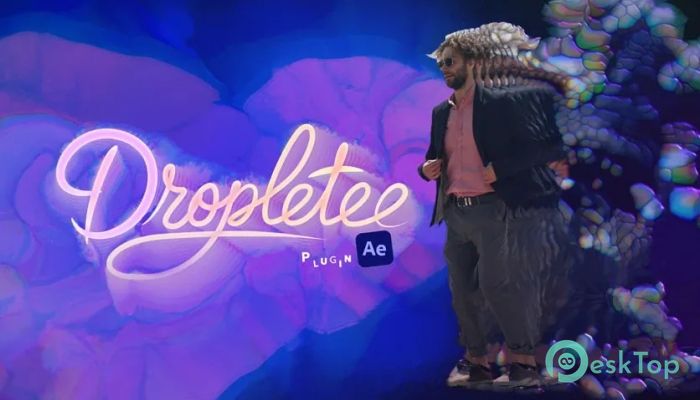
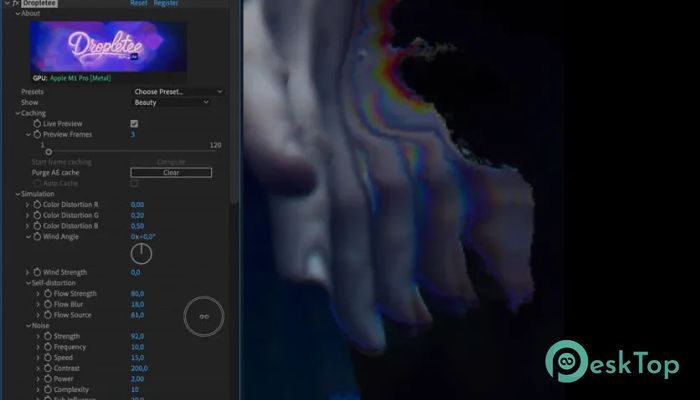
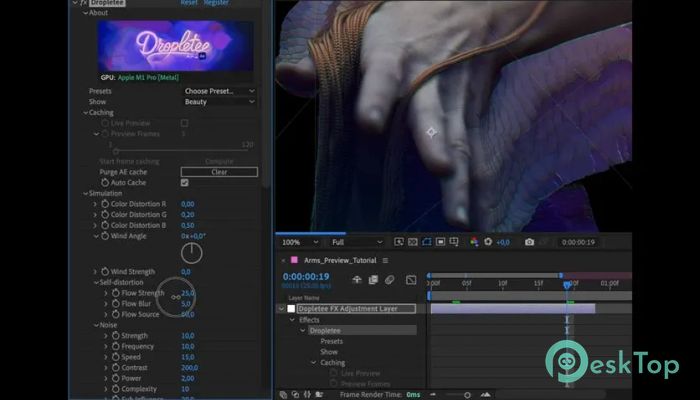
Download AEscripts Dropletee 1.0.12 for Windows.
AEscripts Dropletee Overview
It is a creative visual effects tool designed for motion designers and video editors who want to create fluid-like distortions and dynamic pixel movement. It works by accumulating frames over time and pushing pixels along surface normals, creating a natural, organic, visually appealing liquid motion. The result feels like watching paint flow, water ripple, or glass bend in real time. The software is GPU-accelerated with WebGPU, resulting in faster rendering and smoother playback, even with complex animations. This helps users quickly preview their work and make adjustments without long wait times. It also includes presets that allow beginners to start instantly while giving professionals full control over advanced parameters. The improved memory handling under low-memory conditions ensures that projects remain stable and responsive. Whether creating cinematic transitions, music visualizers, or artistic distortions, the tool delivers high-quality results with minimal effort.Features of AEscripts Dropletee
Liquid Distortion Technology
The most impressive part of this tool is its liquid distortion engine. Instead of applying simple blur or warp effects, it simulates natural fluid movement. Pixels move gradually and flow into one another, creating smooth transitions that look realistic.
This technique makes animations feel more alive. Motion designers can create flowing typography, melting objects, or surreal transitions. The movement behaves naturally, like water moving across a surface, which helps projects stand out visually.
It also accumulates frames over time. This means the distortion builds gradually instead of appearing instantly. The effect evolves as the animation continues, creating depth and movement that feels cinematic.
Frame Accumulation for Dynamic Motion
Frame accumulation plays a major role in creating organic animation. Instead of applying static distortion, it collects motion information from previous frames. This allows the effect to grow and change naturally over time.
This approach is similar to watching ink spread in water. The motion starts slowly, then gradually expands and transforms. Editors can control the speed, intensity, and flow direction. This flexibility allows creators to experiment and produce unique results.
It is especially useful for creating transitions, motion graphics, and abstract visual effects. The accumulation makes every animation feel dynamic and unpredictable in a creative way.
Surface Normal Pixel Movement
Another standout feature is pixel movement along surface normals. Instead of random distortion, the effect follows the image's structure. This creates realistic movement that respects lighting, shapes, and textures.
The result looks more natural and visually pleasing. Edges stretch smoothly, highlights shift realistically, and textures maintain depth. This makes animations appear more professional and less artificial.
This feature is particularly helpful for text animations, logo reveals, and cinematic sequences. The movement enhances the visual quality without destroying the original design.
Iridescent Colors and Lighting Effects
The software also includes iridescent color effects that add shimmering tones and lighting variations. These colors change dynamically depending on movement and intensity. This creates a modern and futuristic visual style.
The lighting effects enhance depth and realism. Highlights shift smoothly, shadows adjust naturally, and colors blend beautifully. The result looks like light reflecting off liquid surfaces or glass materials.
Users can customize color intensity, brightness, and blending modes. This flexibility helps designers create subtle effects or bold artistic visuals.
GPU Acceleration with WebGPU
Performance is a key part of this tool. Thanks to WebGPU acceleration, processing is faster and smoother. Even complex distortions render quickly, saving valuable time during editing.
GPU acceleration allows real-time previews. Designers can adjust parameters and instantly see results. This improves workflow and makes experimentation easier.
It also reduces lag and improves stability. Large projects remain responsive, and animations play smoothly without interruptions.
Preset Library for Quick Results
The tool includes ready-to-use presets that let users get started instantly. These presets offer a range of styles, including liquid flow, melting effects, ripple motion, and abstract distortion.
Users can select a preset, tweak settings, and customize results. This saves time while still allowing creative freedom. Beginners can achieve professional results without a complex setup.
Each preset can be modified. Designers can adjust speed, intensity, color, and lighting to match their project needs.
Improved Memory Handling
Working with visual effects can consume significant memory. The improved memory handling ensures stable performance even under low-memory conditions.
This helps prevent crashes and slowdowns. Large projects remain manageable, and rendering continues smoothly. Editors can work confidently without worrying about performance issues.
This improvement makes the tool reliable for both small and complex projects.
Creative Use Cases
The software is useful for many creative scenarios. Motion designers can create fluid typography, abstract backgrounds, and cinematic transitions. Video editors can add dynamic distortion to enhance storytelling.
It is also perfect for music videos, social media animations, and promotional content. The liquid effects add a modern and stylish look to any project.
Creative professionals can experiment freely and produce unique visual styles. The flexibility encourages creativity and innovation.
Simple Controls and Customization
The interface is designed to be user-friendly. Controls are easy to understand and quick to adjust. Users can modify parameters such as intensity, flow speed, color blending, and lighting.
This simplicity allows both beginners and professionals to use the tool effectively. Advanced users can dive deeper into customization, while beginners can rely on presets.
The balance between simplicity and control makes the tool powerful and accessible.
System Requirements and Technical Details
Operating System: Windows 11 / 10 / 8.1 / 7
Processor: Minimum 1 GHz Processor (2.4 GHz recommended)
RAM: 2GB (4GB or more recommended)
Free Hard Disk Space: 200MB or more is recommended
After Effects: 2026, 2025, 2024, 2023

-
Program size4.06 MB
-
Version1.0.12
-
Program languagemultilanguage
-
Last updatedBefore 2 Month
-
Downloads26
 Paragon Hard Disk Manager 18 Business
 Aescripts MaskMotion
 Aescripts AE Glass
 Aescripts PreFlight
 Aescripts Risograph
 Aescripts Folder Fanatic