
 Arabic
  English
  Turkish
  Chinese
  Japanese
  Russian
  Spanish
  German
  French
  Hindi
Hindi Download Aescripts - Easify 2 Pro 2.7.1 for Windows
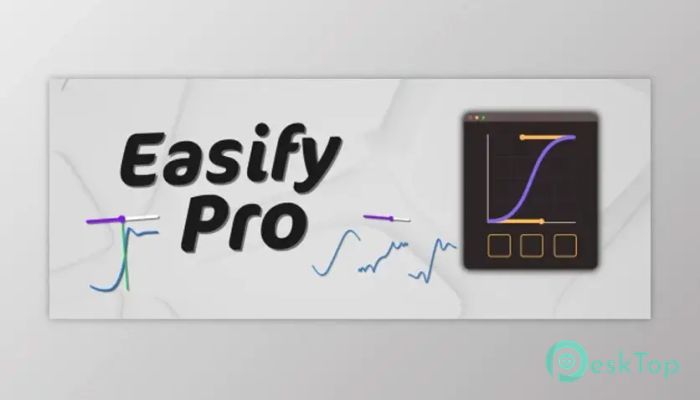
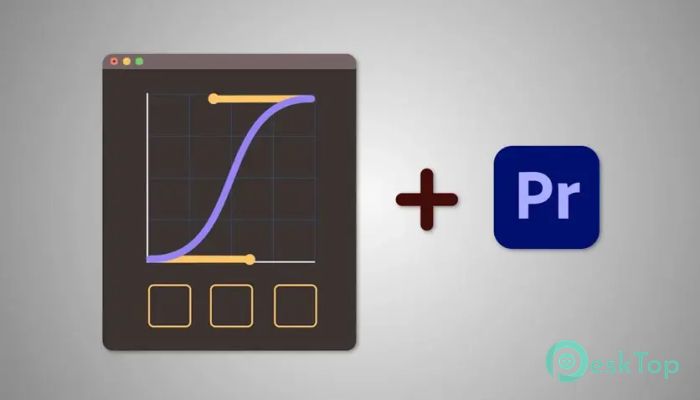
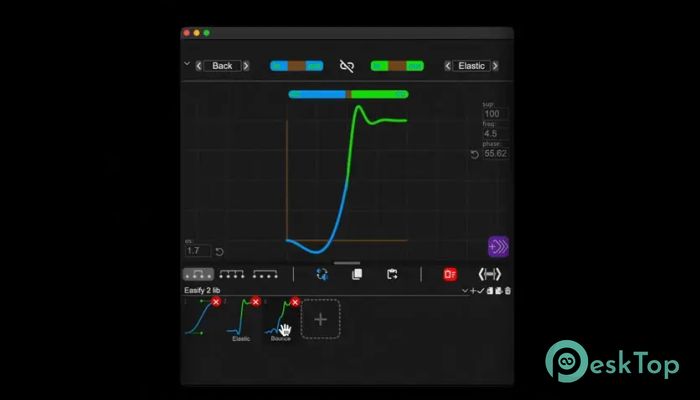
Download Aescripts - Easify 2 Pro 2.7.1 for Windows.
Aescripts - Easify 2 Pro Overview
This extension is designed for creators who want full control over motion without dealing with complex graphs and timelines. It brings a smart approach to easing by combining precision with simplicity. Instead of manually adjusting curves repeatedly, everything is organized, visual, and easy to manage. The layout is clean, the tools are responsive, and the learning curve stays friendly even for beginners.Features of Aescripts - Easify 2 Pro
A Smarter Way to Handle Animation Easing
Animation easing is all about how motion starts, moves, and stops. Doing this manually can feel like tuning an engine blindfolded. This tool eliminates that frustration by offering intuitive visual controls. You can shape motion the way you imagine it, without digging through complicated panels. The result is smoother animations with less effort and more confidence.
Combining Bézier and Math-Based Curves
One of the standout features is its ability to blend traditional Bézier curves with math-based curves. This allows motion to feel natural or perfectly mechanical, depending on your needs. Instead of being locked into one style, you can mix and match until the movement feels just right. It is like having both a paintbrush and a ruler in the same hand.
Preset Libraries That Save Time
Creating the same easing styles repeatedly can slow down any project. That is where preset libraries shine. You can create, import, and export custom presets with ease. Once saved, they are always ready to use. This makes it easy to keep animations consistent across projects and share styles with teammates.
Flexible and Creator-Friendly Interface
The interface is designed to adapt to your workflow instead of forcing you to adapt to it. Panels are easy to understand, controls are clearly labeled, and nothing feels cluttered. Whether you are working on short clips or long timelines, everything stays accessible. It feels more like a creative assistant than a technical hurdle.
Keyboard Shortcut Integration
Speed matters when you are deep into editing. With built-in keyboard shortcut integration, common actions become instant. You spend less time clicking around and more time focusing on creative decisions. It is a small detail, but it makes a big difference during long sessions.
Direct Bézier Control in After Effects
The software also integrates seamlessly with After Effects, allowing Bézier easing to be applied directly to keyframes. This removes the need to jump between multiple panels or tools. You can adjust motion curves right where your keyframes live, keeping everything smooth and efficient.
Move, Copy, and Paste Keyframes with Ease
Managing keyframes can quickly become messy, especially in complex animations. This tool makes it easy to move keyframes to the playhead, copy easing styles, and paste them elsewhere. Think of it like copy-pasting emotion from one animation to another. The workflow feels faster and far more controlled.
Designed for Both Beginners and Pros
Even though it offers advanced features, it never feels intimidating. Beginners can start with presets and simple curves, while experienced users can dive deeper into custom motion design. It grows with you, which is exactly what a good creative tool should do.
Perfect for Clean and Consistent Motion
Consistency is key in professional projects. This extension helps maintain a unified motion style across scenes and edits. Whether you are creating subtle transitions or bold animated effects, everything feels intentional and polished.
Workflow That Feels Natural
Instead of breaking your creative flow, the software fits right into it. Actions feel logical, results are instant, and experimentation becomes fun rather than risky. It encourages you to try new motion ideas without wasting time.
System Requirements and Technical Details
Operating System: Windows 11 / 10 / 8.1 / 7
Processor: Minimum 1 GHz Processor (2.4 GHz recommended)
RAM: 2GB (4GB or more recommended)
Free Hard Disk Space: 200MB or more is recommended
After Effects: 2025, 2024, 2023, 2022, 2021
Premiere: 2025, 2024, 2023, 2022, 2021

-
Program size3.85 MB
-
Version2.7.1
-
Program languagemultilanguage
-
Last updatedBefore 8 Month
-
Downloads82
 Paragon Hard Disk Manager 18 Business
 Aescripts MaskMotion
 Aescripts AE Glass
 Aescripts PreFlight
 Aescripts Risograph
 Aescripts Folder Fanatic