
 Arabic
  English
  Turkish
  Chinese
  Japanese
  Russian
  Spanish
  German
  French
  Hindi
Hindi Download Aescripts Face Director 1.9.0 for Windows
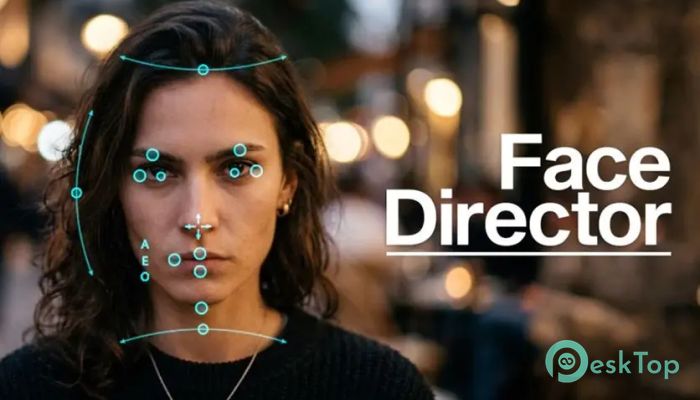
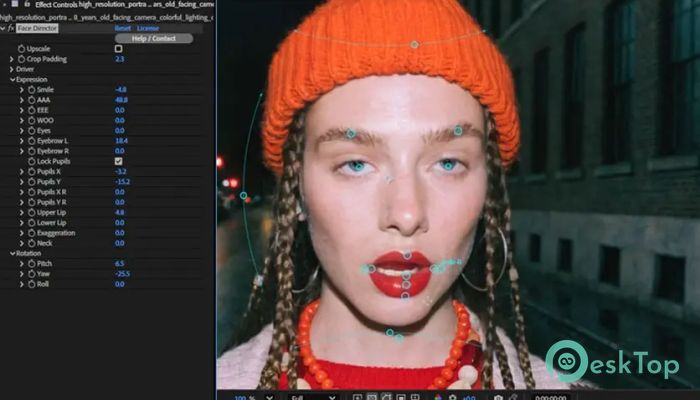
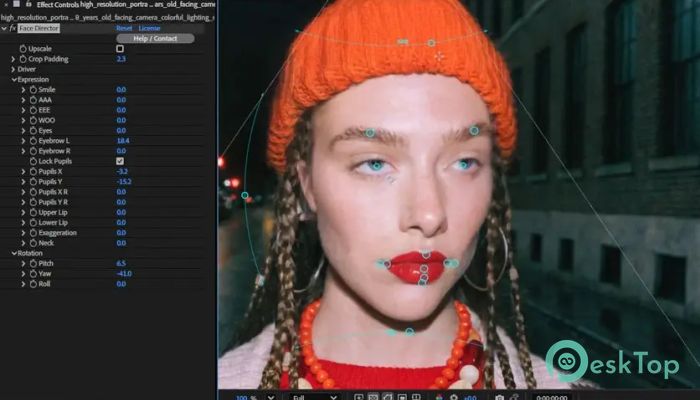
Download Aescripts Face Director 1.9.0 for Windows.
Aescripts Face Director Overview
Editing facial expressions in videos used to be a complex and time-consuming process. Now, things have changed. This tool offers a fresh, simple way to control faces using artificial intelligence. Whether you want to fix acting mistakes, enhance emotions, or completely change expressions, it makes the process smooth and fast. The software works like a digital puppeteer. You can adjust smiles, eye movement, and emotions without reshooting scenes. It feels almost like you are directing actors after filming is done. This flexibility saves time and opens creative possibilities for video editors, filmmakers, and content creators.Features of Aescripts Face Director
AI-Powered Facial Editing
The biggest strength of this tool lies in its AI engine. It understands facial structure and movement, allowing you to manipulate expressions naturally. Instead of manual frame-by-frame editing, it does the heavy lifting automatically.
You can turn a neutral face into a happy one or even exaggerate emotions for dramatic effects. It feels like giving life to static expressions. The AI ensures that changes look realistic, not robotic or artificial.
Fix Acting Mistakes Easily
Sometimes, a great scene gets ruined because the actor did not deliver the perfect expression. Instead of reshooting, you can fix it using this software. It allows you to tweak emotions after recording.
This is especially helpful in tight schedules or low-budget productions. You can correct small errors like eye direction, blinking, or subtle facial movements without extra effort.
Emotion Enhancement and Control
Think of it as a volume knob for emotions. You can increase or decrease how strong an expression appears. If a smile looks too weak, make it brighter. If a reaction feels overdone, tone it down.
This level of control helps in storytelling. Emotions can be adjusted to match the scene's mood perfectly. It gives creators more power to shape the final output.
Eye Retargeting Feature
Eye contact plays a huge role in communication. This tool allows you to retarget eye movement with precision. You can make a subject look at a different object or person without reshooting.
It feels like guiding attention in a video. Whether for interviews, films, or social media content, this feature adds a professional touch.
Animation Transfer Capabilities
One of the most exciting features is the ability to copy facial animation from one source to another. You can take expressions from one clip and apply them to another face.
This opens doors for creative storytelling. Imagine transferring a powerful performance from one actor to another or syncing expressions with voiceovers. It feels like mixing emotions like colors on a palette.
Simple and User-Friendly Workflow
Despite its advanced technology, the tool keeps things simple. The interface is clean and easy to understand. Even beginners can start editing without feeling overwhelmed.
The workflow is smooth. Import your footage, select the face, and start adjusting expressions. Everything feels intuitive, like using a well-designed app that just works.
Perfect for Content Creators
This software is not just for professionals. YouTubers, social media creators, and video editors can also benefit from it. It helps improve video quality without needing expensive equipment or reshoots.
If you create reaction videos, tutorials, or storytelling content, it can make your videos more engaging. Small changes in expressions can make a big difference in how viewers connect with your content.
Creative Freedom Like Never Before
What makes this tool stand out is the freedom it offers. You are no longer limited by what was captured during filming. You can reshape emotions, refine performances, and experiment with different looks.
It feels like having a second chance at directing your scenes. This flexibility encourages creativity and allows you to try new ideas without risk.
System Requirements and Technical Details
Operating System: Windows 11 / 10 / 8.1 / 7
Processor: Minimum 1 GHz Processor (2.4 GHz recommended)
RAM: 2GB (4GB or more recommended)
Free Hard Disk Space: 200MB or more is recommended
After Effects: 2026, 2025, 2024, 2023, 2022

-
Program size3.32 MB
-
Version1.9.0
-
Program languagemultilanguage
-
Last updatedBefore 5 Month
-
Downloads46
 Paragon Hard Disk Manager 18 Business
 Aescripts MaskMotion
 Aescripts AE Glass
 Aescripts PreFlight
 Aescripts Risograph
 Aescripts Folder Fanatic