
 Arabic
  English
  Turkish
  Chinese
  Japanese
  Russian
  Spanish
  German
  French
  Hindi
Hindi Download Aescripts Flowers Bloom 1.1.2 for Windows
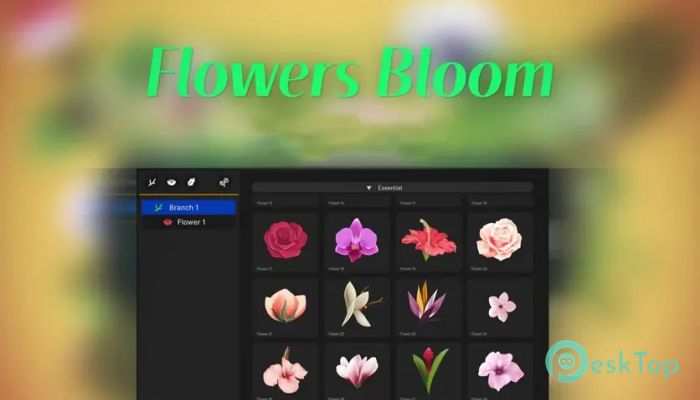
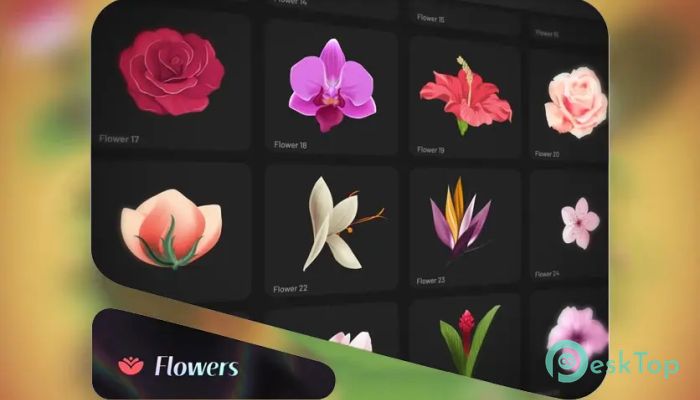
Download Aescripts Flowers Bloom 1.1.2 for Windows.
Aescripts Flowers Bloom Overview
It is designed for motion designers who want to build beautiful animated gardens without wasting hours on manual keyframing. It works like a digital greenhouse in After Effects, giving you ready-made stems, flowers, and leaves that grow naturally on-screen. Instead of drawing everything from scratch, you simply combine elements and control how they bloom. The software feels like a creative playground. You get access to a rich library of pre-made assets, each fully animated. This means you can focus on storytelling and design rather than technical setup. Whether you are creating wedding videos, logo reveals, ads, or artistic scenes, the tool makes your animations look polished and professional.Features of Aescripts Flowers Bloom
Powerful Flower and Bush Creation Studio
Think of it as your personal botanical lab inside After Effects. The software provides everything you need to build complex animated flowers and bushes in just a few clicks. You can mix stems, leaves, and blossoms like building blocks. The result is a smooth growing animation that feels alive and organic.
It removes the stress from complicated animation workflows. Instead of manually handling dozens of layers, you control growth, scale, rotation, and other properties through intuitive panels. This keeps your timeline clean and your creativity flowing.
Massive Library of Animated Assets
One of the strongest features is its huge built-in library. You are not limited to a few templates. You get:
Over 66 animated stems in 3 categories, with updates.
More than 160 animated flowers in 4 categories, with updates.
Over 125 leaves in 4 categories.
More than 55 animated leaves in 2 categories.
Over 30 pre-made templates, with updates.
This wide selection means you can create endless combinations. It is like having a digital flower shop where you can pick any style you like. From simple and elegant designs to detailed and layered compositions, everything is ready to use.
Create Millions of Unique Flower Designs
The real magic happens when you start combining elements. You can mix different stems with various flowers and leaves to generate millions of possible shapes. No two designs need to look the same.
This flexibility is perfect for branding projects. Imagine creating a custom animated floral logo that no one else has. By adjusting scale, growth speed, direction, and arrangement, you turn simple parts into something unique and eye-catching.
It feels similar to arranging a real bouquet. You experiment, swap elements, and tweak settings until it looks just right. The process is creative and satisfying.
Full Control Over Every Element
The tool does not lock you into rigid presets. Instead, it gives you full control over all objects. You can adjust timing, growth animation, position, rotation, and more. Every leaf, stem, and flower can be fine-tuned.
This level of control makes it suitable for professional work. If you want slow cinematic blooming, you can achieve it. If you prefer fast and energetic motion for social media content, you can set it up in seconds. The controls are clear and user-friendly, so you do not feel lost.
User-Friendly Interface
No one likes complicated panels and confusing settings. The interface here is clean and intuitive. Even if you are not an advanced After Effects user, you can quickly understand how everything works.
The layout is organized logically. Categories are easy to browse, and applying elements is simple. It feels less like dealing with complex software and more like using a creative toolkit designed for artists.
Because of this simplicity, your workflow becomes faster. You spend more time designing and less time troubleshooting. It helps you stay in that creative “flow” where ideas come naturally.
Pre-Made Templates for Quick Results
If you are working on tight deadlines, the included templates are a lifesaver. With over 30 pre-made templates available, you can instantly create beautiful scenes. Just customize colors, timing, and layout to match your project.
These templates act like shortcuts. Instead of building everything from scratch, you start with a solid base and personalize it. It is perfect for intro animations, wedding invitations, product promos, and decorative motion graphics.
Streamline Your Workflow
Complex animation often feels like juggling too many moving parts. The software simplifies that process. By organizing stems, flowers, and leaves into structured systems, it reduces layer clutter and saves time.
You no longer need to create complex growth animations manually. The blooming effect is built in. You simply adjust sliders and settings. It is like switching from manual to automatic mode while still controlling speed and direction.
This makes it ideal for freelancers, studios, and content creators who want efficiency without sacrificing quality.
Professional Look for Any Project
Visual details matter. Beautiful growing flowers can add emotion, elegance, and depth to your videos. Whether you are designing a romantic scene or a nature-inspired brand intro, the tool gives your projects a refined finish.
The animations look smooth and natural. They do not feel mechanical or stiff. Instead, they grow like real plants, adding life to your compositions. This small detail can make a big difference in how your audience feels about your work.
System Requirements and Technical Details
Operating System: Windows 11 / 10 / 8.1 / 7
Processor: Minimum 1 GHz Processor (2.4 GHz recommended)
RAM: 2GB (4GB or more recommended)
Free Hard Disk Space: 2GB or more is recommended
After Effects: 2025, 2024, 2023, 2022, 2021

-
Program size487.74 MB
-
Version1.1.2
-
Program languagemultilanguage
-
Last updatedBefore 7 Month
-
Downloads17
 Paragon Hard Disk Manager 18 Business
 Aescripts MaskMotion
 Aescripts AE Glass
 Aescripts PreFlight
 Aescripts Risograph
 Aescripts Folder Fanatic