
 Arabic
  English
  Turkish
  Chinese
  Japanese
  Russian
  Spanish
  German
  French
  Hindi
Hindi Download Aescripts FlowPath v1.0.3 for After Effects for Windows
Download Aescripts FlowPath v1.0.3 for After Effects for Windows.
Aescripts FlowPath Overview
This plugin is designed to simplify path-based animation in After Effects. Built entirely with expressions, it allows users to animate single or multiple layers along paths with full control. With features like loop, ping-pong, offset rotation, and path switching, it makes complex animations easy to handle. Its non-destructive nature means everything stays editable, even after hours of work.Features of Aescripts FlowPath
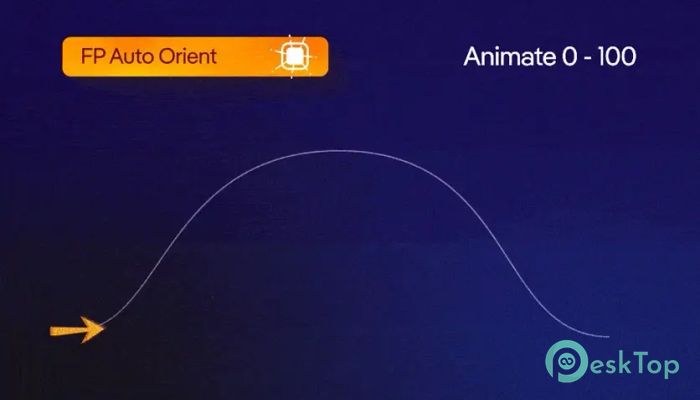
Animate progress using a simple slider (0–100).
Use mask paths without baking keyframes.
Support for both single-layer and multi-layer setups.
Live path switching without re-rigging.
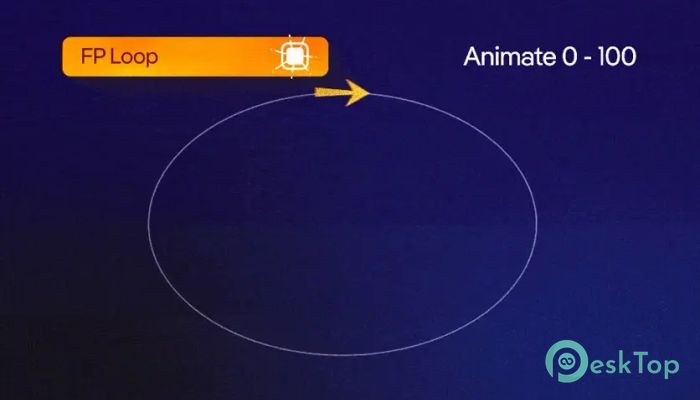
Looping, ping-pong, and round-trip motion options.
Auto Orient toggle with offset and reverse support.
Fully expression-based and procedural.
Non-destructive workflow for flexibility.
Lightweight UI panel with minimal setup.
How It Works
The software uses expression control to animate layers along mask paths. Instead of creating dozens of keyframes, you only need a slider to move elements from start to finish. This reduces the workload while keeping everything responsive and adjustable at any time.
Animation Control
With a single slider, you can control the timing of the animation. Reversing direction is instant, and no additional keyframes are needed. This control method is ideal for designers who want precision without unnecessary steps.
Looping and Cycles
The tool allows you to loop animations seamlessly across a mask path. This makes it easy to build repeating motion graphics like rotating objects, bouncing icons, or scrolling effects without starting over each time.
Path Switching
One of its strongest abilities is real-time path switching. At any point, you can change the mask path, and the animation will instantly follow the new route. This saves time and avoids the frustration of rebuilding your setup.
Motion Types
Options like ping-pong and round-trip let you create natural motion styles. Ping-pong creates back-and-forth animations, while roundtrip allows elements to travel forward and backward across multiple paths. These settings give extra life to motion design projects.
Multi-Layer Animation
Groups of layers can be animated in sync or with staggered offsets. This feature is helpful for designing trails, flowing lines, or synchronized objects in a scene. The flexibility allows for creative control while keeping the process efficient.
Workflow Benefits
Because the tool is expression-based, it ensures non-destructive editing. Animations remain editable at all times, even if you decide to adjust the timing, path, or style later. This procedural approach is perfect for professional workflows where changes are frequent.
Ease of Use
The UI is designed to be lightweight and responsive. You don’t need complex setups. Apply it, choose the path, and start animating. Beginners can pick it up quickly, while advanced users benefit from its depth and control.
System Requirements and Technical Details
Operating System: Windows 11 / 10 / 8.1 / 7
Processor: Minimum 1 GHz Processor (2.4 GHz recommended)
RAM: 2GB (4GB or more recommended)
Free Hard Disk Space: 200MB or more is recommended
After Effects: 2025, 2024, 2023

-
Program size748.72 KB
-
Versionv1.0.3 for After Effects
-
Program languagemultilanguage
-
Last updatedBefore 9 Month
-
Downloads20
 Paragon Hard Disk Manager 18 Business
 Aescripts MaskMotion
 Aescripts AE Glass
 Aescripts PreFlight
 Aescripts Risograph
 Aescripts Folder Fanatic