
 Arabic
  English
  Turkish
  Chinese
  Japanese
  Russian
  Spanish
  German
  French
  Hindi
Hindi Download Aescripts - Fractal Noise Browser 1.0 for Windows
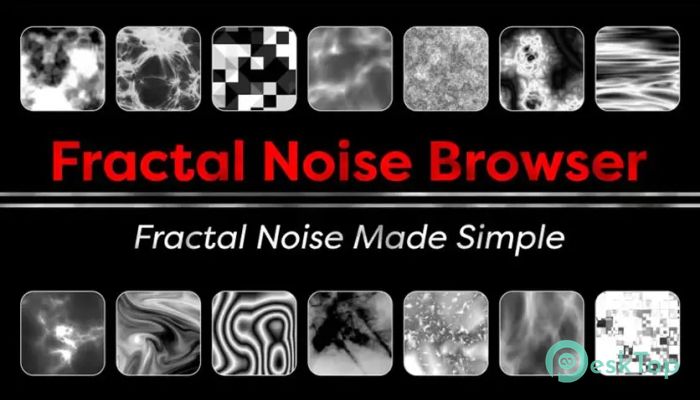
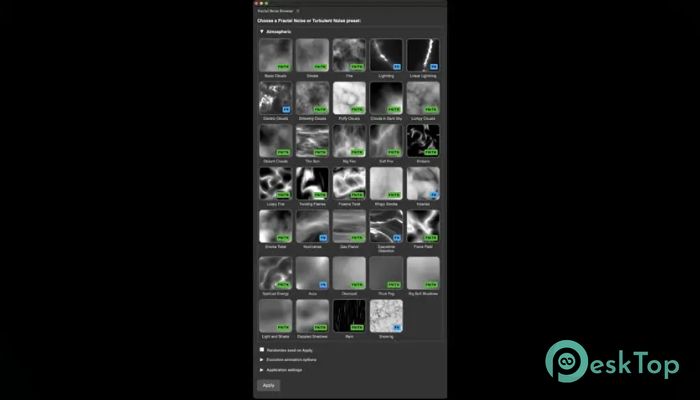
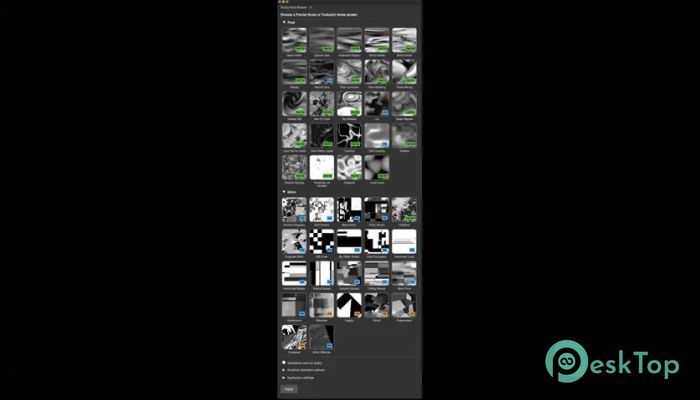
Download Aescripts - Fractal Noise Browser 1.0 for Windows.
Aescripts - Fractal Noise Browser Overview
This tool is built for motion designers who love visual control instead of trial and error. Fractal Noise is powerful, but its controls can feel like a maze. This add-on flips the experience by giving you a clean, visual library of ready-made looks. You see what you get before applying anything, which saves time and keeps creative energy flowing.Features of Aescripts - Fractal Noise Browser
A Smarter Way to Explore Noise Effects
Instead of tweaking endless sliders and hoping for the best, the software presents curated presets with visual previews. Think of it like a menu with photos instead of plain text. You scroll, preview, and pick what fits your scene. This approach turns experimentation into something playful rather than frustrating.
200+ Curated Presets That Actually Make Sense
The preset library is carefully organized into nine clear categories. These include organic textures, atmospheric looks, grunge styles, glitch patterns, and more. Each preset feels intentional, not random. It is like having a well-organized toolbox instead of a messy drawer where everything is mixed together.
Animated Previews Remove All Guesswork
Static thumbnails can only tell part of the story. That is why animated previews are such a big deal here. You can instantly see how the noise moves over time, how it loops, and how it behaves dynamically. This makes choosing the right look feel confident, not risky.
Works With Fractal Noise and Turbulent Noise
Flexibility is a strong point. The tool supports both Fractal Noise and Turbulent Noise effects. You simply choose your preferred effect, and everything works smoothly. It is like having one remote that controls two different devices without any extra setup.
Clean, Resizable, and Dockable Interface
The interface stays out of your way while still being easy to access. You can dock it inside your workspace, resize it to fit your screen, and scroll through presets comfortably. It feels lightweight and practical, not bulky or distracting.
Apply Effects With a Double Click
Speed matters when creativity strikes. With a simple double-click application or a single click followed by an Apply button, presets are added instantly. There is no long process or confusing steps. It feels as natural as dragging a photo into a folder.
Randomize Seed for Endless Variations
Sometimes one preset is almost right but needs a twist. The random seed option gives instant variations without breaking the overall style. It is like shuffling a deck of cards while keeping the same theme, perfect for quick exploration.
Instant Animation and Seamless Looping
Motion design often needs smooth loops, especially for backgrounds and overlays. Built-in options for instant animation and seamless looping remove technical headaches. You focus on storytelling and rhythm while the tool handles the math behind the scenes.
Ideal for Backgrounds, Atmosphere, and Effects
This software shines when creating organic backgrounds, foggy atmospheres, abstract overlays, and glitch-style visuals. It works equally well for subtle texture work or bold motion graphics. Like seasoning in cooking, a little goes a long way when used right.
Part of a Money-Saving Bundle
For users who love visual browsing, it is also available in a discounted bundle with Colorama Browser. Together, they form a powerful combo for color and texture exploration, making the workflow smoother and more enjoyable.
System Requirements and Technical Details
Operating System: Windows 11 / 10 / 8.1 / 7
Processor: Minimum 1 GHz Processor (2.4 GHz recommended)
RAM: 2GB (4GB or more recommended)
Free Hard Disk Space: 200MB or more is recommended
After Effects: 2026, 2025, 2024, 2023, 2022

-
Program size27.39 MB
-
Version1.0
-
Program languagemultilanguage
-
Last updatedBefore 8 Month
-
Downloads22
 Paragon Hard Disk Manager 18 Business
 Aescripts MaskMotion
 Aescripts AE Glass
 Aescripts PreFlight
 Aescripts Risograph
 Aescripts Folder Fanatic