
 Arabic
  English
  Turkish
  Chinese
  Japanese
  Russian
  Spanish
  German
  French
  Hindi
Hindi Download Aescripts Grid Composer 1.2.2 for Windows
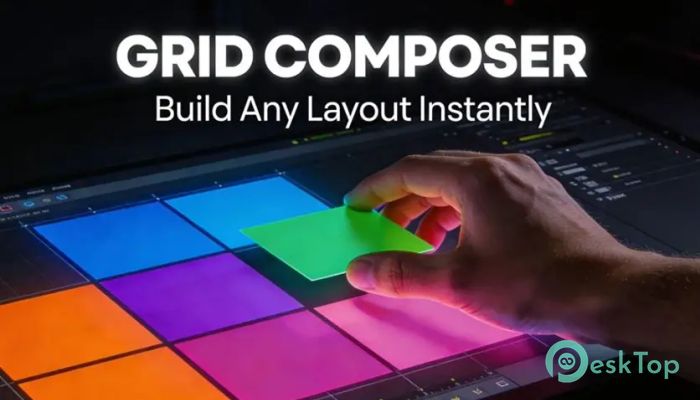
Download Aescripts Grid Composer 1.2.2 for Windows.
Aescripts Grid Composer Overview
This powerful plugin is designed for creators who want to build structured, visually appealing layouts without spending hours manually adjusting layers. It brings a modern grid system directly into your editing workflow, making composition work faster and more intuitive. The tool focuses on simplicity while offering deep control. Whether you are working on motion graphics, UI animations, or video layouts, it helps you organize elements like a professional designer. With drag-and-drop functionality and smart controls, it turns a complex task into a smooth, enjoyable experience.Features of Aescripts Grid Composer
One of the biggest strengths of this tool lies in its rich feature set. It gives you control without overwhelming you, which is exactly what creators need.
Create grid-based layouts quickly and efficiently
Drag-and-drop editing for real-time adjustments
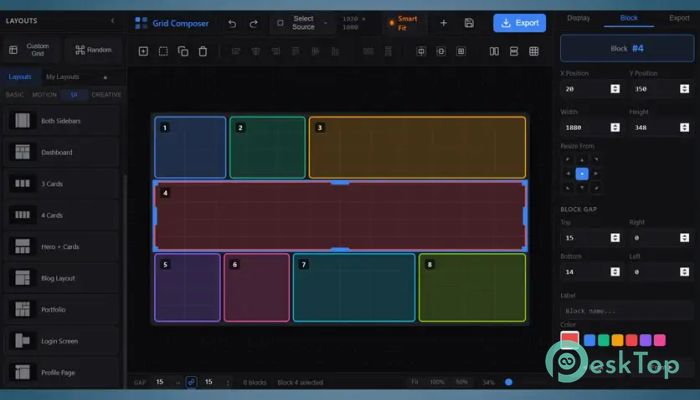
Generate split, random, and custom layout styles
Export designs as shape layers, masks, or compositions
Dynamic grid controls with live animation support
Master slider control using a Null controller
Supports alpha matte composition exports
Clean and improved user interface for better usability
How It Works
The software works like a digital canvas with invisible lines guiding your design. Instead of randomly placing elements, it lets you define the structure first. Once the grid is ready, you can drop layers into it and adjust positions instantly.
It feels similar to snapping objects into place in design software. This makes your workflow more organized and reduces errors. You can quickly test different layouts without rebuilding everything from scratch.
Dynamic Grid Controls
A standout feature is the dynamic grid system. This lets you control the entire layout with master sliders. Think of it like controlling a puppet with strings, except here you control spacing, size, and positioning with just a few adjustments.
This feature is especially useful for animations. You can resize or animate the entire grid in real time without breaking your design. It saves a lot of time and keeps everything consistent.
Flexible Export Options
The tool gives you multiple ways to export your layouts. You can choose what best suits your project. It supports exporting as shape layers, solid masks, and full compositions.
There is also support for compositions with alpha matte. This means you can easily create masked animations or overlay effects. The flexibility ensures your design fits any project type.
Improved Performance and Updates
Recent updates have made the experience even better. The interface is now cleaner and easier to understand. The output options panel has been improved, making it simpler to choose how your layout is exported.
It also includes fixes for issues like export failures on certain systems. These updates show that the developers are actively improving the tool, which is always a good sign for long-term use.
Comp Fit Mode and Quality Control
The addition of Comp Fit Mode gives better control over how compositions scale. It ensures that your layout fits perfectly within your project without distortion.
Quality Reserve options allow you to maintain high visual standards. This is useful when working on professional projects where detail matters. It ensures your output looks sharp and polished.
User Interface and Ease of Use
The interface is designed to be clean and easy to navigate. Even if you are new to After Effects plugins, you can understand them quickly. The layout options are clearly displayed, making the workflow smooth.
Everything feels responsive and organized. Instead of searching through menus, you can focus on creativity. It reduces distractions and helps you stay in the creative zone.
Why Creators Love It
Many creators prefer structured design because it looks more professional. This tool acts like a blueprint for your composition. It helps you maintain balance and alignment without extra effort.
It is especially useful for projects like social media layouts, video walls, slideshow animations, and UI designs. The ability to quickly test different grid styles makes it a valuable addition to any editor’s toolkit.
Real-World Use Cases
This tool is not just for professionals. Beginners can also use it to learn layout design. It acts like training wheels, helping you understand spacing and alignment.
For professionals, it speeds up the workflow. Instead of manually adjusting every layer, you can rely on the grid system. This allows you to focus more on creativity rather than technical details.
System Requirements and Technical Details
Operating System: Windows 11 / 10 / 8.1 / 7
Processor: Minimum 1 GHz Processor (2.4 GHz recommended)
RAM: 2GB (4GB or more recommended)
Free Hard Disk Space: 200MB or more is recommended
After Effects: 2026, 2025, 2024, 2023, 2022

-
Program size1.04 MB
-
Version1.2.2
-
Program languagemultilanguage
-
Last updatedBefore 5 Month
-
Downloads21
 Paragon Hard Disk Manager 18 Business
 Aescripts MaskMotion
 Aescripts AE Glass
 Aescripts PreFlight
 Aescripts Risograph
 Aescripts Folder Fanatic