
 Arabic
  English
  Turkish
  Chinese
  Japanese
  Russian
  Spanish
  German
  French
  Hindi
Hindi Download Aescripts MaskPNGscatter 1.0 for Windows
Download Aescripts MaskPNGscatter 1.0 for Windows.
Aescripts MaskPNGscatter Overview
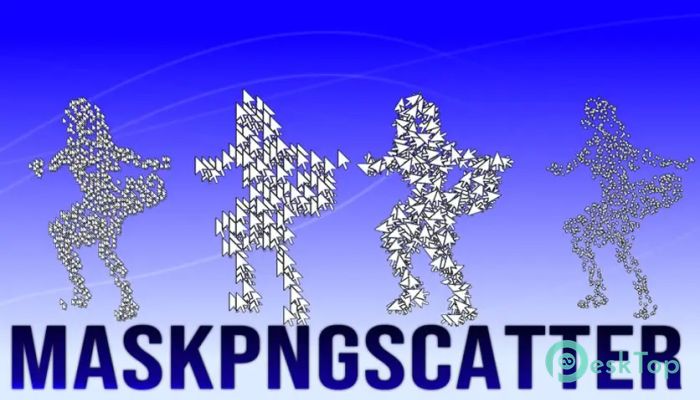
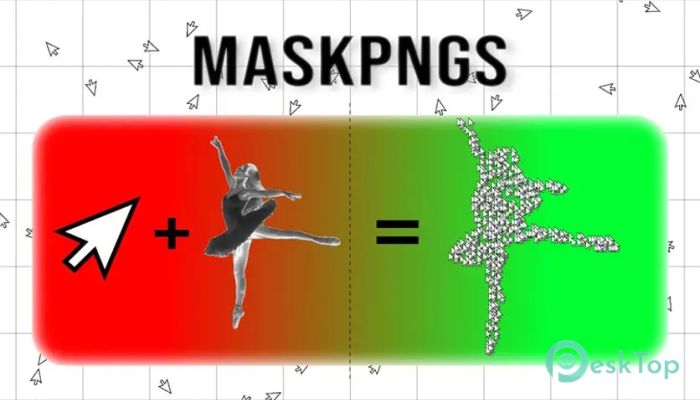
Creating visually engaging motion graphics often requires placing multiple elements creatively. This tool simplifies that process by allowing users to scatter PNG files or layers inside any matte or mask within After Effects. Instead of manually duplicating layers over and over, the software automates the entire process, saving valuable time. Think of it like throwing confetti inside a defined area. Instead of carefully placing each piece, the tool distributes them naturally and randomly. This makes animations feel organic and visually appealing. Whether you're working on titles, backgrounds, transitions, or particle-style effects, it provides a smooth and flexible workflow. Motion designers, editors, and content creators can use this solution to create complex visuals without needing advanced skills. It keeps the process simple, fast, and creative.Features of Aescripts MaskPNGscatter
Scatter PNG Files Easily Inside Masks
One of the main highlights is the ability to scatter PNG images inside any selected mask or matte. This means you can control exactly where your elements appear while still maintaining a natural, randomized look. The tool automatically places multiple copies within the selected boundaries.
This feature is extremely useful when creating particle-style effects, decorative backgrounds, and animated textures. Instead of spending hours manually placing elements, users can generate hundreds of instances instantly. It acts like a smart assistant, handling the heavy lifting while you focus on creativity.
Random Placement for Natural Motion
Randomization plays a huge role in making motion graphics look realistic. The software offers smart random placement options that prevent patterns from appearing repetitive or artificial. Each PNG copy appears naturally distributed, making designs look more dynamic.
This is especially helpful when creating snow, dust, confetti, leaves, or decorative shapes. The scattered elements feel more alive and organic. It gives motion designers more creative freedom without extra effort.
Perfect for Particle Style Effects
Particle effects often require complex setups and plugins. This tool simplifies the process by allowing users to create particle-style visuals using PNG images. You can scatter icons, shapes, textures, or any graphic across a selected area.
This makes it ideal for creating:
Confetti animations
Snow or rain effects
Floating shapes
Decorative motion backgrounds
Text reveal animations
Animated overlays
With these options, creators can quickly and efficiently design stunning visuals.
Flexible Control and Customization
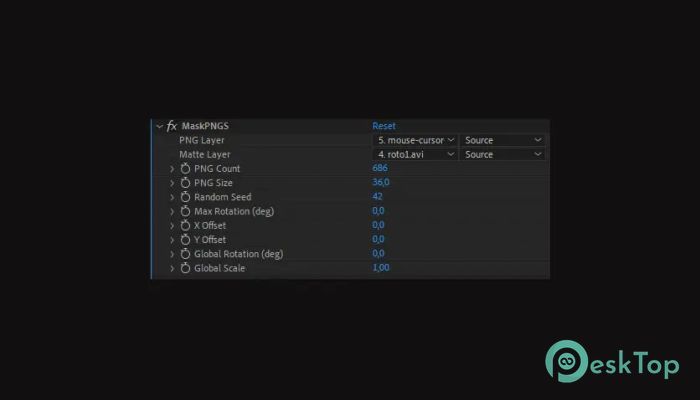
Customization is important in motion design, and this solution offers plenty of controls. Users can adjust the number of PNG copies, size variation, rotation, spacing, and randomness. These options allow designers to fine-tune their visuals and create unique animations.
Instead of using fixed patterns, you can experiment with different variations. This makes each project look different and original. It provides creative flexibility while keeping the workflow simple.
Works Seamlessly with After Effects
The software integrates smoothly into After Effects, making it easy to use within your existing workflow. There is no complicated setup required. Simply select a mask, choose your PNG, and scatter elements instantly.
This seamless integration saves time and improves productivity. Designers can quickly test ideas and make changes without slowing down their creative process.
Ideal for Motion Designers and Content Creators
This tool is useful for professionals and beginners alike. Motion designers can create advanced visuals quickly, while beginners can produce professional-quality animations without complicated steps.
It is especially useful for:
Motion designers
Video editors
YouTube creators
Social media designers
Marketing professionals
Content creators
Anyone working with motion graphics can benefit from the simplified workflow and creative flexibility.
Boost Workflow Efficiency
Time is important when working on projects. Manually placing dozens or hundreds of elements can slow down productivity. This tool speeds up the entire process by automating placement and distribution.
Think of it like using a paintbrush instead of placing pixels one by one. It lets you create complex visuals in seconds. This helps users focus more on creativity and less on repetitive tasks.
Creative Use Cases
The software opens the door to many creative possibilities. Designers can experiment with various styles and animations. Some common use cases include:
Logo animations
Text reveal effects
Motion backgrounds
Title animations
Decorative overlays
Particle simulations
UI animation effects
These use cases show how versatile and useful the tool can be for different projects.
Lightweight and Easy to Use
Despite offering powerful features, it remains lightweight and simple. The interface is easy to understand, making it accessible for beginners. Even users with limited experience can create impressive visuals quickly.
The simple design ensures that users spend less time learning and more time creating. This balance between power and simplicity makes it highly practical.
System Requirements and Technical Details
Operating System: Windows 11 / 10 / 8.1 / 7
Processor: Minimum 1 GHz Processor (2.4 GHz recommended)
RAM: 2GB (4GB or more recommended)
Free Hard Disk Space: 200MB or more is recommended
After Effects: 2026, 2025, 2024, 2023

-
Program size193.38 KB
-
Version1.0
-
Program languagemultilanguage
-
Last updatedBefore 4 Month
-
Downloads16
 Paragon Hard Disk Manager 18 Business
 Aescripts MaskMotion
 Aescripts AE Glass
 Aescripts PreFlight
 Aescripts Risograph
 Aescripts Folder Fanatic