
 Arabic
  English
  Turkish
  Chinese
  Japanese
  Russian
  Spanish
  German
  French
  Hindi
Hindi Download Aescripts MotionSpice 2.0.3 for Windows

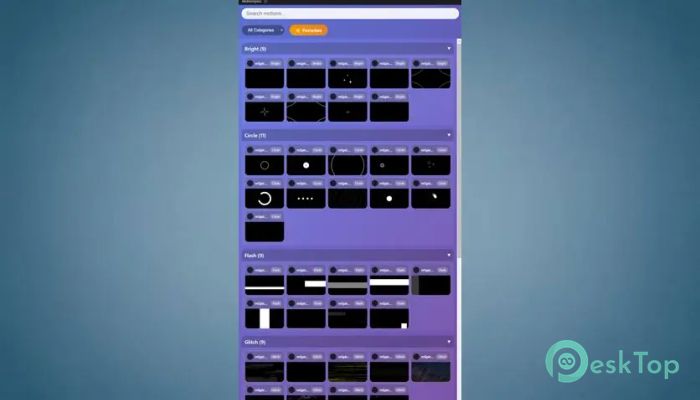
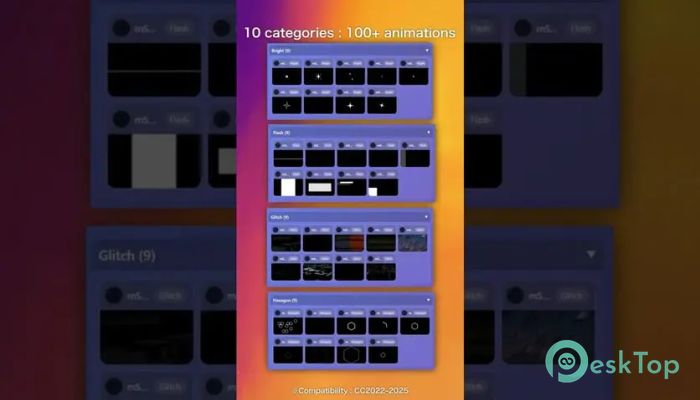
Download Aescripts MotionSpice 2.0.3 for Windows.
Aescripts MotionSpice Overview
This tool is designed to make motion design faster, smoother, and more creative. Instead of building animations from scratch every time, it gives you access to a large library of ready-to-use motion presets. You can browse, preview, and apply them with just one click. It feels like having a toolbox full of animation ingredients, organized and easy to use. Whether you are a beginner or an experienced editor, it helps you save time while still delivering high-quality results. Think of it as a shortcut that does not compromise creativity. You still have full control, but the heavy lifting is already done.Features of Aescripts MotionSpice
Massive Library of Motion Presets
One of the software's strongest features is its collection of over 110 motion presets. These are divided into 15 different categories, making it easy to find exactly what you need. Instead of scrolling endlessly or searching online, everything is available in one place.
Each preset is carefully designed to work smoothly in your projects. From transitions to text animations, the variety is impressive. It feels like flipping through a well-organized design catalog where every option is ready to use instantly.
One-Click Application for Fast Workflow
Speed is where this tool truly shines. You can apply any motion preset with a single click. There is no need to drag, adjust, or manually set up animations. Just choose the style and apply it instantly.
This speeds up your editing process, especially when working on tight deadlines. It is like having a fast-forward button for creativity. You spend less time setting things up and more time refining your final output.
Smart Import Tools for Customization
Even though everything is quick and ready-made, the tool still allows deep customization through its Smart Import features. These include Auto Color, Snap Drop, and Asset Shuffle.
Auto Color adjusts colors automatically to match your project’s style. Snap Drop ensures elements fit perfectly into your composition without extra adjustments. Asset Shuffle lets you mix things up for a fresh look every time.
These features work like a smart assistant that understands your needs and adapts accordingly. You get both speed and flexibility at the same time.
Easy Organization with Collections and Tags
Managing your favorite assets is simple and efficient. You can create collections and use tags to organize everything neatly. This helps you find your most-used presets without wasting time.
Imagine having your favorite tools always within reach, like bookmarks in a browser. It keeps your workflow clean and focused, especially when handling large projects.
Create and Save Your Own Assets
The software does not limit you to built-in presets. You can also create your own compositions and save them as reusable assets. This is perfect for building a personal library that matches your unique style.
Over time, your collection grows, and your workflow becomes even faster. It is like building your own creative ecosystem, tailored to your needs.
Preview with Auto-Generated GIFs
Previewing animations is quick and simple thanks to auto-generated GIF previews. You can see exactly how a preset looks before applying it. This saves time and removes guesswork.
The GIF hover playback feature adds even more convenience. You can choose to play animations only when hovering, keeping the panel clean and calm when browsing many options.
Improved Composition Search
Finding compositions is now easier with the built-in search feature. Even if your project has many layers and comps, you can locate the right one instantly.
This small improvement makes a big difference. It removes frustration and keeps your workflow smooth, especially in complex projects.
Reliable Updates and Bug Fixes
The tool includes a smart update checker that dynamically reads the current version. This ensures you always know if you are using the latest version without confusion.
Older issues, like incorrect update notifications, have been fixed. There is also a one-time cleanup system that removes outdated update alerts. This keeps everything accurate and reliable.
FFmpeg path detection has been improved, making the tool more stable and easier to use across platforms.
Clean and Informative User Interface
The interface is designed to be simple and user-friendly. The settings panel now displays the installed version clearly at the bottom, so you always know your current build.
Helpful tooltips are also included to explain features like thumbnail regeneration. These small details make the tool easier to understand, even for beginners.
Efficient Thumbnail Management
Static thumbnails are generated alongside GIF previews to keep the interface lightweight. If needed, you can regenerate these thumbnails easily through the settings panel.
This ensures that your asset library stays visually organized without slowing down performance. It is like having a clean desk where everything is easy to spot.
Perfect for Content Creators and Editors
This tool is ideal for video editors, motion designers, and content creators looking to speed up their workflows. It removes repetitive tasks and replaces them with smart automation.
Whether you are creating YouTube videos, social media content, or professional projects, it helps you deliver polished results quickly. It acts as a creative partner, handling the technical side while you focus on ideas.
System Requirements and Technical Details
Operating System: Windows 11 / 10 / 8.1 / 7
Processor: Minimum 1 GHz Processor (2.4 GHz recommended)
RAM: 2GB (4GB or more recommended)
Free Hard Disk Space: 200MB or more is recommended
After Effects: 2026, 2025, 2024, 2023, 2022

-
Program size30.45 MB
-
Version2.0.3
-
Program languagemultilanguage
-
Last updatedBefore 4 Month
-
Downloads22
 Paragon Hard Disk Manager 18 Business
 Aescripts MaskMotion
 Aescripts AE Glass
 Aescripts PreFlight
 Aescripts Risograph
 Aescripts Folder Fanatic