
 Arabic
  English
  Turkish
  Chinese
  Japanese
  Russian
  Spanish
  German
  French
  Hindi
Hindi Download Aescripts PhysicDesk 2.0.223 for Windows
Download Aescripts PhysicDesk 2.0.223 for Windows.
Aescripts PhysicDesk Overview
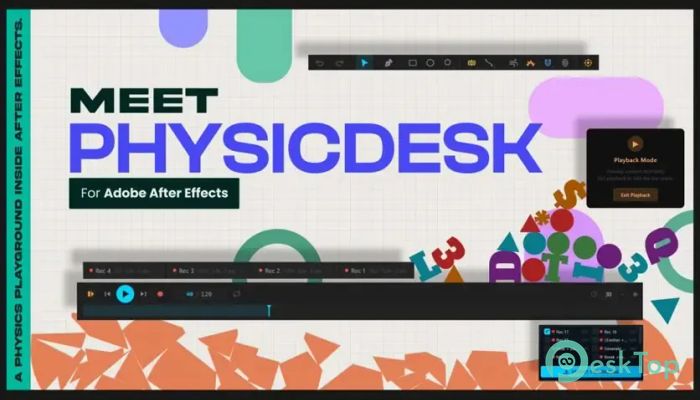
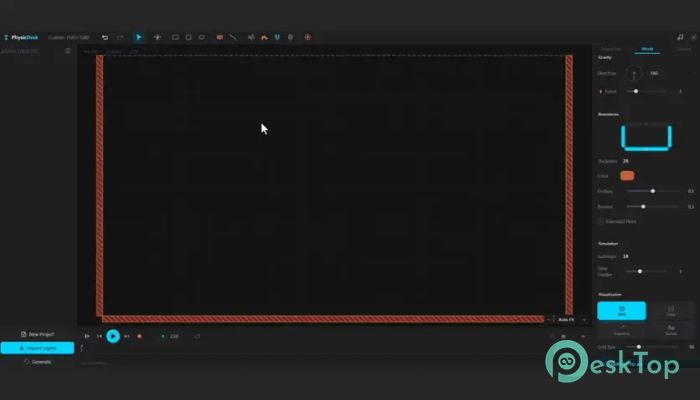
Creating realistic motion in animations can often feel like pushing a heavy rock uphill. This powerful tool removes much of that effort by bringing a complete 2D physics engine directly into After Effects. Instead of manually animating every movement, users can build scenes, apply physics, and watch objects behave naturally in real time. The software is designed for motion designers, visual effects artists, and content creators who want fast and accurate simulation results. Once a simulation is finished, every movement can be converted into editable After Effects keyframes, giving users complete control over the final animation.Features of Aescripts PhysicDesk
Real-Time Physics Simulation
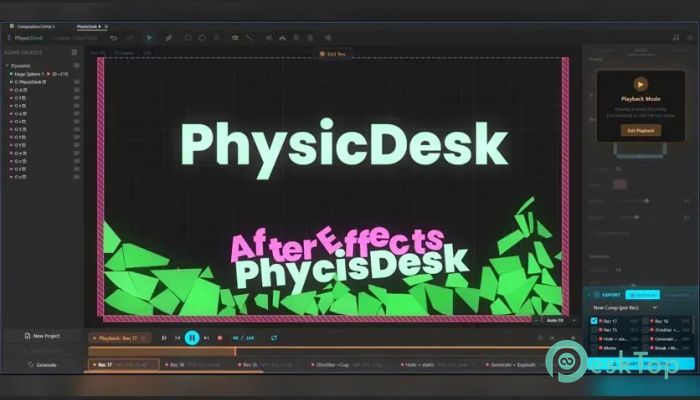
One of the most impressive features is its real-time simulation engine. Users can instantly see how objects interact without waiting for lengthy calculations. This creates a smoother workflow and allows quick adjustments while building scenes.
Whether creating bouncing balls, falling objects, or complex chain reactions, the tool delivers realistic results directly inside the composition window. This immediate feedback helps save valuable production time.
Dynamic, Static, and Animated Bodies
The software allows users to create various types of physical objects based on project requirements. Dynamic bodies react to forces and collisions, static bodies act as immovable obstacles, and animated bodies follow custom motion paths.
This flexibility makes it suitable for everything from simple motion graphics to advanced visual effects sequences. Users can mix different body types together to create realistic environments and interactions.
Advanced Joint System
Objects rarely move alone in real life, and the tool reflects that reality through its powerful joint system. Users can connect elements using pivot, weld, spring, wheel, and rope joints.
These connections enable the creation of swinging signs, vehicle suspensions, hanging bridges, ropes, chains, and many other realistic mechanical systems. The result is natural movement that would otherwise require hours of manual animation work.
Powerful Force Zones
The software includes several force zones that can dramatically change the behavior of objects within a scene. Users can add wind effects to push elements across the screen or create magnetic fields that attract or repel bodies.
Additional force options, such as portals and explosions, enable the creation of exciting visual effects. These forces add energy and life to animations while maintaining believable physical behavior.
Particle Emitters for Rich Visual Effects
Particles are often used to create smoke, dust, sparks, debris, and other environmental effects. The tool includes particle emitters that work alongside the physics system to generate more immersive animations.
Instead of looking artificial, emitted particles can interact naturally with surrounding objects. This helps create scenes that feel more realistic and visually engaging.
Fracture and Destruction Effects
Breaking objects apart is usually a complex process, but the software simplifies it significantly. Users can fracture objects and simulate realistic destruction effects with only a few adjustments.
When combined with collisions and explosion forces, these fracture tools can produce dramatic scenes for commercials, title sequences, and visual effects projects.
Soft Body Simulation
Not every object in animation is rigid. Some materials bend, stretch, and deform under pressure. The tool supports soft-body simulations, allowing users to create more organic, natural-looking motion.
This feature is useful for simulating flexible materials, cushions, rubber objects, jelly-like elements, and other soft structures. The result is smoother and more lifelike animation behavior.
Sound-Driven Motion
Audio can play a major role in animation, and the software leverages that connection. Users can drive simulations using sound inputs, making objects react to music, voiceovers, or sound effects.
This capability is especially useful for music visualizations, promotional videos, and creative motion graphics projects where movement needs to synchronize with audio.
Editable Keyframe Baking
After a simulation is completed, users can bake every movement directly into native After Effects keyframes. This is one of the most valuable features because it combines automation with full creative control.
Once converted, animations remain completely editable. Artists can fine-tune timing, adjust motion paths, and make additional refinements without rerunning the simulation.
Improved Workflow for Motion Designers
The software serves as a virtual physics playground within After Effects. Instead of manually creating every bounce, collision, and reaction, users can focus on creative decisions while the physics engine handles the heavy lifting.
This approach speeds up production, improves accuracy, and helps artists achieve professional-quality results with less effort. It is particularly useful for projects that require realistic motion and complex object interactions.
System Requirements and Technical Details
Operating System: Windows 11 / 10 / 8.1 / 7
Processor: Minimum 1 GHz Processor (2.4 GHz recommended)
RAM: 2GB (4GB or more recommended)
Free Hard Disk Space: 200MB or more is recommended
After Effects: 2026, 2025, 2024, 2023, 2022

-
Program size4.00 MB
-
Version2.0.223
-
Program languagemultilanguage
-
Last updatedBefore 3 Month
-
Downloads14
 Paragon Hard Disk Manager 18 Business
 Aescripts MaskMotion
 Aescripts AE Glass
 Aescripts PreFlight
 Aescripts Risograph
 Aescripts Folder Fanatic