
 Arabic
  English
  Turkish
  Chinese
  Japanese
  Russian
  Spanish
  German
  French
  Hindi
Hindi Download AEscripts Reka Grid 1.3.6 for Windows
Download AEscripts Reka Grid 1.3.6 for Windows.
AEscripts Reka Grid Overview
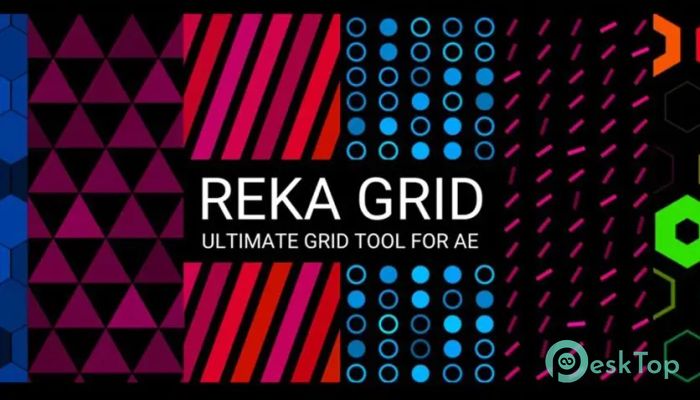
It is a flexible, powerful plugin designed for motion designers and video creators who want greater control over animated grids and parametric shapes. It allows users to build dynamic layouts, animated patterns, and complex visual designs with minimal effort. Instead of manually creating shapes and duplicating them repeatedly, the plugin automatically generates instances across a customizable grid. The software focuses on parametric design, meaning every element can be adjusted and animated. Whether you want clean geometric layouts or abstract animated visuals, it provides the flexibility to experiment freely. With support for multiple shapes, animation controls, and advanced grid types, it becomes a creative playground for designers. It is especially useful for motion graphics, UI animations, background patterns, and abstract visual effects. The tool makes complex animations feel simple, saving time while offering professional results.Features of AEscripts Reka Grid
Parametric Shape Creation
One of the most impressive features is parametric shape creation. It lets you generate various shapes instantly and customize them with ease. Instead of creating multiple layers manually, you can create one shape and let the tool handle the rest.
The available shapes include Triangle, Rectangle, Circle, Star, Y, and X. Each shape offers adjustable parameters that provide full creative freedom. You can modify size, rotation, spacing, and many other properties. This flexibility helps you create unique animations quickly.
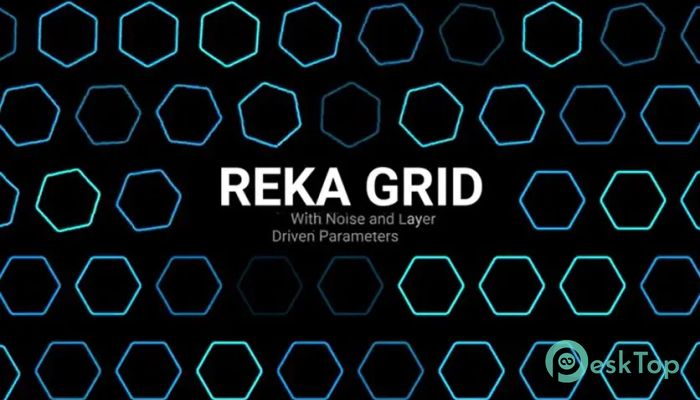
Even better, these parameters are fully animatable. You can apply noise or connect custom layers to animate shapes dynamically. This means shapes can move, scale, or rotate automatically, creating visually engaging motion graphics.
Advanced Grid System
The grid system is where the plugin truly shines. It allows you to arrange shapes in different layouts, including regular grids and hexagonal grids. This gives you more design options than traditional grid tools.
Beyond basic layouts, scripts can further expand functionality. You can create spiral grids, sine wave grids, or even complex phyllotaxis arrangements. This level of flexibility opens doors to creative motion design styles that would normally require advanced scripting knowledge.
Each grid parameter can also be animated. This means spacing, rotation, and distribution can change over time. The result is dynamic animations that feel alive and visually interesting.
Instance-Based Workflow
The plugin uses an instance-based system. Each point on the grid becomes a copy of the selected shape. These copies are called instances, and each instance can be customized individually.
This approach makes animation easier and more efficient. Instead of animating each shape separately, you control multiple instances at once. It saves time while still allowing detailed customization.
The instance system is ideal for creating motion graphics such as particle effects, animated patterns, and complex visual backgrounds. It provides both control and efficiency in one package.
Animation Controls
The tool provides a wide range of animation controls for instances. These controls include Radius, Angle, Position Offset, Color, and Alpha. Each parameter can be animated independently.
Radius controls how far instances move from their original position. Angle controls rotation movement. Position Offset allows shifting instances in different directions. Color and Alpha control visual appearance and transparency.
These animation options make it easy to create smooth transitions and complex motion effects. You can also use noise to create organic and natural movement patterns. This makes animations look less mechanical and more dynamic.
Noise and Custom Layer Animation
Another standout feature is noise-based animation. Instead of manually keyframing everything, you can apply noise to automatically animate parameters. This saves time and creates natural motion.
Custom layers can also drive animation. This means you can link animations to other layers and create advanced effects. For example, shapes can move in response to audio, camera movement, or other animated layers.
This flexibility makes the tool suitable for both beginners and advanced users. Beginners can create animations quickly, while professionals can build complex motion designs.
Creative Design Possibilities
The plugin opens many creative possibilities. You can create animated backgrounds, logo reveals, UI animations, and abstract visual effects. The parametric approach allows endless experimentation.
Designers can also create responsive animations that change in response to different parameters. This makes it useful for modern motion graphics projects.
It works well for social media content, promotional videos, presentations, and visual effects. The flexibility makes it suitable for many creative workflows.
User-Friendly Interface
The interface is designed to be simple and intuitive. Even with powerful features, it remains easy to use. Parameters are organized clearly, making adjustments quick and straightforward.
The workflow feels smooth and efficient. You can experiment with different settings without worrying about complex setups. This makes the tool accessible for users of all skill levels.
Whether you are a beginner or a professional, the interface helps you focus on creativity instead of technical complexity.
Performance and Efficiency
Performance is another strong point. The plugin is optimized to handle multiple instances efficiently. Even complex grids run smoothly, allowing you to work without slowdowns.
This performance improvement helps when working on large projects. You can create detailed animations without worrying about system performance.
Efficient processing also reduces rendering time, making the workflow faster and more productive.
System Requirements and Technical Details
Operating System: Windows 11 / 10 / 8.1 / 7
Processor: Minimum 1 GHz Processor (2.4 GHz recommended)
RAM: 2GB (4GB or more recommended)
Free Hard Disk Space: 200MB or more is recommended
After Effects: 2026, 2025, 2024, 2023, 2022, 2021, 2020, CC 2019, CC 2018, CC 2017, CC 2015.3, CC 2015, CC 2014

-
Program size1.72 MB
-
Version1.3.6
-
Program languagemultilanguage
-
Last updatedBefore 4 Month
-
Downloads16
 Paragon Hard Disk Manager 18 Business
 Aescripts MaskMotion
 Aescripts AE Glass
 Aescripts PreFlight
 Aescripts Risograph
 Aescripts Folder Fanatic