
 Arabic
  English
  Turkish
  Chinese
  Japanese
  Russian
  Spanish
  German
  French
  Hindi
Hindi Download Aescripts SceneStasher 1.0.0 for Windows
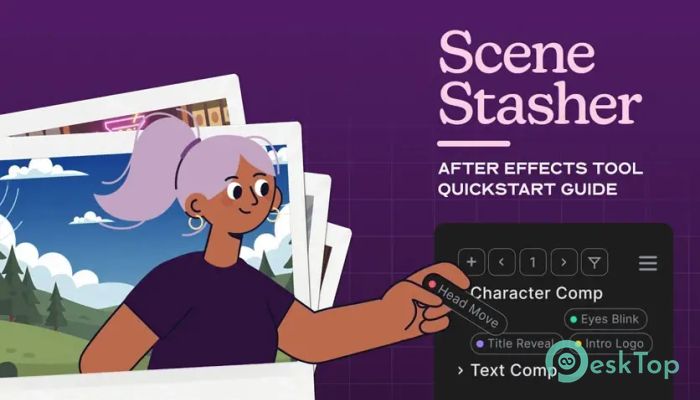
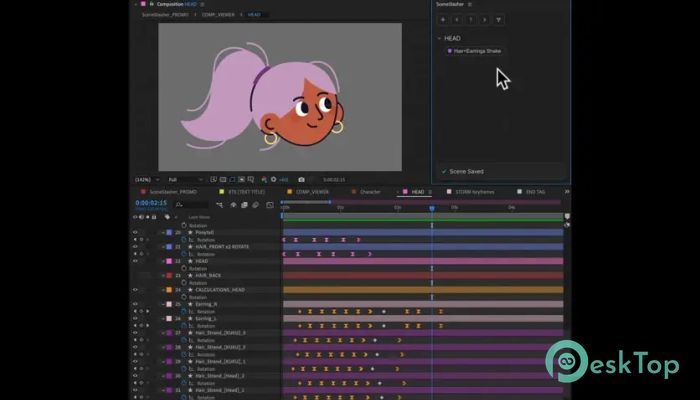
Download Aescripts SceneStasher 1.0.0 for Windows.
Aescripts SceneStasher Overview
Working on complex animations can sometimes feel like searching for a needle in a haystack. That’s where this tool steps in and changes the game. It allows you to capture specific layers and keyframe selections and turn them into reusable buttons. Think of it as creating shortcuts to your most important moments so you can jump back to them without wasting time. Instead of scrolling endlessly through timelines or digging through compositions, the software gives you a simple, fast way to stay organized. It acts like a bookmarking system, but instead of saving web pages, it saves key parts of your animation workflow. This makes editing smoother, faster, and far less frustrating.Features of Aescripts SceneStasher
Smart Timeline Bookmarking
Imagine watching a long movie and wanting to revisit your favorite scene instantly. That’s exactly how this feature works. It lets you mark important points in your animation timeline and revisit them with a single click.
This means you don’t have to remember exact timestamps or search manually. Everything is saved neatly and ready whenever you need it. It’s a small change that makes a huge difference in daily work.
Save Layers and Keyframes Easily
One of the most useful parts of the tool is how it handles selections. You can store specific layers along with their keyframes and turn them into clickable buttons. These buttons act like shortcuts, taking you directly to that exact setup.
This is especially helpful when working on large projects involving multiple elements. Instead of reselecting everything again and again, you just press a button, and you’re there instantly.
Instant Navigation Across Compositions
Moving between compositions can sometimes slow down your workflow. But with this tool, you can teleport across different comps without losing track of your progress. It feels almost like jumping through portals in a game.
This makes retiming and refining animations much faster. You can quickly compare scenes, adjust timings, and make improvements without breaking your creative flow.
Boosts Productivity and Workflow
Time is everything when working on animations. The less time you spend searching, the more time you can spend creating. This software helps you stay focused by removing unnecessary steps from your workflow.
It keeps everything organized and accessible, allowing you to work smarter, not harder. Over time, this leads to faster project completion and better results.
User-Friendly Interface
Not everyone wants to deal with complicated tools. Thankfully, this one keeps things simple and easy to understand. The interface is clean, and all features are designed to be straightforward.
Even if you’re new, you won’t feel lost. You can start saving and recalling scenes within minutes. It’s built for creators who want efficiency without complexity.
Perfect for Complex Projects
If you’re working on detailed animations with multiple scenes, this tool becomes almost essential. It helps you manage everything without getting overwhelmed.
Instead of juggling different elements manually, you can rely on saved selections and quick navigation. It keeps your project under control and your mind stress-free.
Creative Flexibility
Creativity often requires experimentation. With this tool, you can easily jump between different versions of your animation and test new ideas.
You’re not locked into one path. You can explore, adjust, and refine without worrying about losing your place. It gives you the freedom to create without limits.
Reliable and Efficient Performance
No one likes slow tools that interrupt the workflow. This one is designed to be fast and responsive. It runs smoothly in the background, letting you focus on your animation.
Everything happens instantly, from saving selections to recalling them. This speed helps maintain your creative momentum.
System Requirements and Technical Details
Operating System: Windows 11 / 10 / 8.1 / 7
Processor: Minimum 1 GHz Processor (2.4 GHz recommended)
RAM: 2GB (4GB or more recommended)
Free Hard Disk Space: 200MB or more is recommended
After Effects: 2026, 2025, 2024, 2023

-
Program size2.08 MB
-
Version1.0.0
-
Program languagemultilanguage
-
Last updatedBefore 4 Month
-
Downloads15
 Paragon Hard Disk Manager 18 Business
 Aescripts MaskMotion
 Aescripts AE Glass
 Aescripts PreFlight
 Aescripts Risograph
 Aescripts Folder Fanatic