
 Arabic
  English
  Turkish
  Chinese
  Japanese
  Russian
  Spanish
  German
  French
  Hindi
Hindi Download Aescripts - Select Every Other Layer 1.0.2 for Windows
Download Aescripts - Select Every Other Layer 1.0.2 for Windows.
Aescripts - Select Every Other Layer Overview
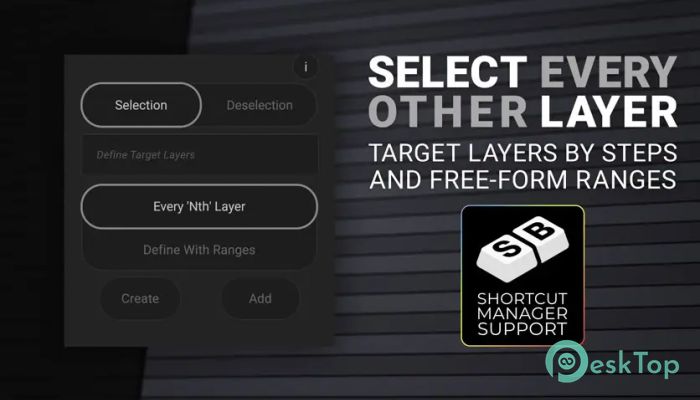
This extension from Aescripts optimizes layer selection in Adobe After Effects, making it faster and more precise. By offering a unique approach to alternating layer control, it helps motion designers, animators, and editors handle layer-heavy projects more efficiently. The tool introduces an advanced UX system that emphasizes smooth performance, automation, and intuitive control. Every function is engineered to help users achieve faster workflows, especially when working with multiple layers in a single row simultaneously.Features of Aescripts - Select Every Other Layer
Streamlined Workflow
The software enables effortless selection and deselection of layers based on custom rules. With its modern interface and logical layout, users can focus on creativity rather than manual clicking. Whether you’re managing dozens of animated elements or working with time-critical motion projects, this extension ensures precision and speed. Its streamlined workflow reduces the chances of errors while maintaining total creative control.
SB Shortcut Manager Integration
One of the most powerful features of the extension is its native integration with the SB Shortcut Manager plugin. This integration allows users to assign personalized global shortcuts for various operations, eliminating repetitive manual steps. The keyboard-centric approach enables faster editing and lets professionals manage selections without constantly switching tools or menus. This makes it ideal for large-scale motion projects where every second counts.
Modern User Interface
The user interface is clean, animated, and thoughtfully designed to provide both clarity and control. Subtle animations indicate feedback when users apply specific selection patterns or adjustments. The interface also includes advanced customization features such as shortcut mapping and visual settings to match personal workflow preferences. The design focus ensures the tool remains intuitive even for those new to After Effects scripting extensions.
Real-Time Feedback and Readouts
Another standout element is its real-time readout capability. As you define layer parameters, the extension immediately shows how many layers will be affected. This feature provides users with better context and confidence when selecting or deselecting. It eliminates the need for guesswork and helps prevent accidental changes, ensuring every step is intentional and well-informed.
Selection and Deselection Modes
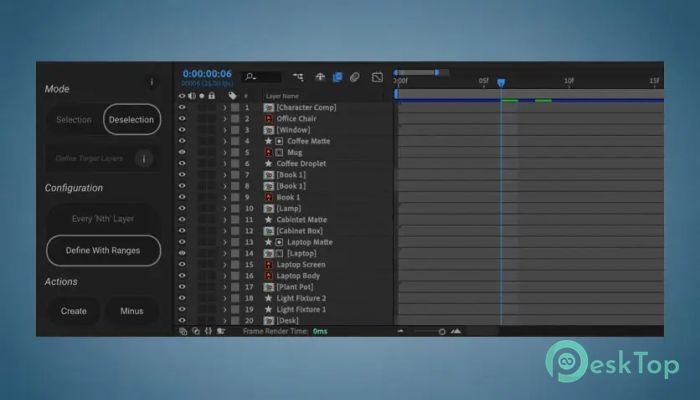
The tool includes two major modes: Selection and Deselection. These allow users to switch between adding and removing layers from their active set depending on their creative goal. The logic-driven mechanism behind these modes is simple yet highly effective for complex compositions. This flexibility provides control over precisely which layers are included in the action, supporting both structured and experimental editing styles.
Time-Saving Design Philosophy
Every feature within the extension is crafted around one principle: saving time without sacrificing precision. By automating a repetitive task, such as alternating layer selection, the tool gives artists more bandwidth to focus on motion, timing, and visual finesse. It transforms a time-consuming process into a near-instant action, allowing editors to move faster from concept to completion. The result is an overall boost in productivity and creative output.
Ideal for Professionals and Enthusiasts
While the software is developed for professional motion designers, it’s also a great addition for learners and hobbyists exploring After Effects. Its intuitive design ensures that even beginners can benefit from automated layer handling. For agencies, freelancers, and production teams, it becomes a cornerstone tool that enhances collaboration and consistency across projects.
Performance and Reliability
The extension operates smoothly even in compositions with hundreds of layers. Its lightweight nature ensures minimal impact on system performance while delivering fast command execution. It’s compatible with the latest versions of After Effects and optimized for both Windows, ensuring flexibility across diverse setups.
Customization and Control
Beyond its default functions, the software supports user-defined parameters for even more refined control. Users can create custom rules to define layer intervals or selection behavior, adjusting settings until the workflow feels perfect. With constant visual and data feedback, every adjustment is easy to understand and apply. The tool’s intelligent automation bridges the gap between creative freedom and technical control.
System Requirements and Technical Details
Operating System: Windows 11 / 10 / 8.1 / 7
Processor: Minimum 1 GHz Processor (2.4 GHz recommended)
RAM: 2GB (4GB or more recommended)
Free Hard Disk Space: 200MB or more is recommended
After Effects: 2025, 2024, 2023

-
Program size7.30 MB
-
Version1.0.2
-
Program languagemultilanguage
-
Last updatedBefore 11 Month
-
Downloads14
 Paragon Hard Disk Manager 18 Business
 Aescripts MaskMotion
 Aescripts AE Glass
 Aescripts PreFlight
 Aescripts Risograph
 Aescripts Folder Fanatic