
 Arabic
  English
  Turkish
  Chinese
  Japanese
  Russian
  Spanish
  German
  French
  Hindi
Hindi Download Aescripts Shhh 1.1.3 for Windows
Download Aescripts Shhh 1.1.3 for Windows.
Aescripts Shhh Overview
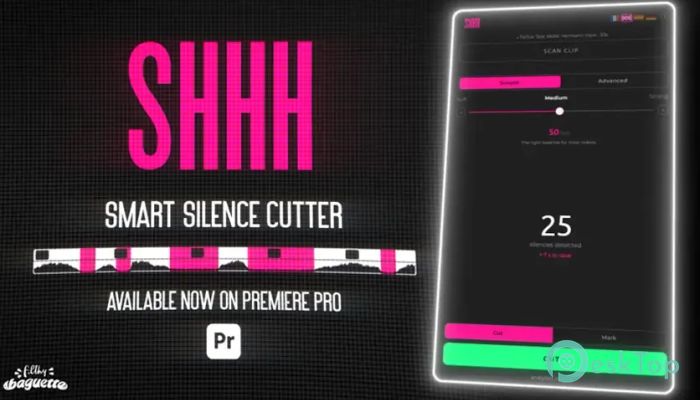
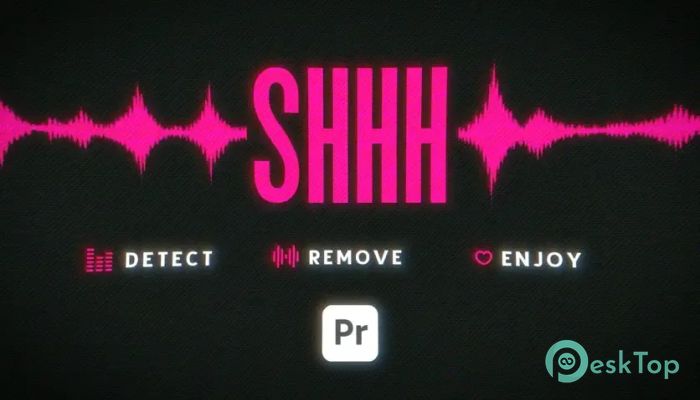
Editing long recordings can feel like trimming a giant tree branch by branch. This plugin makes the job much easier by automatically finding silent sections in your footage and cutting them out in just a few clicks. Instead of spending hours searching for pauses, you can focus on creating engaging videos. The software is designed for content creators, YouTubers, podcasters, educators, interview editors, and anyone who regularly edits talking-head videos. It speeds up the editing workflow while keeping the final result smooth and professional.Features of Aescripts Shhh
Automatic Silence Detection
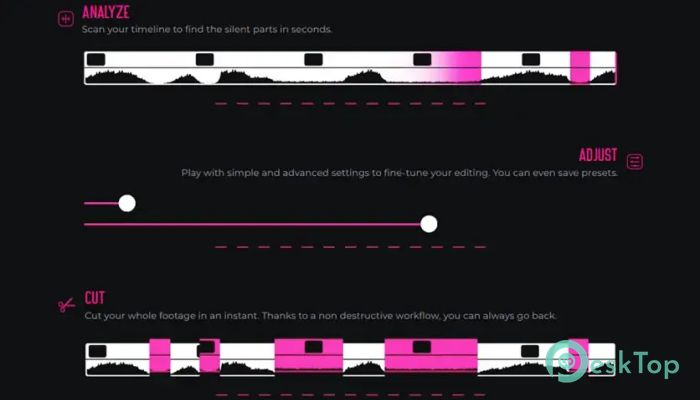
The software's greatest strength is its ability to automatically detect silent moments. It scans your audio track and identifies pauses that are longer than your chosen duration. Once the scan is complete, it prepares the silent sections for removal.
This feature eliminates repetitive manual editing. Instead of zooming into every waveform, you can let the tool handle the boring work while you focus on storytelling.
Fast Editing Workflow
Editing long videos often means spending more time cutting pauses than making creative decisions. The tool dramatically reduces that workload by automating the entire process. A task that normally takes hours can often be completed within minutes.
This improved workflow is especially useful for creators who publish videos regularly. Faster editing means more time for recording, planning, and growing your audience.
Fully Integrated with Premiere Pro
The plugin works directly inside Adobe Premiere Pro, so there is no need to export files or switch between different applications. Everything happens within your existing editing timeline.
This seamless integration keeps your workflow simple and organized. Since you stay inside the same project, you avoid unnecessary file transfers and maintain complete control over your edits.
Customizable Silence Settings
Not every project requires the same editing style. The software allows you to adjust silence thresholds, pause duration, and cutting behavior according to your needs. This flexibility helps you create videos that match your preferred pacing.
Whether you want quick, energetic edits or more natural conversations, the customizable settings give you complete control over the final result.
Perfect for Content Creators
The tool is an excellent companion for YouTube videos, online courses, tutorials, interviews, webinars, podcasts, and business presentations. Any project that contains spoken dialogue can benefit from automatic silence removal.
By removing unnecessary gaps, videos become more engaging and easier to watch. Viewers stay focused because the content flows naturally without awkward pauses.
Accurate Audio Analysis
Instead of making random cuts, the software carefully analyzes the audio to locate genuine silent sections. This intelligent detection helps preserve speech while removing unwanted breaks.
The result is a cleaner timeline that still sounds natural. You can always review the suggested edits before finalizing your project, giving you confidence in every cut.
Simple and User-Friendly Interface
The plugin is designed with simplicity in mind. Even if you are new to video editing, you can quickly understand its controls and start using its automation features.
The clean interface reduces the learning curve, allowing beginners and experienced editors alike to improve productivity without spending hours reading documentation.
Improves Overall Productivity
Time is one of the most valuable resources for every editor. By automating repetitive cutting tasks, the software lets you spend more energy on color grading, transitions, graphics, and storytelling.
Think of it as having an assistant who quietly removes unnecessary pauses while you concentrate on making your videos look their best.
Reliable for Long Projects
Working with lengthy recordings can become overwhelming when every pause must be edited manually. The tool performs consistently even with extended footage, making it suitable for podcasts, lectures, and interviews that run for hours.
Its automated workflow helps maintain editing speed without sacrificing quality, making large projects much easier to manage.
System Requirements and Technical Details
Operating System: Windows 11 / 10 / 8.1 / 7
Processor: Minimum 1 GHz Processor (2.4 GHz recommended)
RAM: 2GB (4GB or more recommended)
Free Hard Disk Space: 200MB or more is recommended
Premiere Pro: 2026, 2025, 2024

-
Program size7.34 MB
-
Version1.1.3
-
Program languagemultilanguage
-
Last updatedBefore 3 Month
-
Downloads8
 Paragon Hard Disk Manager 18 Business
 Aescripts MaskMotion
 Aescripts AE Glass
 Aescripts PreFlight
 Aescripts Risograph
 Aescripts Folder Fanatic