
 Arabic
  English
  Turkish
  Chinese
  Japanese
  Russian
  Spanish
  German
  French
  Hindi
Hindi Download Aescripts - SuperZoom 1.1.0 for Windows
Download Aescripts - SuperZoom 1.1.0 for Windows.
Aescripts - SuperZoom Overview
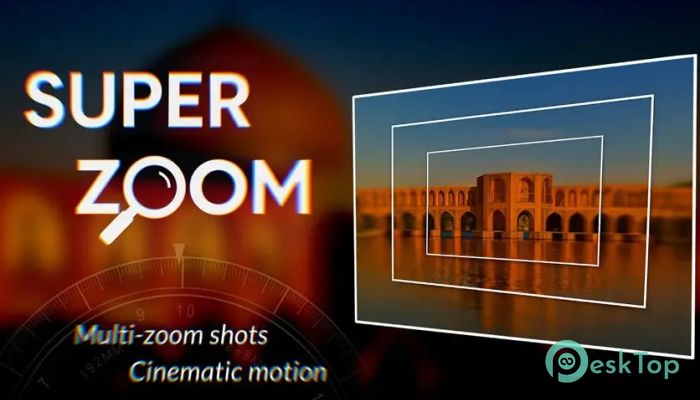
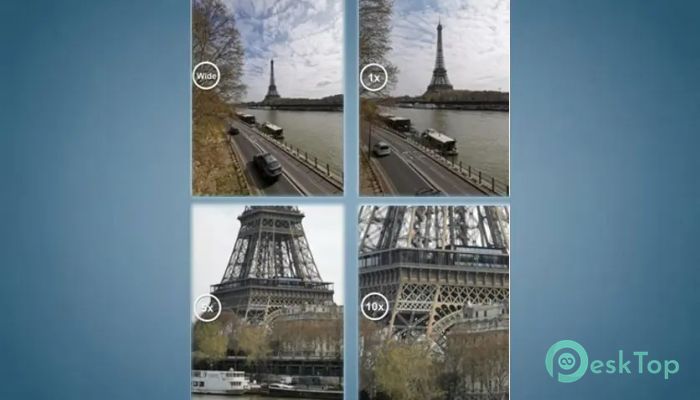
This extension is built for editors, photographers, and motion designers who want to turn simple image sequences into rich, cinematic zoom effects. It analyzes your shots, aligns them, and blends each layer so your final zoom feels natural, dynamic, and visually appealing. The tool eliminates the complicated aspects of manual zoom animation, allowing you to create professional results with straightforward controls. How It Works The tool relies on multiple images captured at different zoom levels. Once those shots are imported, the extension automatically sorts them, aligns every photo based on the previous layer, and builds a stacked composition within After Effects. This automated workflow saves a significant amount of time and simplifies the editing process, even for beginners.Features of Aescripts - SuperZoom
Automatic Sorting And Layer Building
Instead of arranging images one by one, the extension sorts your shots from the widest one to the most zoomed-in frame. This order helps create a smooth visual journey. After sorting, each picture is placed inside a layered composition, turning your sequence into a ready-to-animate zoom setup.
Warping And Alignment
Every layer is analyzed to match shape, angle, and perspective. The software warps each image so it lines up perfectly with the layer under it. This alignment eliminates jumps or glitches that occur when the zoom begins. The result is a natural flow that feels like a single continuous camera movement.
Color And Brightness Matching
Lighting differences happen easily when capturing multiple shots. To fix that, the extension automatically adjusts brightness, contrast, and color tones. These corrections ensure that all frames share a consistent look, making the zoom animation feel well-balanced and visually cohesive.
Blending And Feathering
To avoid hard edges between layers, the tool uses smooth feathering. Each image blends gently into the next, creating a unified depth effect. This blending is one of the reasons the final zoom looks cinematic instead of artificial.
Creative Control Panel
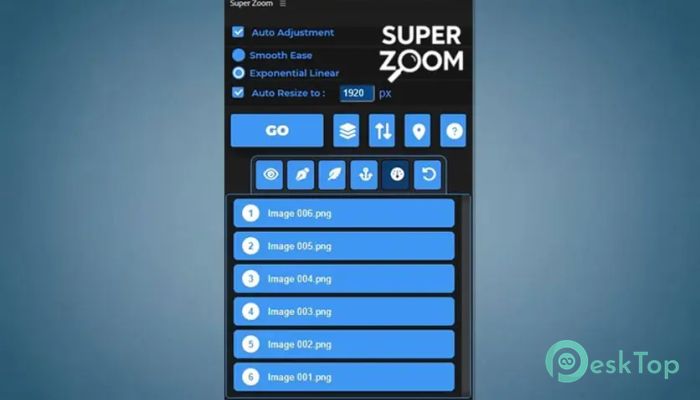
While most tasks are automated, creators can still customize the final result. You can adjust rotation, layer visibility, zoom strength, motion wiggle, feather amounts, and more. This panel gives you complete control to shape the mood and speed of the Zoom.
Building The Final Zoom Animation
After the layers are prepared, animating the zoom becomes easy. You only need to keyframe the scale of the top layer. The composition handles the rest, moving smoothly through every depth level until it reaches the final zoomed-in frame.
Ideal For Many Creative Uses
This extension works well for travel photography, portraits, product showcases, nature shots, event coverage, or any project that requires a dramatic zoom effect. It also helps editors who regularly build social media edits, short video sequences, or cinematic transitions.
Fast Workflow For All Skill Levels
Beginners enjoy the automated process, while professionals use the advanced controls for fine-tuning. The workflow is simple enough for hobbyists but strong sufficient for production-level projects. It drastically cuts editing time without compromising quality.
System Requirements and Technical Details
Operating System: Windows 11 / 10 / 8.1 / 7
Processor: Minimum 1 GHz Processor (2.4 GHz recommended)
RAM: 2GB (4GB or more recommended)
Free Hard Disk Space: 200MB or more is recommended
After Effects: 2026, 2025, 2024, 2023, 2022

-
Program size134.87 MB
-
Version1.1.0
-
Program languagemultilanguage
-
Last updatedBefore 9 Month
-
Downloads47
 Paragon Hard Disk Manager 18 Business
 Aescripts MaskMotion
 Aescripts AE Glass
 Aescripts PreFlight
 Aescripts Risograph
 Aescripts Folder Fanatic