
 Arabic
  English
  Turkish
  Chinese
  Japanese
  Russian
  Spanish
  German
  French
  Hindi
Hindi Download Aescripts - VECTIS 1.0.0 for Windows
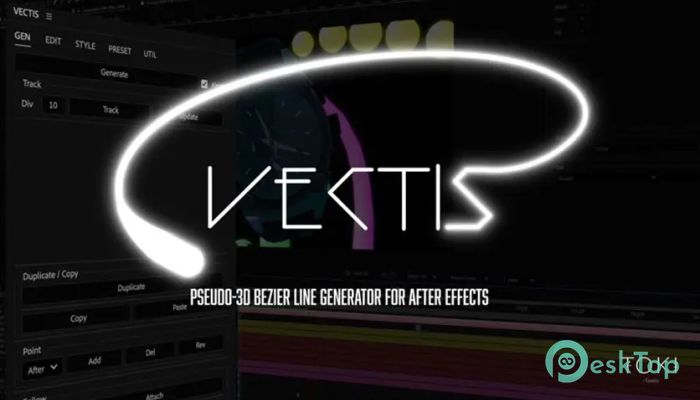
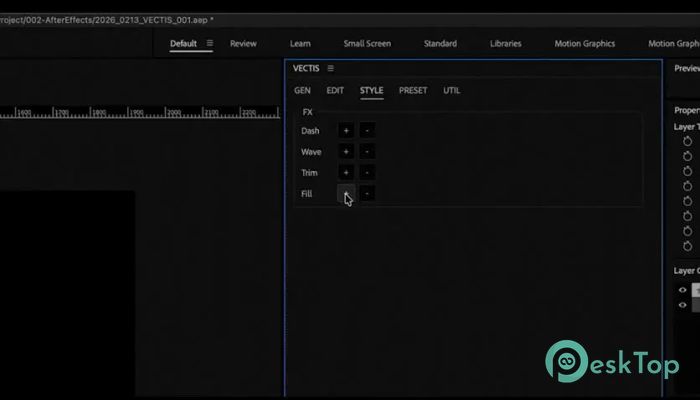
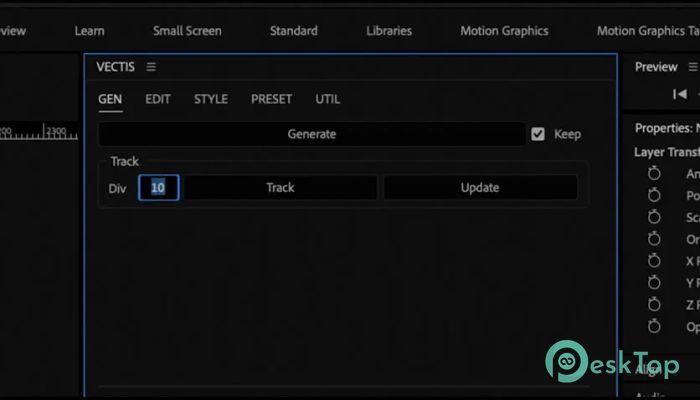
Download Aescripts - VECTIS 1.0.0 for Windows.
Aescripts - VECTIS Overview
Creating smooth 3D lines in motion graphics can sometimes feel like drawing in the air. That is where this tool completely changes the experience. It allows designers and motion artists to create pseudo-3D Bezier lines with depth awareness, making animations look more professional and visually appealing. Instead of manually adjusting stroke thickness and perspective, the software automatically scales strokes based on Z-depth and camera distance. This makes animations feel natural and cinematic without requiring complex 3D modeling or additional plugins. Whether you are working on UI animations, motion graphics, infographic videos, or cinematic transitions, it helps you build realistic depth-based strokes with minimal effort. It transforms simple 2D paths into visually rich pseudo-3D lines that move dynamically with the camera. Depth-Aware 3D Stroke Generation The biggest advantage of this tool is its ability to generate pseudo-3D strokes using standard Bezier paths. Instead of relying on heavy 3D objects, it uses smart calculations to simulate depth. This means you can create elegant motion graphics without slowing down your workflow. It reads camera distance and automatically adjusts stroke width based on perspective. As lines move closer to the camera, they appear thicker. When they move farther away, they become thinner. This small detail makes animations look realistic and professional. For motion designers, this feels like switching from flat drawings to layered cinematic visuals. It adds a sense of dimension that is usually difficult to achieve using simple 2D strokes. Automatic Stroke Scaling One of the most time-saving features is automatic stroke scaling. Normally, designers need to manually adjust stroke thickness when animating camera movement. This process can take time and often leads to inconsistent results. With this tool, stroke thickness automatically adjusts based on camera position. This means less manual work and more consistent animations. It is like having a smart assistant that handles perspective adjustments while you focus on creativity. This feature is especially useful for complex motion graphics where camera movement plays an important role. It ensures smooth and realistic animations every time. Easy Integration with After Effects The software works smoothly inside Adobe After Effects, making it easy to integrate into existing workflows. Designers do not need to learn complicated 3D software or change their workflow. You can draw paths directly and apply depth-aware effects instantly. This makes the entire process faster and more intuitive. Even beginners can create professional-looking animations without spending hours learning advanced techniques. The clean interface and simple controls make it accessible for both beginners and professionals. It feels like a natural extension of After Effects rather than a complicated add-on. Perfect for Motion Graphics and UI Animations This solution is ideal for creating UI animations, explainer videos, logo animations, and motion graphics. It allows designers to easily create flowing lines, animated paths, and cinematic transitions. Motion designers can create dynamic animations that move through 3D space without dealing with heavy 3D rendering. This makes it perfect for fast-paced production environments. It is also useful for infographic animations where lines need to connect elements across different layers. The depth-aware feature ensures everything looks visually balanced. Flexible Bezier Path Controls Bezier paths give designers full control over animation shapes. This tool enhances that flexibility by adding depth awareness. You can create smooth curves, dynamic lines, and animated strokes effortlessly. It supports custom paths, allowing you to design unique animations. This flexibility makes it suitable for creative projects that require originality. The combination of Bezier control and pseudo-3D depth creates a powerful animation tool. It feels like drawing in 3D space while still using familiar 2D tools. Lightweight and Performance Friendly Performance matters when working on motion graphics projects. Heavy plugins can slow down rendering and editing. This solution is lightweight and optimized for performance. It allows designers to create complex animations without affecting system performance. This makes it ideal for both high-end workstations and mid-range systems. Faster performance means smoother previews and quicker rendering. This helps designers stay focused and productive. Creative Use Cases This tool opens the door to many creative possibilities. Designers can create animated network lines, futuristic UI elements, dynamic transitions, and flowing motion graphics. It is also useful for technical animations, data visualizations, and storytelling sequences. The depth-aware strokes create a cinematic feel that enhances visual quality. From minimalistic animations to complex motion graphics, it adapts easily to different creative needs.Features of Aescripts - VECTIS
Pseudo-3D Bezier line generator
Depth-aware stroke scaling
Automatic perspective adjustment
Camera distance-based stroke thickness
Easy integration with After Effects
Flexible Bezier path controls
Lightweight and fast performance
Perfect for motion graphics and UI animations
Simple and intuitive interface
Professional animation results
System Requirements and Technical Details
Operating System: Windows 11 / 10 / 8.1 / 7
Processor: Minimum 1 GHz Processor (2.4 GHz recommended)
RAM: 2GB (4GB or more recommended)
Free Hard Disk Space: 200MB or more is recommended
After Effects: 2026, 2025, 2024, 2023
Comments

745.52 KB
Program details
-
Program size745.52 KB
-
Version1.0.0
-
Program languagemultilanguage
-
Last updatedBefore 4 Month
-
Downloads14
 Paragon Hard Disk Manager 18 Business
 Aescripts MaskMotion
 Aescripts AE Glass
 Aescripts PreFlight
 Aescripts Risograph
 Aescripts Folder Fanatic