
 Arabic
  English
  Turkish
  Chinese
  Japanese
  Russian
  Spanish
  German
  French
  Hindi
Hindi Download Aescripts - Vectory 1.0 for Windows
Download Aescripts - Vectory 1.0 for Windows.
Aescripts - Vectory Overview
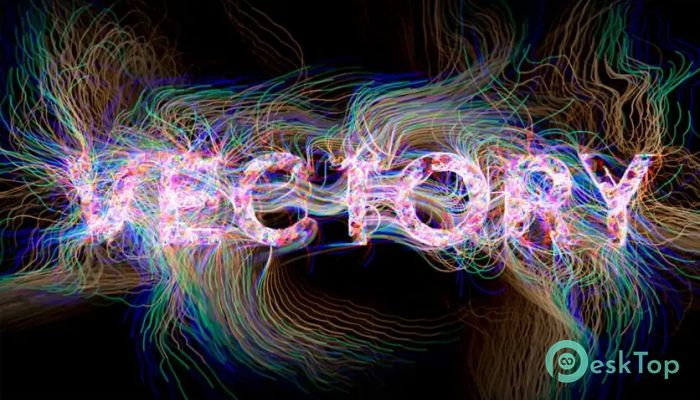
This innovative plugin allows users to transform any image into a moving web of flowing lines and trails. Powered by particle-based algorithms, it converts pixels into animated agents that bring visuals to life. It’s beneficial for motion designers, animators, and digital artists looking to turn static photos into motion-driven compositions. The software reads pixel brightness and uses that data to guide thousands of particles as they travel across your image, producing mesmerizing structures and trails. The result is a unique fusion of art and technology that offers endless creative possibilities.Features of Aescripts - Vectory
Particle system driven by pixel brightness scanning
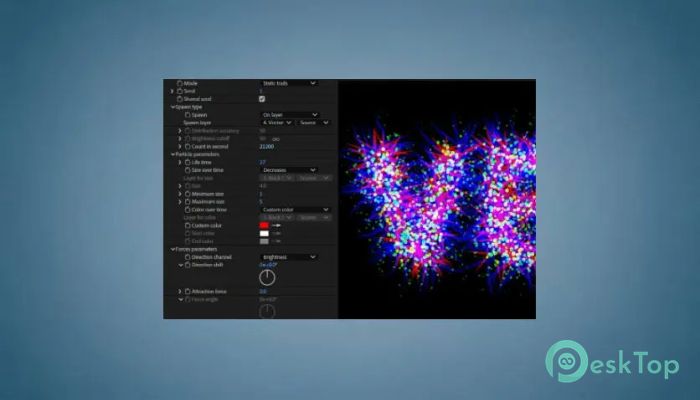
Three visual modes, Particles, Static Trails, and Trails
Adjustable randomness and global direction settings
Custom particle size and lifetime controls
Dynamic color control with shifting and remapping options
Gravity Points for interactive attraction and repulsion effects
How It Works
The plugin spawns thousands of small agents that move across your image in steps. Each agent detects the brightness of the pixel it stands on and changes its direction accordingly. When multiplied by thousands, these particles form an intricate web of lines that reconstructs the source image in an abstract, organic way. This method gives every image a fresh, lively energy.
Available Modes
It comes with three distinct modes for creating different looks and effects:
Particles Mode: Shows the live motion of moving points acting as agents across your image.
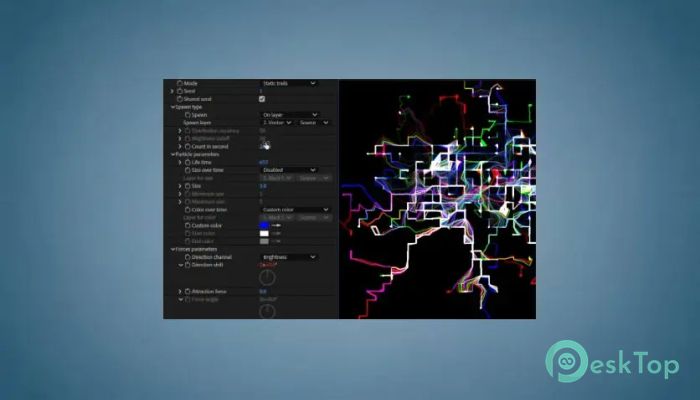
Static Trails Mode: Renders full particle paths as still lines to generate a clean, vectorized drawing.
Trails Mode: Combines motion and persistence, leaving fading streaks that form flowing, animated patterns.
Each mode can be customized via its parameters, allowing users to fine-tune visuals to match their style.
Control Parameters
The tool provides several categories of parameters to shape the behavior of your animations:
Spawn and Count
You can manage how many agents are generated each second and where they appear on the source image. The brightness cutoff can be adjusted to define spawning areas, allowing precise control over particle density and distribution.
Particle Lifetime and Size
This section lets you define how long each agent exists, whether its size changes during its lifetime, and how its trail appears. This control helps balance between detailed fine lines and bold, sweeping strokes.
Movement and Forces
Customize particle motion by adjusting their speed, direction, and responsiveness to external forces. Gravity Points can be used to attract or repel agents, shaping the animation's overall flow. This feature gives users powerful creative control for designing intricate motion paths.
Fluctuation
Add controlled randomness and jitter to the particles’ movement to create more chaotic or energetic effects. This adds a sense of liveliness and unpredictability to the visual result, making it perfect for abstract art or experimental animations.
Color Options
Users can either keep the original image colors, use custom palettes, or animate color transitions over time. The flexibility allows blending natural image hues with artistic stylization. Color remapping adds a unique personality to every project.
Drawing Mode
The tool offers two rendering modes—Nice and Simple. The Nice mode prioritizes high-quality visuals with optional transparency and background color adjustments, while Simple mode offers faster rendering for quick previews or minimalistic aesthetics.
Practical Uses
This plugin is ideal for motion design, title sequences, visual effects, and digital art projects. Whether creating sci-fi motion trails or transforming portraits into glowing line networks, the possibilities are limitless. It encourages experimentation and creativity through intuitive controls.
Creative Control and Workflow
With its responsive interface and real-time previews, users can easily adjust settings and instantly see how each change affects the animation. The combination of algorithmic control and artistic freedom makes it a go-to plugin for professionals seeking distinctive visual output.
Performance and Compatibility
Optimized for modern systems, the tool performs efficiently even with thousands of active particles. It integrates smoothly with After Effects, ensuring compatibility with existing compositions and workflows. Its GPU-friendly design ensures faster rendering without compromising quality.
Customization and Experimentation
Every project can look completely different depending on how you set particle lifetime, direction bias, and trail fade. Users can experiment by layering multiple instances with varying parameters to produce complex, evolving visuals that feel organic and alive.
Advantages
Easy setup with intuitive parameters
Highly customizable motion dynamics
Real-time preview for instant feedback
Optimized for speed and performance
Perfect for both static and animated artwork
System Requirements and Technical Details
Operating System: Windows 11 / 10 / 8.1 / 7
Processor: Minimum 1 GHz Processor (2.4 GHz recommended)
RAM: 2GB (4GB or more recommended)
Free Hard Disk Space: 200MB or more is recommended
After Effects: 2026, 2025, 2024, 2023, 2022, 2021, 2020

-
Program size3.10 MB
-
Version1.0
-
Program languagemultilanguage
-
Last updatedBefore 11 Month
-
Downloads27
 Paragon Hard Disk Manager 18 Business
 Aescripts MaskMotion
 Aescripts AE Glass
 Aescripts PreFlight
 Aescripts Risograph
 Aescripts Folder Fanatic