
 Arabic
  English
  Turkish
  Chinese
  Japanese
  Russian
  Spanish
  German
  French
  Hindi
Hindi Download Aescripts Voice2Captions 2.1.0 for Windows
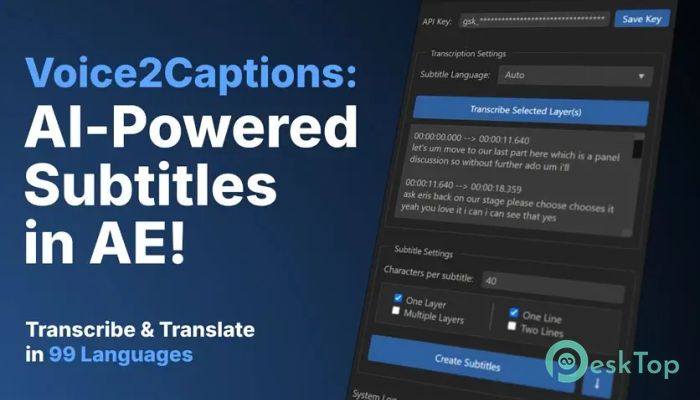
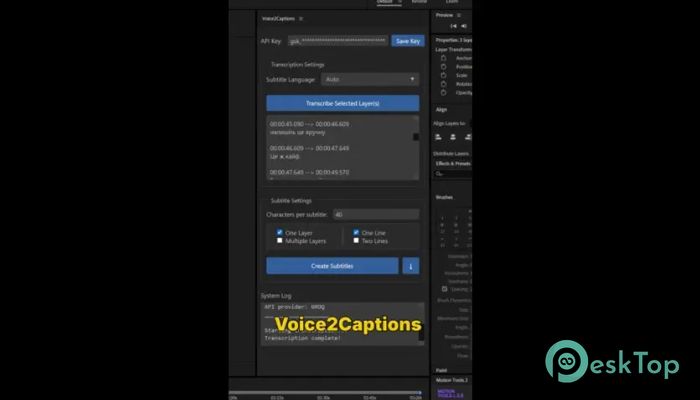
Download Aescripts Voice2Captions 2.1.0 for Windows.
Aescripts Voice2Captions Overview
This tool is designed for video creators who want fast and accurate subtitles without wasting hours typing. It works seamlessly with both After Effects and Premiere Pro, allowing you to convert spoken audio into captions in just a few clicks. Instead of juggling multiple apps, everything happens right inside your editing workspace. With support for over 99 languages, it opens the door to global content creation. Whether you're making tutorials, vlogs, or professional videos, it helps you reach a wider audience effortlessly. Think of it like having a smart assistant that listens, understands, and writes captions for you instantly.Features of Aescripts Voice2Captions
AI-Powered Transcription
At its core, the software uses advanced artificial intelligence to transcribe audio into text. It doesn’t just hear words; it understands context, accents, and speech patterns. This results in highly accurate captions that require minimal correction.
The addition of the Deepgram Nova-3 engine makes transcription even faster and more reliable. It processes audio like a high-speed translator, turning spoken words into readable captions almost instantly.
Seamless Integration with Editing Software
One of the biggest advantages is how smoothly it fits into your workflow. You don’t need to export audio or switch between programs. Everything works directly inside After Effects and Premiere Pro.
It now supports Premiere Pro versions from 2020 to 2026, covering a wide range of users. This integration saves time and keeps your focus on creativity rather than on technical steps.
Editable Transcriptions
Before turning text into captions, you can edit the transcription. This is extremely helpful because even the best AI might miss small details like names or specific terms.
You can quickly fix mistakes, adjust punctuation, and refine the text. It’s like polishing a draft before publishing. This ensures that the final captions look clean and professional.
Smart Caption Formatting
The tool doesn’t just create captions; it formats them intelligently. You can control how many words appear per line and how many lines are displayed. This makes captions easier to read and visually appealing.
It supports splitting text into 1 to 10 words per line and 1 to 2 lines per caption. This flexibility helps you match the style of your video, whether it's fast-paced or slow and cinematic.
Multilingual Support
Creating content for a global audience is easier than ever. The software supports more than 99 languages, making it a powerful tool for international creators.
Whether you’re working with English, Spanish, Arabic, or any other language, it handles transcription smoothly. It’s like having a multilingual editor built into your timeline.
Built-In Animation Presets
For After Effects users, the tool includes ready-to-use text animation presets. This means your captions don’t have to look plain or boring.
You can apply stylish animations instantly, adding life to your subtitles. It’s similar to giving your captions a personality, making your videos more engaging and dynamic.
Speed and Efficiency
Time is everything in video production, and this tool saves a lot of it. Instead of spending hours typing captions manually, you can generate them in minutes.
The fast processing speed allows you to focus on storytelling and editing. It acts as a shortcut, removing repetitive tasks from your workflow.
Security and Reliability
Working with audio files often involves sensitive content. The software ensures that your data remains secure during the transcription process.
It provides a secure environment for processing your files. This gives peace of mind, especially for professionals handling client projects.
Who Should Use It
This tool is perfect for YouTubers, video editors, filmmakers, and content creators. Anyone who regularly adds captions to videos will benefit from it.
Even beginners can use it without difficulty. The interface is simple, and the process is straightforward. It feels less like a complicated tool and more like a helpful companion.
System Requirements and Technical Details
Operating System: Windows 11 / 10 / 8.1 / 7
Processor: Minimum 1 GHz Processor (2.4 GHz recommended)
RAM: 2GB (4GB or more recommended)
Free Hard Disk Space: 200MB or more is recommended
After Effects: 2026, 2025, 2024, 2023, 2022, 2021, 2020, CC 2019, CC 2018

-
Program size68.98 MB
-
Version2.1.0
-
Program languagemultilanguage
-
Last updatedBefore 4 Month
-
Downloads69
 Paragon Hard Disk Manager 18 Business
 Aescripts MaskMotion
 Aescripts AE Glass
 Aescripts PreFlight
 Aescripts Risograph
 Aescripts Folder Fanatic