
 Arabic
  English
  Turkish
  Chinese
  Japanese
  Russian
  Spanish
  German
  French
  Hindi
Hindi Download Anchor Visualizer - Bezier Structure Plugin for Illustrator 1.0 for Windows
Download Anchor Visualizer - Bezier Structure Plugin for Illustrator 1.0 for Windows.
Anchor Visualizer - Bezier Structure Plugin for Illustrator Overview
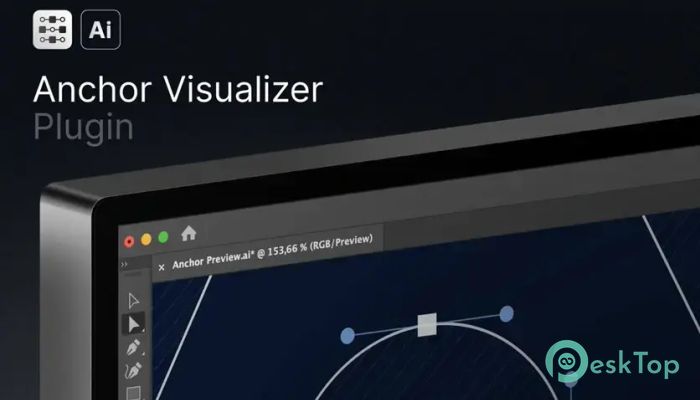
This powerful plugin is designed for Adobe Illustrator users who want to present their vector artwork in a more professional and understandable format. It adds a visual layer over vector paths, making anchor points, bezier curves, handles, and direction lines easy to see. Whether you are building logos, icons, or complex illustrations, the tool helps reveal the structure hidden behind the artwork. The plugin works smoothly with simple paths, compound paths, and detailed vector graphics. Designers can generate a separate layer for visualization without changing the original design. That means the artwork stays safe while the visual overlay can be customized, styled, exported, or used for presentations and tutorials. For anyone teaching Illustrator techniques or creating portfolio case studies, this software acts like an X-ray machine for vector art. It exposes the design's skeleton while keeping everything clean and organized.Features of Anchor Visualizer - Bezier Structure Plugin for Illustrator
Easy Visualization for Vector Artwork
Working with Bezier curves can sometimes feel like driving through fog. You know the shape is there, but the hidden anchor points and handles are difficult to explain to others. This plugin solves that problem by making every important detail visible.
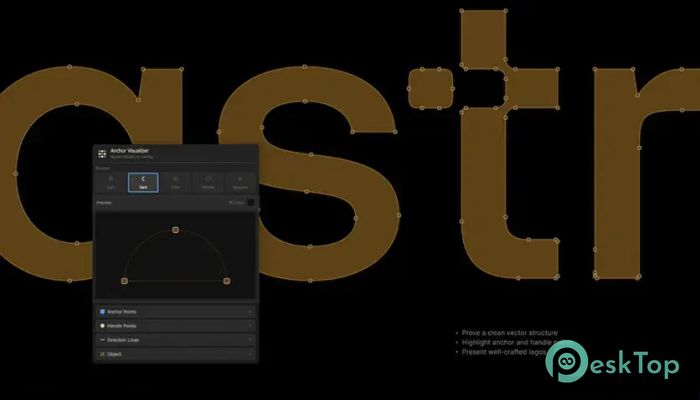
The software automatically creates visual indicators for anchor points and direction handles. These elements can be styled with different colors, shapes, and sizes to match your presentation or branding style. Designers no longer need to manually build overlays or screenshots for tutorials.
Everything appears in its own layer, providing complete flexibility. You can hide, edit, export, or remove it at any time without affecting the original artwork.
Fully Customizable Display Options
One of the plugin's biggest strengths is customization. Every designer has a different workflow, and the software respects that by offering a wide range of settings.
Users can adjust the fill colors of anchor points, stroke styles, corner radii, and point sizes. Handle points can also be customized with unique colors and dimensions. Direction lines can appear as solid strokes or dashed lines, depending on the chosen style.
The object stroke overlay feature is also useful for presentations because it highlights the actual vector shape alongside the bezier structure. This creates a clean and educational visual effect that looks professional in screenshots, client presentations, and social media posts.
The plugin also includes pattern fills such as diagonal lines and dot patterns. These visual effects add depth and help separate layers clearly during demonstrations.
Built-In Presets for Faster Workflow
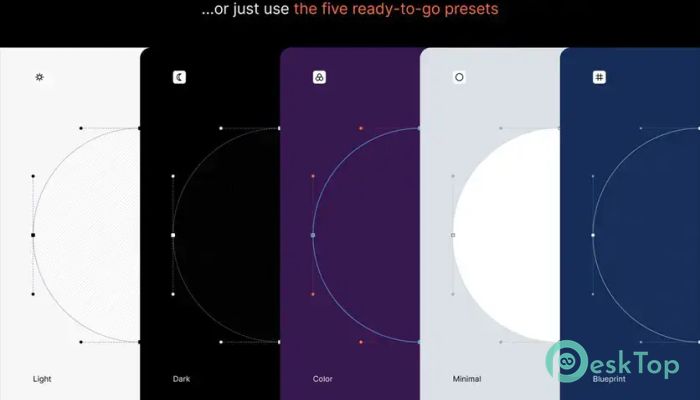
Creating visual overlays from scratch every time can waste valuable hours. To speed things up, the software includes five ready-made presets that instantly change the appearance of the generated visuals.
Light preset for clean, bright presentations
Dark preset for modern portfolio displays
Color preset for vibrant educational content
Minimal preset for distraction-free visuals
Blueprint preset for technical design breakdowns
These presets act like ready-made outfits for your vector artwork. Instead of spending time manually styling every element, you can choose a preset and start presenting immediately.
Perfect for Tutorials and Case Studies
Teaching vector design becomes much easier with proper visualization. Students often struggle to understand how Bezier curves handle shapes. This plugin removes the confusion by showing the exact structure behind every path.
Content creators can generate clear educational screenshots that explain the design process step by step. It is also useful for YouTube tutorials, online courses, classroom training, and blog articles.
Case studies become more attractive because viewers can see how a logo or icon was constructed. This makes portfolio presentations feel more professional and detailed. Instead of showing only the final result, designers can reveal the creative journey behind the artwork.
Helpful for Quality Control
Complex vector artwork sometimes includes unnecessary anchor points that make editing later difficult. The software helps identify these issues quickly by clearly exposing every point and handling them.
Designers can inspect logos and illustrations more carefully to improve path cleanliness and optimization. This is especially important when preparing files for printing, animation, or large-scale production.
The plugin acts like a magnifying glass for vector paths. Tiny imperfections that are normally hidden suddenly become visible and easy to fix.
Works Smoothly with Complex Logos
Many Illustrator plugins struggle with complicated vector artwork, but this one handles complex logos and compound paths very well. It can generate overlays for detailed designs without damaging the original structure.
This makes it useful for professional branding projects where clean bezier construction matters. Designers working on icons, typography, mascots, and technical illustrations will appreciate the smooth workflow.
The software keeps everything organized by separating the generated visuals onto their own layer. This prevents confusion and keeps the Illustrator document tidy.
Simple and User-Friendly Interface
Even beginners can understand the workflow quickly. The process is straightforward:
Select a path or vector object
Choose the preferred settings or preset
Click Generate
Receive a styled visualization layer instantly
The clean interface avoids unnecessary complexity. Instead of digging through endless menus, users can focus on creating and presenting artwork.
The plugin feels lightweight and responsive, which is important when working on large Illustrator projects. Everything happens quickly without slowing down the creative process.
System Requirements and Technical Details
Operating System: Windows 11 / 10 / 8.1 / 7
Processor: Minimum 1 GHz Processor (2.4 GHz recommended)
RAM: 2GB (4GB or more recommended)
Free Hard Disk Space: 200MB or more is recommended
Adobe Illustrator: CC 2019 or newer

-
Program size68.94 KB
-
Version1.0
-
Program languagemultilanguage
-
Last updatedBefore 5 Month
-
Downloads22
 Paragon Hard Disk Manager 18 Business
 Aescripts MaskMotion
 Aescripts AE Glass
 Aescripts PreFlight
 Aescripts Risograph
 Aescripts Folder Fanatic