
 Arabic
  English
  Turkish
  Chinese
  Japanese
  Russian
  Spanish
  German
  French
  Hindi
Hindi Download Animbot 1.0 for Windows
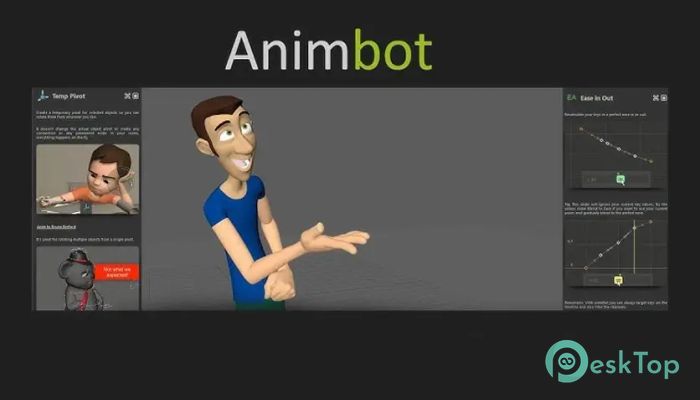
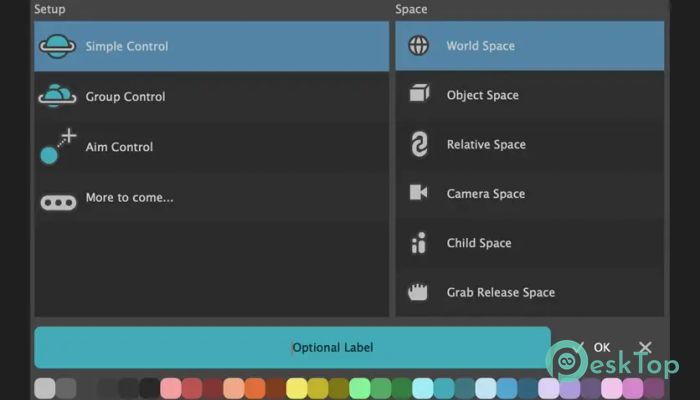
Download Animbot 1.0 for Windows.
Animbot Overview
It is a professional-grade animation helper designed for artists who want to move faster without cutting corners. It works as an intelligent companion, helping animators focus on creativity rather than technical friction. From blocking to polishing, this toolset smooths out the entire animation process.Features of Animbot
Built for Real Production Work
This software is not a hobby project or a simple script pack. It is trusted by more than 90 percent of top-tier AAA game studios and full-feature production houses. That level of adoption only happens when a tool proves itself in real pipelines, under tight deadlines and high expectations.
How It Improves Daily Workflow
Think of it like a personal assistant for animation. Instead of clicking through menus or repeating the same setup steps, the tool automates everyday actions. This means fewer interruptions and more time staying in the creative flow. Small time savings add up quickly over long projects.
Smart Automation Without Losing Control
Automation here does not mean losing artistic control. Every feature is designed to support decision-making, not replace it. The software handles technical groundwork while leaving timing, spacing, and emotion entirely in the animator’s hands. It is like having power steering instead of driving on ice.
Designed for Speed and Precision
Speed matters in production, but accuracy matters more. This toolset balances both by offering precise controls that respond instantly. Whether adjusting keys, managing curves, or cleaning motion, everything feels responsive and predictable, which builds confidence during complex shots.
Used by Beginners and Veterans Alike
One of its biggest strengths is flexibility. New animators can rely on built-in helpers to avoid common mistakes, while experienced artists can customize workflows to match their personal style. It grows with the user instead of becoming limiting over time.
Clean Interface That Stays Out of the Way
No one likes cluttered screens. The interface is clean, logical, and easy to learn. Tools are grouped logically, so you don't have to hunt for options. After a short learning period, most actions become second nature.
Community-Driven Development
A strong community backs this software. Feedback from professional animators actively shapes updates and improvements. This creates a sense of shared ownership, where users feel heard and supported instead of locked into a static product.
Perfect for Game and Cinematic Animation
The toolset shines in both real-time game animation and cinematic work. Whether animating combat moves, dialogue scenes, or environmental motion, it adapts smoothly. This versatility is a primary reason why large studios rely on it across multiple projects.
Reliable Performance on Long Projects
Stability is critical when working on long scenes with heavy files. The software is optimized to remain responsive even as projects grow. Fewer crashes and smoother playback mean less stress and more consistent output.
Easy Integration Into Existing Pipelines
Adding new tools to a pipeline can be risky, but this one integrates cleanly. It works alongside existing setups without forcing significant changes. Teams can adopt it gradually and see benefits almost immediately.
Regular Updates and Ongoing Support
Development does not stop after release. Regular updates bring refinements, new features, and compatibility improvements. This ongoing support ensures the tool stays relevant as animation standards and software versions evolve.
System Requirements and Technical Details
Operating System: Windows 11 / 10 / 8.1 / 7
Processor: Minimum 1 GHz Processor (2.4 GHz recommended)
RAM: 2GB (4GB or more recommended)
Free Hard Disk Space: 200MB or more is recommended
Maya: 2017, 2018, 2019 and 2020

-
Program size139.19 MB
-
Version1.0
-
Program languagemultilanguage
-
Last updatedBefore 8 Month
-
Downloads71
 Paragon Hard Disk Manager 18 Business
 Aescripts MaskMotion
 Aescripts AE Glass
 Aescripts PreFlight
 Aescripts Risograph
 Aescripts Folder Fanatic