
 Arabic
  English
  Turkish
  Chinese
  Japanese
  Russian
  Spanish
  German
  French
  Hindi
Hindi Download Aura 360 Pro 1.1.2 for Windows
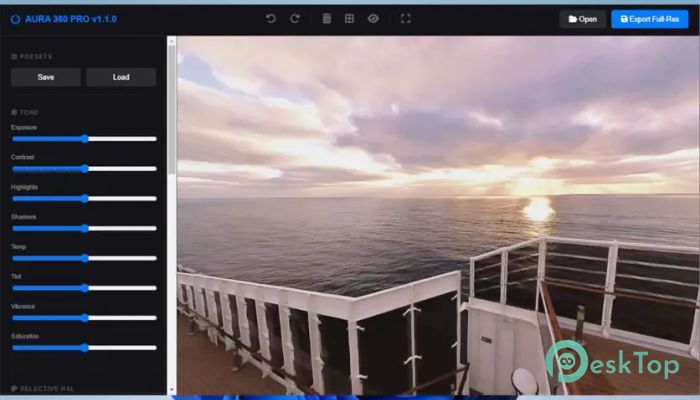
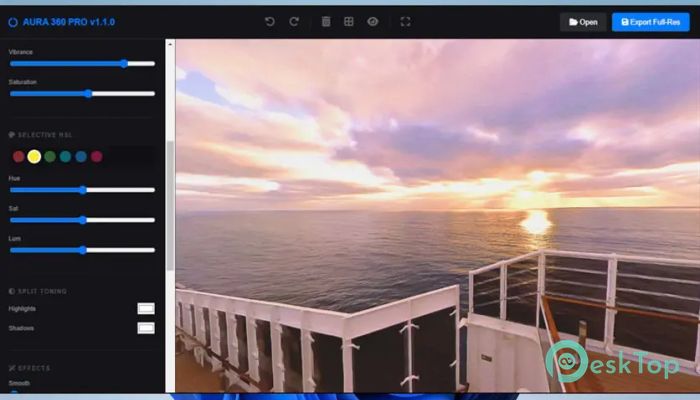
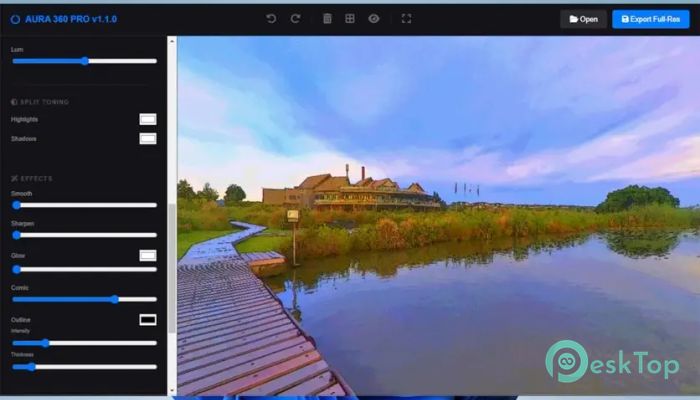
Download Aura 360 Pro 1.1.2 for Windows.
Aura 360 Pro Overview
Working with 360° images can often feel complicated, slow, and dependent on online services. This software changes that experience by giving you full control directly on your computer. It uses your local hardware to process images quickly while keeping everything private and secure. No internet connection is required, and there are no subscription costs to worry about. It is designed for photographers, virtual tour creators, real estate professionals, and content creators who want a fast and reliable editing workflow. Whether you are enhancing colors, smoothing skies, or preparing high-resolution exports, the tool provides everything needed in one place. The interface is simple enough for beginners but powerful enough for professionals.Features of Aura 360 Pro
Lightning Fast Local Processing
One of the biggest advantages of this software is its local processing capability. Instead of uploading images to cloud servers, everything happens directly on your computer. This makes editing significantly faster and keeps your files secure.
Think of it like cooking at home instead of ordering delivery. You control the ingredients, the timing, and the results. Similarly, the tool lets you work without waiting for uploads or downloads. This improves productivity and allows you to complete projects more efficiently.
Advanced Split Toning
Split toning allows you to apply different color tones to highlights and shadows. This feature helps create cinematic visuals and dramatic effects. You can warm up highlights while cooling down shadows, or experiment with unique color combinations.
This level of control gives your images a professional feel. Whether you are creating real estate tours, virtual experiences, or creative photography, split toning adds depth and personality to your visuals.
Smart Masking Technology
Smart masking makes editing more precise and effortless. It intelligently detects horizon lines and separates sky from ground areas. This allows you to smooth skies while enhancing ground details without affecting other parts of the image.
This feature saves time and reduces the need for manual adjustments. It is like having an assistant that automatically identifies the important areas of your image and helps you enhance them efficiently.
Enhanced Edge Detection
Enhanced edge detection helps create bold and clean outlines. With adjustable thickness settings, you can produce comic-style visuals and stylized images. This feature is perfect for creative professionals seeking unique, artistic results.
Whether you are experimenting with artistic effects or adding clarity to details, this feature provides flexibility and precision.
Professional Color Controls
The software offers full control over essential color and tone settings. You can adjust exposure, contrast, highlights, shadows, temperature, tint, and vibrance. These controls help you fine-tune every aspect of your image.
This flexibility allows you to achieve balanced, visually appealing results. From subtle corrections to dramatic transformations, the tool supports every level of editing.
Selective HSL Editing
Selective HSL editing provides six-channel color manipulation. You can adjust hue, saturation, and luminance individually for different colors. This allows you to enhance specific elements within your image.
For example, you can make skies more vibrant, grass more vivid, or buildings more neutral. This targeted editing improves visual impact without affecting the entire image.
Creative Effects and Enhancements
The software includes creative effects such as glow, sharpening, smoothing, and comic-style enhancements. These effects wrap seamlessly around the 360° sphere, ensuring consistent results.
These creative tools help you develop your own style. Whether you want clean professional results or artistic visuals, the software gives you full creative freedom.
Preset Management
Preset management makes editing faster and more consistent. You can save your favorite settings as custom presets. These presets can be applied instantly to multiple images.
This feature is especially useful for batch processing. It ensures consistency across projects and reduces repetitive work. You can build your own library of presets and reuse them whenever you want.
High-Resolution Export
High-resolution export allows you to render images in stunning 8K quality. This ensures your visuals remain sharp and professional. High-resolution outputs are ideal for virtual tours, real estate listings, and social media platforms.
The export process is fast and reliable. You can prepare professional-quality visuals without sacrificing performance.
Privacy and Security Benefits
Since everything runs locally, your images never leave your computer. This provides complete privacy and control. There is no risk of uploading sensitive images to external servers.
This makes the software ideal for professionals working with confidential content. It offers peace of mind while maintaining high performance.
Simple and User-Friendly Interface
The interface is designed to be clean and intuitive. Beginners can quickly understand the controls, while professionals can easily access advanced tools. The workflow feels natural and efficient.
Editing becomes smooth and enjoyable. You spend less time learning and more time creating.
System Requirements and Technical Details
Operating System: Windows 11 / 10
Processor: Intel Core i5 or AMD Ryzen 5 (Minimum), Intel Core i7 / AMD Ryzen 7 or higher (Recommended)
RAM: 8GB (16GB or more recommended)
Free Hard Disk Space: 4GB or more is recommended
Graphics Processor: Intel UHD Graphics or any dedicated GPU with at least 2 GB VRAM (Minimum), Dedicated NVIDIA or AMD GPU with 6 GB+ VRAM (e.g., NVIDIA RTX 3060 or equivalent) for instant hardware acceleration (Recommended)

-
Program size389.10 MB
-
Version1.1.2
-
Program languagemultilanguage
-
Last updatedBefore 6 Month
-
Downloads12
 Paragon Hard Disk Manager 18 Business
 Aescripts MaskMotion
 Aescripts AE Glass
 Aescripts PreFlight
 Aescripts Risograph
 Aescripts Folder Fanatic